Moving hundreds of millions of documents is not simply a larger version of a normal migration. It is a different operational challenge.
Enterprise IBM FileNet environments can accumulate decades of business content, metadata, security configurations, workflows, integrations, versions, and customizations.
At smaller volumes, teams may be able to manage migration complexity through manual intervention and conventional project controls.
At hundreds of millions of documents, that approach does not scale.
The migration strategy must be designed around automation, continuity, synchronization, validation, monitoring, and controlled cutover from the beginning.
What Makes Large-Scale FileNet Migration Different?
Document volume is only one dimension of migration complexity.
A large IBM FileNet environment may contain:
- Hundreds of millions of documents
- Multiple object types and metadata structures
- Complex security and access controls
- Document versions and renditions
- Custom workflows
- Business application integrations
- Different repositories or object stores
- Content created and modified continuously
- Historical data with varying business value
This creates a fundamental challenge:
How do you move the content accurately while the business continues to operate?
That is where migration architecture becomes more important than simply selecting a migration tool.
The First Challenge: Migration at Scale
A migration involving hundreds of millions of documents cannot depend on manual processing.
The migration framework needs to support:
Automation
Large volumes require repeatable, automated processing rather than manual intervention.
Parallel processing
Migration workloads need to be structured to handle large volumes efficiently without creating unnecessary bottlenecks.
Traceability
Every migration activity needs to be identifiable and trackable throughout the migration lifecycle.
Exception management
Failed or incomplete migrations need to be identified, isolated, investigated, and reprocessed without disrupting the wider migration.
At enterprise scale, the question isn’t simply:
Can the content be migrated?
It is:
Can it be migrated consistently, repeatedly, and with sufficient control at scale?
The Second Challenge: The Business Cannot Simply Stop
A common assumption is that migration happens during a single maintenance window.
That approach becomes increasingly difficult when the source environment continues to support active business processes.
New documents are created.
Existing documents are modified.
Data updates from connected business applications
Business processes continue.
If migration takes weeks or months, the source environment does not remain static while the project runs.
This creates the need for a migration strategy that supports business continuity throughout the migration lifecycle.
The objective is to minimize disruption while progressively moving and validating content.
Why Delta Migration Matters
This is where delta migration becomes critical.
The initial migration moves the identified content from the source environment to the target.
But what happens afterward?
New or modified content may continue to appear in the source.
A delta migration strategy identifies and synchronizes these changes so that the target environment can progressively catch up with the source.
This changes the nature of the final cutover.
Instead of attempting to move the entire remaining workload during one high-risk window, the migration can progressively reduce the amount of outstanding change.
The result?
A more controlled transition.
Less content remaining at cutover.
Lower synchronization risk.
Greater confidence in the final transition.
The smartest way to reduce cutover risk is to reduce what remains to be done at cutover.
Migration Automation Is Not Enough
Automation can dramatically improve migration efficiency.
But enterprise migration requires more than automated movement.
Stakeholders need visibility into what is happening.
A mature migration process should provide insight into:
- Migration progress
- Content processed
- Successful migrations
- Failed or exception items
- Pending workloads
- Validation results
- Reconciliation status
- Migration performance
This creates an important distinction:
Automated migration moves content.
Transparent migration provides control over the process.
For a large-scale enterprise migration, you need both.
Validation Is Where Migration Confidence Comes From
A migration cannot be considered successful simply because the target contains documents.
The migrated content must be validated against the expected result.
Validation may need to consider:
- Document counts
- Content integrity
- Metadata
- Versions
- Security
- Relationships
- Migration exceptions
- Source-to-target reconciliation
This is particularly important at large scale.
When hundreds of millions of documents are involved, manual validation is neither practical nor sufficient.
Organizations need automated validation and centralized visibility to identify discrepancies and provide evidence that migration objectives have been achieved.
Centralized Monitoring Changes the Migration Conversation
Large migration programs involve multiple stakeholders.
Project managers need progress visibility.
Technical teams need operational details.
Business stakeholders need confidence that critical content is being handled correctly.
Governance teams need traceability and validation.
A centralized migration dashboard can provide a common view of the migration lifecycle.
Instead of relying on disconnected reports and spreadsheets, stakeholders can monitor:
Progress → Exceptions → Validation → Reconciliation → Readiness
This transforms migration reporting from periodic status updates into continuous operational visibility.
The Final Cutover Should Not Be the First Time You Discover a Problem
One of the biggest migration risks is discovering issues at the point of cutover.
By then, the project has already invested significant time and resources.
A stronger approach identifies and addresses issues throughout the migration.
That means:
Discover early.
Migrate progressively.
Synchronize continuously.
Validate continuously.
Reconcile before cutover.
Cut over with confidence.
This is particularly important for business-critical FileNet environments where prolonged downtime or incomplete content migration is not an acceptable outcome.
What Should Enterprises Look for in a Large-Scale FileNet Migration Strategy?
Before selecting a migration approach, organizations should ask:
Can the approach handle our actual content volume?
A strategy designed for millions of documents may not be appropriate for hundreds of millions.
How will ongoing source changes be handled?
If the business continues operating during migration, delta synchronization becomes an important consideration.
How will exceptions be managed?
A migration strategy should provide a controlled process for identifying and resolving failures.
How will migration results be validated?
Document counts alone are not enough. Validation should address the content and attributes that matter to the business.
How will stakeholders monitor progress?
Large migration programs require visibility throughout execution—not just a final project report.
How will cutover risk be reduced?
The migration strategy should progressively reduce the outstanding workload and validate readiness before the final transition.
Large-Scale Migration Requires a Different Mindset
A large IBM FileNet migration should not be viewed as:
Extract → Transform → Load → Done
It is better understood as a controlled lifecycle:
Assess → Plan → Automate → Migrate → Synchronize → Validate → Reconcile → Cut Over
Each stage contributes to reducing risk.
And at enterprise scale, small gaps can become very large problems.
How ECM Addons Approaches FileNet to SharePoint Migration
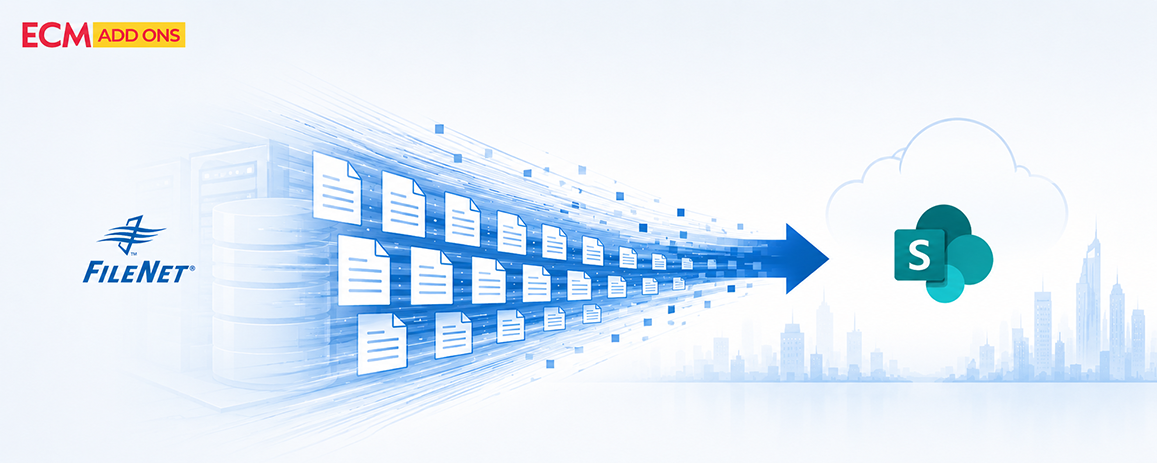
ECM Addons helps organizations migrate complex IBM FileNet environments to Microsoft SharePoint using a structured, automation-driven approach designed for enterprise-scale content migration.
Our migration approach focuses on five key areas:
Large-Scale Migration
Experience across IBM FileNet environments involving millions of documents, supporting complex and high-volume migration requirements.
Business Continuity
Migration strategies designed to minimize business disruption while the source FileNet environment continues to operate.
Advanced Delta Migration
Delta synchronization strategies help manage content changes during migration and reduce the volume of outstanding work before final cutover.
Automated & Transparent Migration
Automated migration processes provide greater consistency, traceability, and visibility throughout the migration lifecycle.
Centralized Monitoring & Validation
Centralized monitoring and validation capabilities provide project stakeholders with visibility into migration progress, exceptions, reconciliation, and overall migration status.
The objective is not simply to move content from FileNet to SharePoint.
It is to make the transition controlled, measurable, validated, and business-ready.
Frequently Asked Questions
What is large-scale IBM FileNet migration?
Large-scale IBM FileNet migration involves moving very high volumes of enterprise content and its associated metadata, security, versions, relationships, and other dependencies while maintaining data integrity and business continuity.
How can organizations migrate IBM FileNet without significant business disruption?
A migration can be designed around progressive content movement, delta synchronization, continuous validation, and a controlled cutover strategy. This reduces the amount of work remaining at the final transition and helps minimize disruption.
What is delta migration in IBM FileNet?
Delta migration is a strategy for identifying and migrating content changes that occur after the initial migration. It helps keep the target environment synchronized with the source until the final cutover.
Why is migration validation important?
Validation confirms that migrated content meets defined expectations for completeness, integrity, metadata, security, and other business requirements. At large scale, automated validation and reconciliation are particularly important.
How do you monitor a large FileNet migration?
A centralized monitoring approach can provide visibility into migration progress, successful and failed items, exceptions, validation results, and overall migration status across the project.
Is FileNet migration only about moving documents
No. Enterprise FileNet migration can involve content, metadata, versions, security, relationships, workflows, integrations, and other dependencies. Treating it as a simple document transfer can create significant downstream risk.
Final Thought
The bigger the FileNet environment, the less room there is for uncertainty.
At hundreds of millions of documents, migration success cannot depend on manual processes, assumptions, or a single cutover event.
It requires an architecture built for scale, automation, synchronization, validation, visibility, and control.
Because the goal of an enterprise migration isn’t simply to move hundreds of millions of documents.
It’s to move them with confidence—without losing control of the business along the way.
Planning an IBM FileNet to SharePoint Migration?
Moving enterprise content from IBM FileNet to Microsoft SharePoint requires more than transferring documents.
Organizations need to consider content volume, metadata, security, business continuity, ongoing changes, validation, integrations, and cutover planning before migration begins.
ECM Addons helps organizations plan and execute IBM FileNet to SharePoint migrations using an automation-driven approach designed for complex enterprise environments.
Explore IBM FileNet to SharePoint Migration Services →
https://www.ecm-addons.com/filenet-migration-services/