From FileNet to SharePoint Online: A Strategic Migration Guide for Enterprises
Moving from IBM FileNet to Microsoft SharePoint Online is more than transferring documents from one platform to another. For enterprises managing millions of documents, complex security models, business workflows, and connected applications, migration is a business-critical transformation that requires careful planning.
A poorly planned migration can lead to inaccessible documents, broken application dependencies, permission errors, unexpected costs, and disruption to business operations. The challenge is to move content while preserving the information, relationships, and capabilities that employees rely on.
With experience across both IBM FileNet and Microsoft SharePoint Online, ECM Addons helps enterprises plan and execute cost-conscious migration strategies based on their existing environment, business priorities, and target architecture.
Why Are Enterprises Rethinking Their IBM FileNet Strategy?
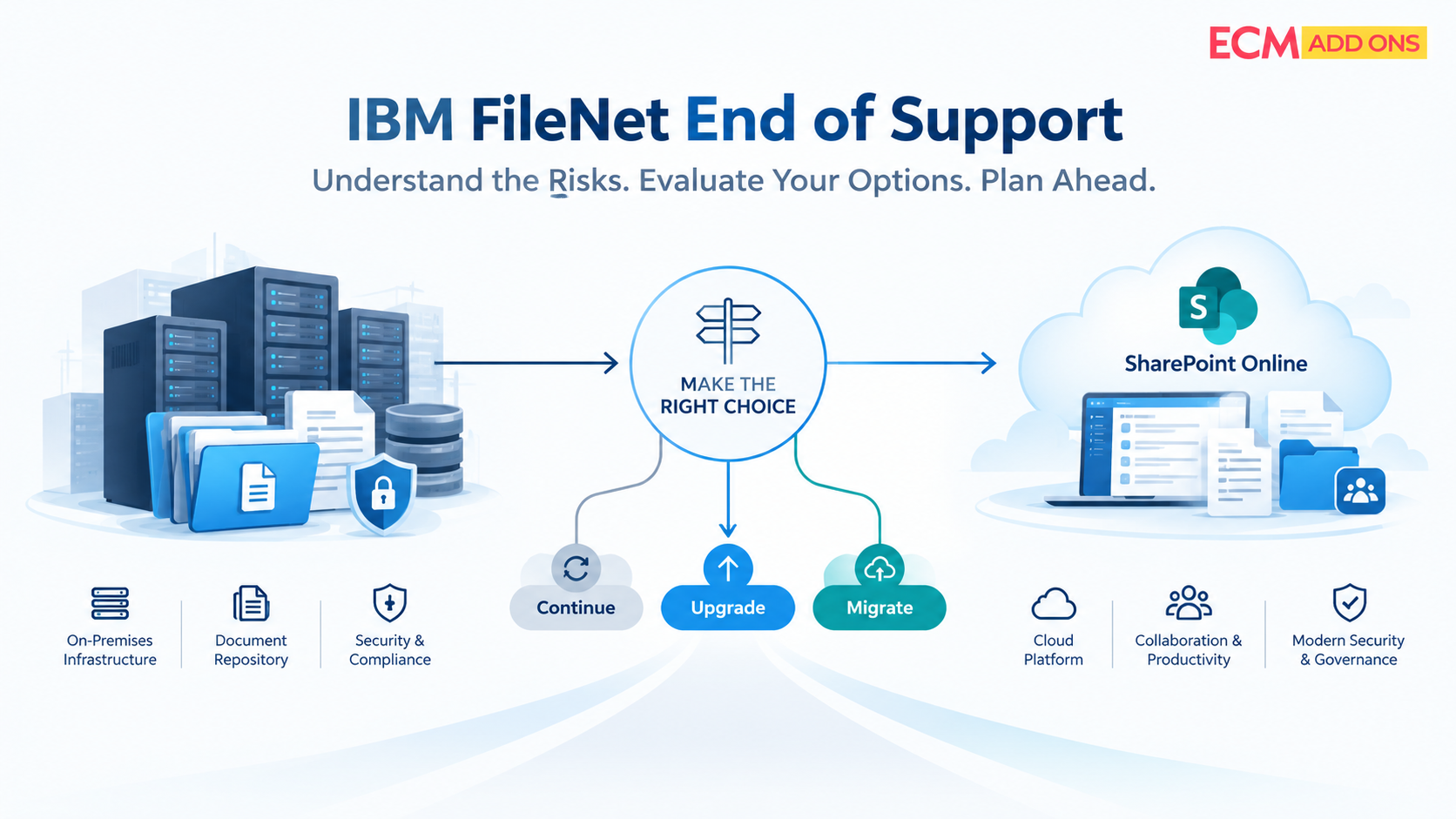
IBM FileNet has supported enterprise content management for years, often becoming deeply embedded in document-centric business processes and applications. Over time, these environments can become harder to maintain as organizations manage legacy infrastructure, custom integrations, growing support requirements, and dependencies on specialized technical skills.
For IT leaders, the challenge is not simply whether FileNet continues to function. It is whether the existing platform remains aligned with the organization’s operational costs, modernization plans, and long-term content management strategy.
Common concerns include:
- Rising maintenance costs: Supporting legacy infrastructure, custom components, and specialist skills can increase the cost of ownership.
- Technical complexity: Workflows, integrations, and custom applications can make upgrades and modernization more difficult.
- Skills availability: Retaining experienced FileNet administrators and developers can be challenging.
- Modernization priorities: Organizations using Microsoft 365 may want to assess whether SharePoint can support their future content management requirements.
SharePoint may be a suitable destination when its capabilities align with the organization’s needs. However, the migration strategy must account for the differences between the two platforms instead of treating SharePoint Online as a direct replacement for every FileNet capability.
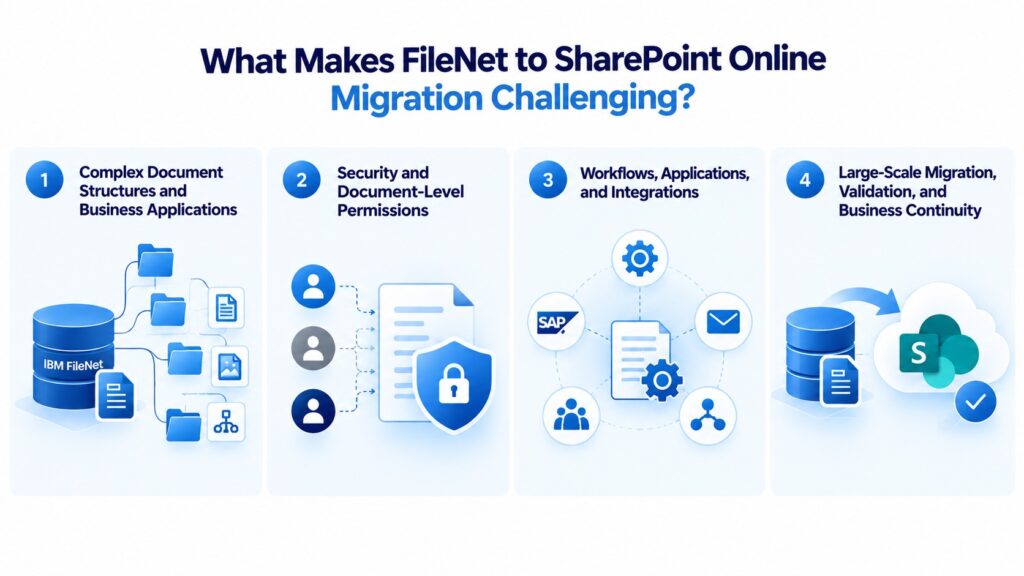
What Makes FileNet to SharePoint Online Migration Challenging?
- Complex Document Structures and Business Applications
Enterprise FileNet environments often contain more than documents and folders. Document classes, properties, versions, renditions, and relationships may all contribute to how information is classified, retrieved, and used by business applications.
During migration, organizations must determine how these structures will map to SharePoint Online sites, libraries, content types, columns, and other target structures. Some business applications may require transformation, while legacy attributes that no longer serve a business purpose may need a different treatment.
Without a documented mapping strategy, migrated documents may become harder to search, classify, or interpret. The goal is to preserve the metadata and document context required by the business, not simply to transfer files.
- Security and Document-Level Permissions
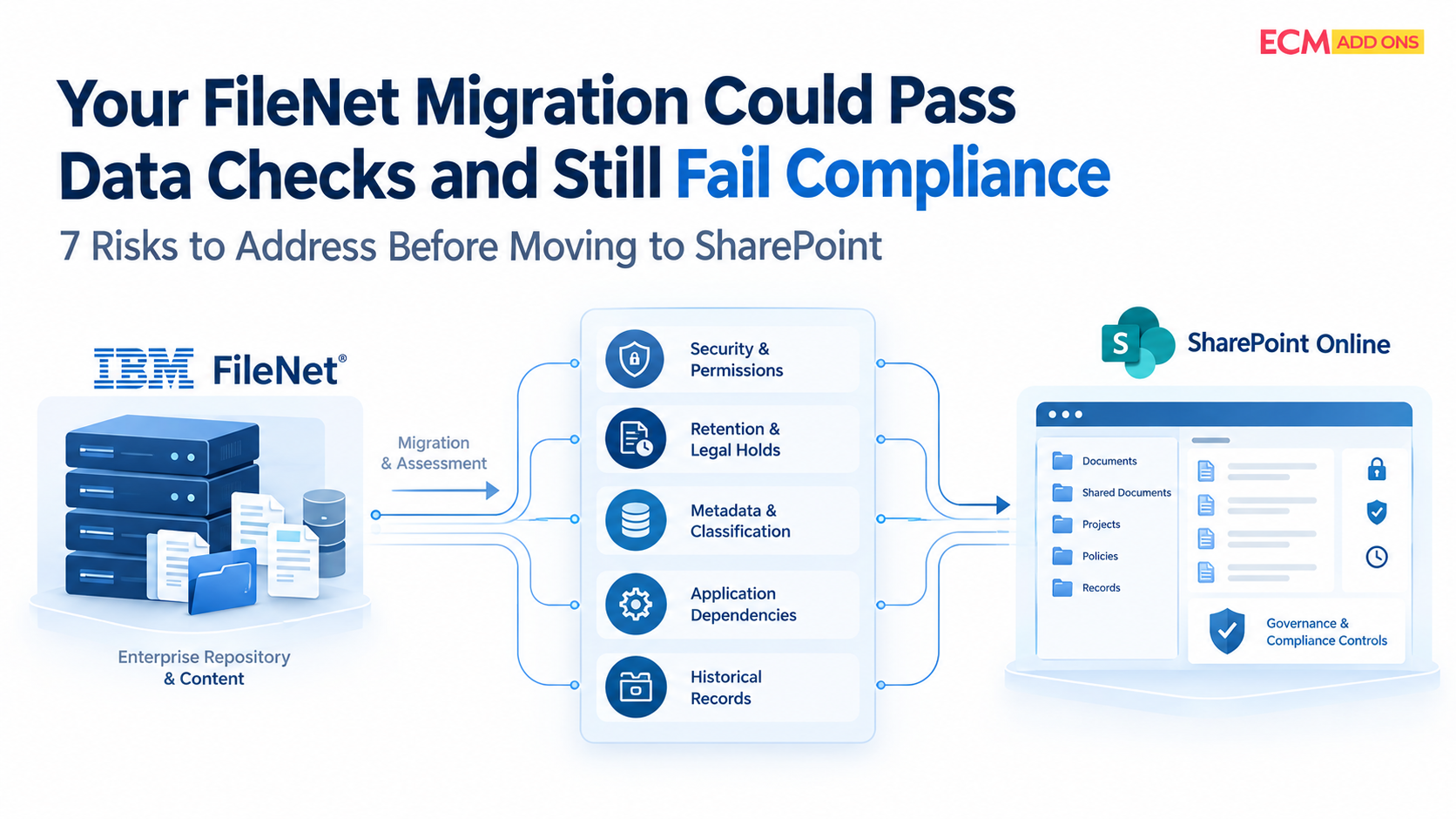
FileNet and SharePoint Online use different security models. FileNet permissions, inheritance, groups, and object-level security do not necessarily translate directly into SharePoint permissions.
A migration must establish how users should access content in the destination and how those requirements will be implemented and validated. This includes identifying exceptions, mapping identities and groups, and deciding where site-, library-, folder-, or item-level controls are appropriate.
A security mapping and validation plan should address:
- Which users and groups require access to each content set.
- How existing permissions and inheritance should be handled.
- Which documents require restricted access.
- How access will be tested before production cutover.
ECM Addons brings FileNet and SharePoint Online expertise together to help organizations assess these requirements and plan an appropriate destination security model.
- Workflows, Applications, and Integrations
FileNet content may support business processes through IBM Business Automation Workflow (BAW), Datacap, IBM Content Navigator, Case Manager, custom applications, APIs, and integrations with systems such as SAP.
These dependencies can be more challenging than the document transfer itself. An application may rely on a FileNet object identifier, a specific metadata property, or a repository reference to retrieve documents. When content moves, those references and process assumptions may need to be updated.
Before migration, enterprises should identify which applications depend on FileNet, how they interact with documents, and whether each dependency will be retained, reconfigured, replaced, or redesigned. This helps prevent a situation where documents have been migrated successfully but the business processes that depend on them no longer work as expected.
- Large-Scale Migration, Validation, and Business Continuity
When millions of documents are involved, migration requires visibility into progress, failures, exceptions, and validation results. Transferring content is only one part of the process; organizations also need to establish that the migrated information meets the agreed requirements.
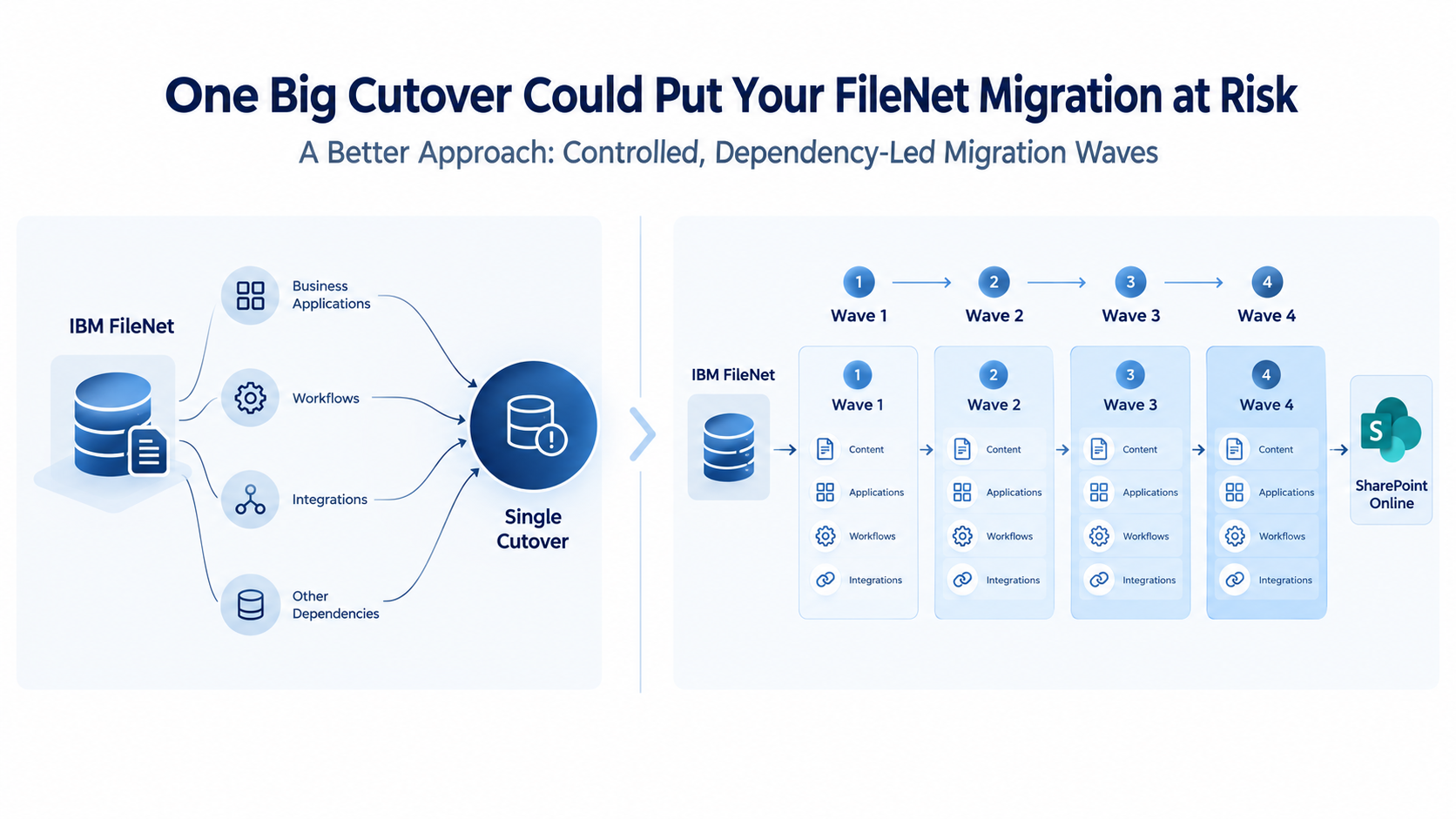
A phased migration approach can help enterprises test representative content, resolve issues, and refine the process before moving more complex workloads. Where source documents continue to change during migration, a synchronization and cutover strategy may also be necessary.
The right approach depends on document volumes, system dependencies, business requirements, and the capabilities of the selected migration solution.
Start with FileNet Discovery Before Planning the Migration
One of the most expensive mistakes in enterprise migration is committing to a scope, timeline, or budget before understanding the existing FileNet environment.
Discovery helps establish what needs to be migrated and where additional technical assessment is required. Depending on the environment, this may include reviewing document classes, content volumes, business applications, versions, security, repositories, custom components, and application dependencies.
This information helps project teams distinguish straightforward migration workloads from content that requires additional mapping, testing, or redesign. It also supports more informed decisions about migration waves, resource requirements, and implementation priorities.
Use the Free FileNet Analyzer Tool
Before planning a large-scale migration, start by understanding your current FileNet environment.
The Free FileNet Analyzer Tool from ECM Addons can help organizations assess their FileNet environment and gather information relevant to migration planning.
Use the assessment as an input to identify areas requiring further investigation, clarify migration scope, and prepare for target architecture discussions. Detailed migration planning should then validate the specific technical and business requirements of your environment.
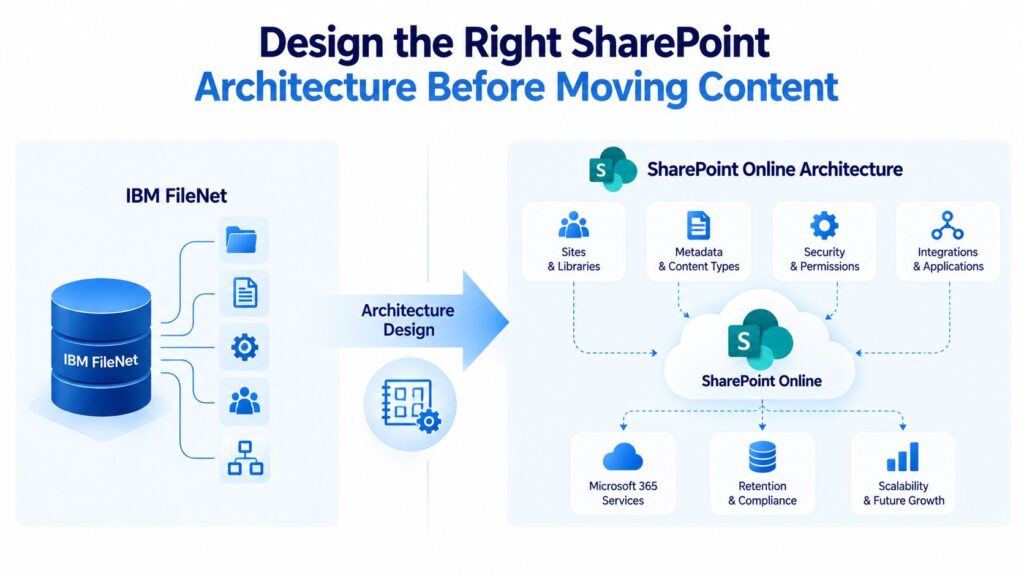
Design the Right SharePoint Architecture Before Moving Content
SharePoint Online should not become a new location for legacy documents without a clear plan for how those documents will be organized, accessed, and governed.
The target architecture should reflect how employees search for information, how business teams manage documents, and what security and retention controls are required. It should also consider the applications and integrations that will continue to use the migrated content.
Before migration begins, enterprises should define:
- Information architecture: How sites, libraries, content types, and metadata will organize the content.
- Security model: How users and groups will receive the appropriate access.
- Governance requirements: How retention, ownership, lifecycle management, and compliance obligations will be addressed.
- Application dependencies: How connected systems will access and use migrated documents.
The objective is not necessarily to recreate every FileNet customization in SharePoint Online. It is to identify the capabilities the business genuinely needs and design an appropriate way to support them in the target environment.
This helps avoid carrying unnecessary legacy complexity into SharePoint Online while reducing the risk of removing functionality that business users still depend on.
How to Make FileNet to SharePoint Online Migration More Cost-Effective
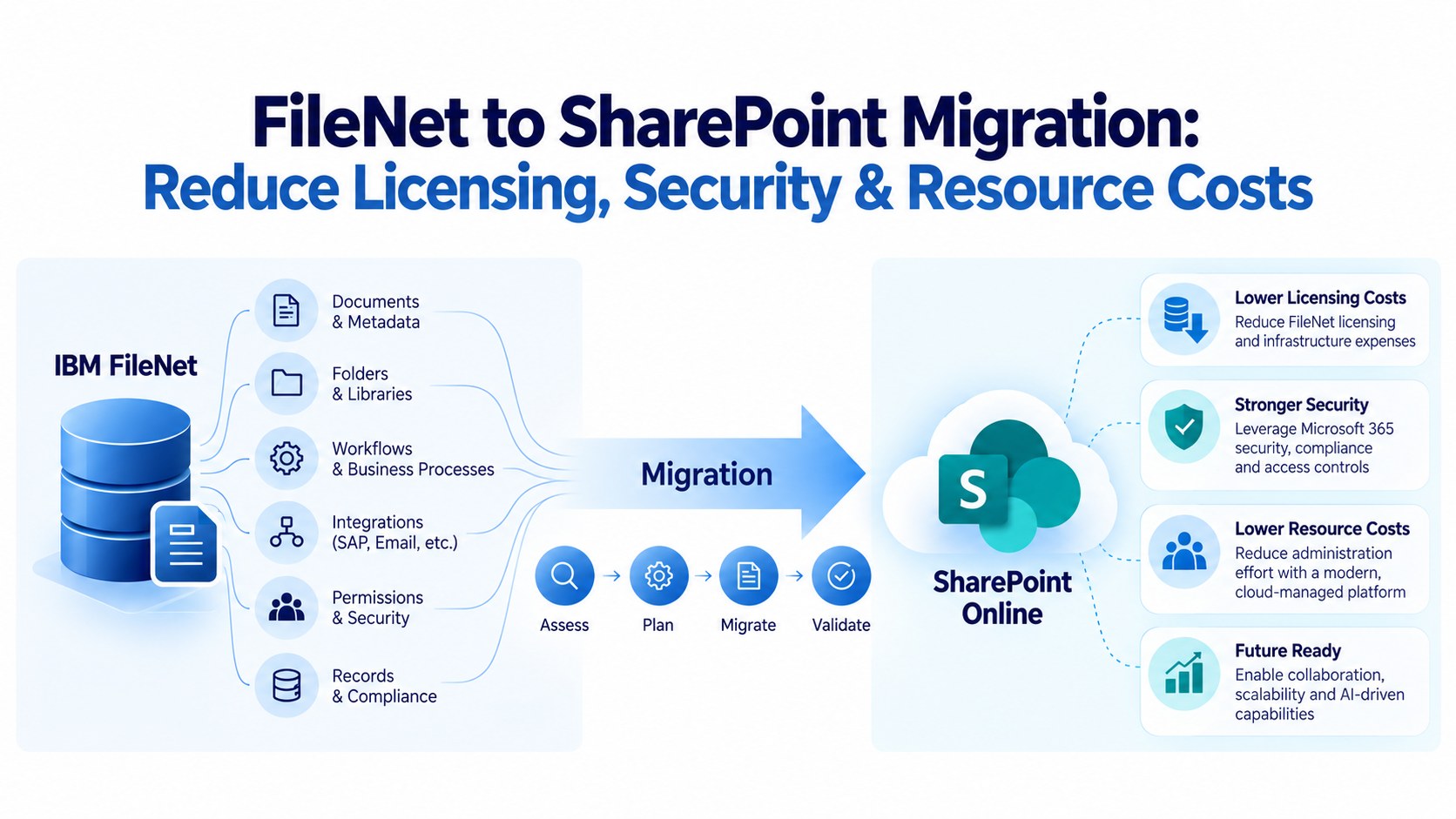
Migration costs depend on more than the number of documents being transferred. Metadata transformation, permission mapping, application dependencies, testing, exception handling, and operational readiness can all influence the overall project effort.
A cost-conscious strategy identifies these requirements early and applies resources where they provide the greatest value. Straightforward content can be grouped into simpler migration waves, while complex workflows and application-dependent content receive the additional attention they require.
Automation can reduce repetitive migration work, but it does not eliminate the need for mapping decisions, exception management, or validation. Similarly, selecting a solution based only on its initial price can lead to additional costs if the resulting migration requires extensive remediation.
ECM Addons helps organizations evaluate their FileNet source environment alongside their target requirements. This dual-platform experience supports practical decisions about scope, mapping, migration execution, and validation.
A well-planned approach can help organizations control effort by:
- Identifying technical dependencies before migration starts.
- Prioritizing content according to complexity and business importance.
- Using automation for suitable migration tasks.
- Validating results throughout the project rather than leaving issues until cutover.
The aim is to align the migration approach with the enterprise’s requirements and budget while accounting for the complexity of the existing environment.
Choose the Right FileNet to SharePoint Online Migration Tool
Migration software plays an important role in transferring enterprise content, but the right solution must fit the source environment and the target architecture. Enterprises should evaluate the capabilities required for their documents, business applications, permissions, versions, relationships, and connected applications.
For large-scale projects, teams also need visibility into migration progress and the ability to investigate failures and exceptions. They should establish how results will be reconciled against the agreed scope and how incremental changes, testing, and cutover will be handled where required.
Before committing to a full migration, validate the proposed approach using representative content that includes both common cases and known exceptions.
Explore the ECM Addons FileNet to SharePoint Online Migration Tool
The FileNet to SharePoint Migration Tool is designed for organizations evaluating their migration approach from IBM FileNet to SharePoint Online.
ECM Addons combines migration tooling with experience across both platforms to help organizations assess their requirements and plan the migration around their environment.
Validate the Migration Before Enterprise-Wide Cutover
Migration completion should not be measured only by the number of documents transferred. Enterprises need evidence that the migrated content meets the requirements defined during discovery and design.
Depending on the project scope, validation may cover document counts, required business applications, versions, permissions, retrieval, and connected application behavior. Reconciliation helps identify content that is missing, failed, duplicated, or requires further investigation.
Business users and application owners should also participate in testing. A document may exist in SharePoint but still be difficult to find if its metadata or classification is incorrect. Likewise, a successful transfer does not prove that a connected application can retrieve the document correctly.
For large enterprise migrations, validation should take place throughout the migration waves. Resolving issues early helps teams make better-informed cutover decisions and reduces the risk of discovering widespread problems at the end of the project.
Why Choose ECM Addons for FileNet to SharePoint Online Migration?
FileNet and SharePoint Online have different architectures, capabilities, and administrative models. Understanding both sides is important when planning a migration that must support existing business requirements while moving toward a new content management environment.
ECM Addons specializes in enterprise content management, with experience across IBM FileNet and Microsoft SharePoint Online. Our approach begins with understanding the existing environment, identifying the capabilities and dependencies that must be addressed, and planning how the required content and business processes will work in the target platform.
We focus on helping enterprises make informed decisions about migration scope, business apllications, security, application dependencies, migration tooling, and validation. By assessing complexity early and using automation where appropriate, organizations can better control project effort and avoid unnecessary implementation work.
Rather than applying the same migration plan to every enterprise, the approach should reflect the organization’s actual FileNet environment, SharePoint Online architecture, business priorities, and budget.