Your FileNet Environment May Be Approaching a Costly Decision Point
IBM FileNet has supported enterprise document management, business workflows, and critical content operations for years. For many organizations, it remains deeply embedded in applications, processes, and records that cannot simply be switched off.
But as FileNet versions approach their support lifecycle milestones, enterprise leaders face an important question: Is continuing with the current environment still the most practical and cost-effective decision?
The challenge is not limited to software support. Older environments may depend on specific operating systems, databases, middleware, custom applications, and integrations. Maintaining these dependencies can make upgrades more complex, while postponing modernization can leave organizations with fewer options when problems arise.
For IT leaders, the decision involves balancing supportability, security, operational stability, migration costs, and long-term platform strategy.
The good news is that reaching an end-of-support milestone does not automatically mean an immediate migration is necessary. Depending on the version, available support arrangements, technical dependencies, and business requirements, upgrading or migrating may be the better option.
The risk is waiting until support limitations, infrastructure constraints, or rising maintenance effort force that decision.
IBM FileNet End of Support: Which Versions and Dates Matter?
IBM FileNet support dates depend on the specific product version and lifecycle policy. IBM’s published lifecycle information identifies the following milestones for FileNet Content Manager.
Version | Published lifecycle milestone | What it means |
FileNet Content Manager 5.5.x | September 30, 2026 | Transition to extended or sustained support; this milestone has passed. |
FileNet Content Manager 5.6.x | September 30, 2027 | Published transition to extended or sustained support. |
IBM also lists September 30, 2030, as the end of the published extended, sustained, or service-extension availability period for Content Manager 5.5.x, and September 30, 2031, for 5.6.x. Eligibility and coverage depend on the applicable support arrangement. <Cite refs={[“turn144124search0″,”turn144124search1″,”turn144124search13”]}/>
Important: These are product lifecycle milestones, not a declaration that every FileNet installation is unsupported. Verify the exact version, installed components, entitlement, and support agreement against IBM’s current lifecycle records before making a decision.
For organizations still operating FileNet 5.5.x, the September 2026 milestone makes a support review particularly important. The next step is to establish what support is available for the actual environment and whether its technical dependencies remain suitable for continued operation.
What Does IBM FileNet End of Support Mean for Your Organization?
End of support marks a change in the vendor support available for a particular product version. Depending on the applicable lifecycle policy and support arrangement, standard support services, fixes, and technical assistance may no longer be available under the previous terms.
It does not automatically switch off the software. An existing FileNet environment may continue to operate, but the organization must understand the implications of its support status.
Three questions deserve immediate attention:
- Can the current environment receive the support and fixes it requires?
- Are the operating system, database, middleware, and connected applications compatible with the intended future state?
- Can the organization maintain acceptable operational and security controls without increasing technical risk or support effort?
These questions help distinguish an environment that can be managed safely for a defined period from one that needs a more urgent upgrade or migration plan.
1. FileNet Security and Compliance Risks Can Increase When Support Options Narrow
Enterprise content repositories often hold contracts, financial records, employee information, customer documents, and other business-critical content.
When a FileNet version leaves standard support, the availability of vendor fixes and technical assistance may change. The actual impact depends on the version, applicable support arrangement, and nature of the issue.
The wider environment also matters. An older FileNet deployment may rely on infrastructure components with their own support limitations. Even if the repository remains operational, an unsupported dependency can complicate vulnerability remediation, incident response, and long-term maintenance.
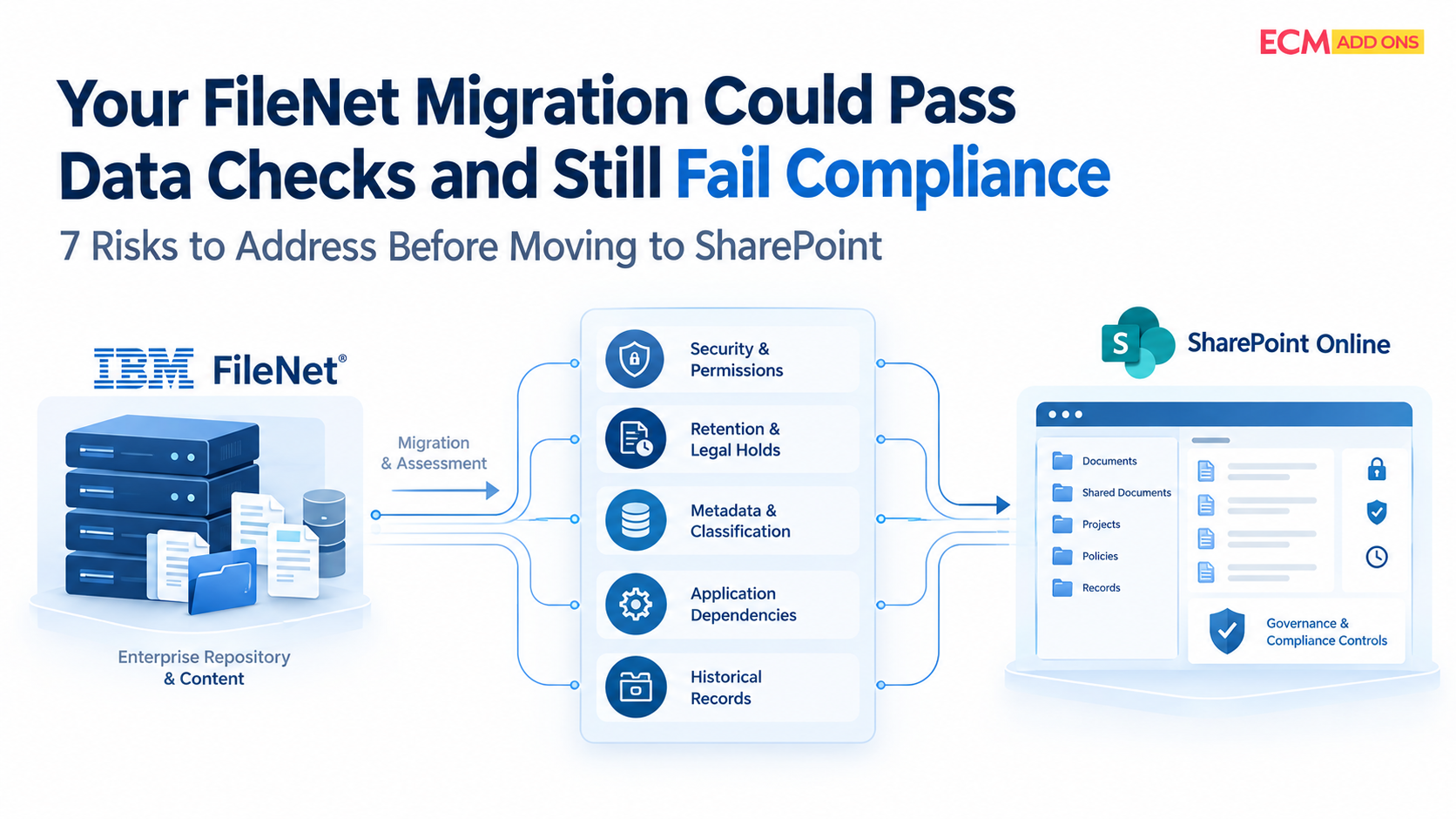
For regulated organizations, this creates additional questions around risk acceptance, audit evidence, retention, access controls, and technology governance.
What IT leaders should assess:
- Current FileNet version and applicable support coverage.
- Outstanding security fixes and known vulnerabilities across the technology stack.
- Operating system, database, middleware, and application compatibility.
- Security and compliance requirements that must remain satisfied.
- Documented risk acceptance and remediation plans for unsupported components.
An end-of-support date does not automatically create a security breach or compliance violation. The concern is whether the organization can continue to manage its actual risks and obligations effectively.
2. Are IBM FileNet Maintenance Costs Rising Without Improving the Environment?
One of the most difficult decisions for enterprise leaders is determining whether continued investment in the current platform is producing sufficient value.
Maintaining a mature FileNet environment can require specialist administrators, developers, infrastructure support, troubleshooting, compatibility testing, and careful coordination across connected systems.
Costs can become harder to predict when teams must work around legacy dependencies, investigate recurring issues, or maintain custom components that are difficult to replace.
An upgrade may address some of these concerns, but it can also require infrastructure changes, application remediation, testing, and specialist effort. Migration introduces a different set of costs, including discovery, target architecture, content transfer, integrations, validation, and user transition.
The right comparison is therefore not simply the price of upgrading versus the price of migration.
It is the total cost of continuing, upgrading, or migrating over the period the organization intends to operate the platform.
What should be included in IBM FileNet migration costs?
Cost area | What to evaluate |
Current operations | Specialist staffing, support arrangements, maintenance, and recurring incident effort. |
Upgrade requirements | Infrastructure changes, compatibility work, remediation, testing, and deployment. |
Migration requirements | Discovery, content scope, migration tooling, target design, and validation. |
Application dependencies | Workflow changes, integrations, custom applications, and connected repositories. |
Ongoing platform costs | Support, infrastructure, administration, governance, and future maintenance. |
A cost-effective strategy identifies which capabilities must be retained, which can be handled by equivalent components in the destination, and which legacy customizations no longer need to be reproduced.
This is where detailed FileNet knowledge and practical SharePoint experience can help avoid unnecessary redevelopment and poorly scoped migration work.
3. Upgrade IBM FileNet to IBM Content Cortex or Migrate to SharePoint Online?
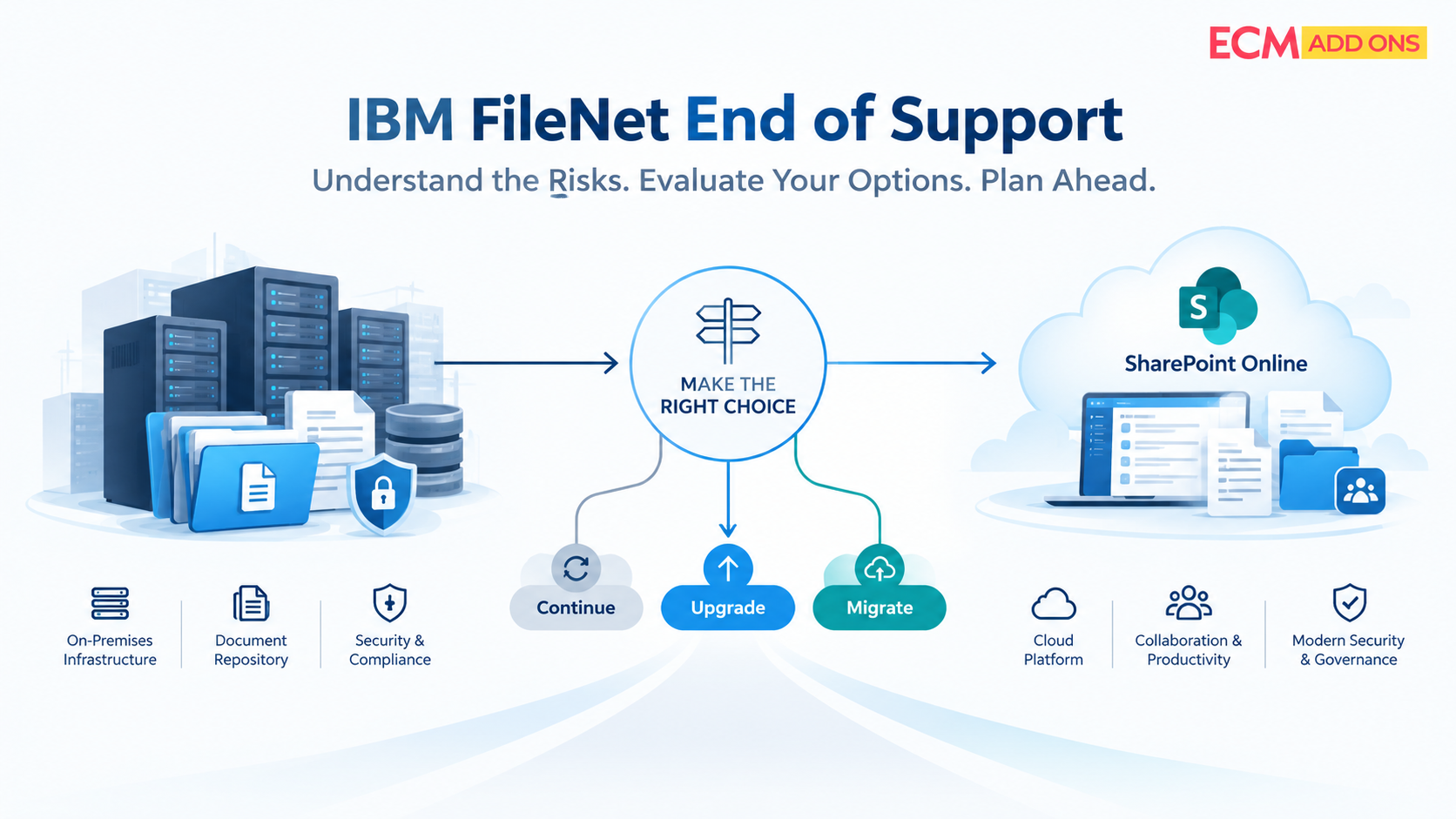
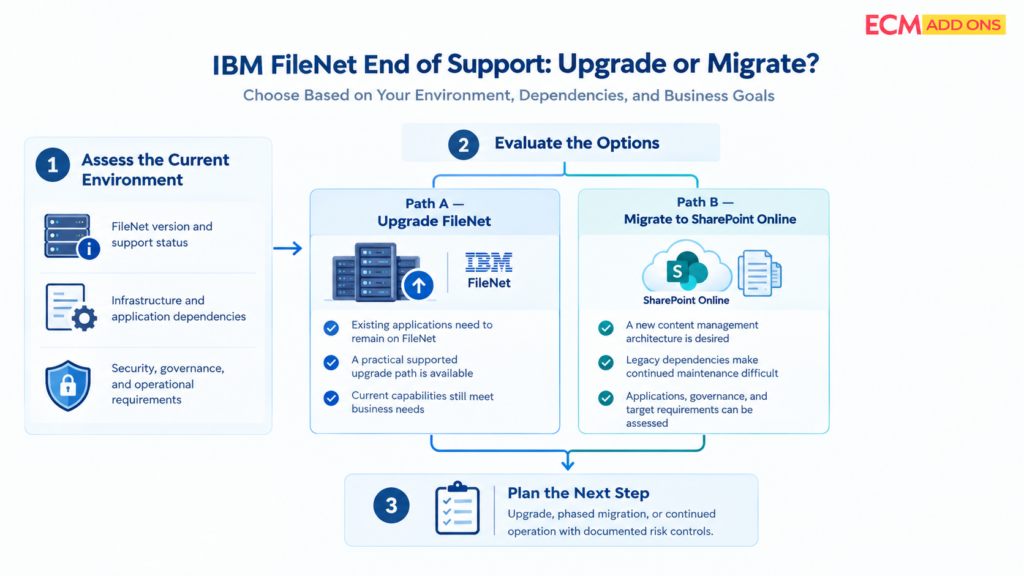
IBM FileNet end of support does not automatically mean every organization must migrate to a new platform. Depending on its current environment, business requirements, and long-term strategy, an enterprise can evaluate three paths: upgrade IBM FileNet, adopt IBM Content Cortex, or migrate to SharePoint Online.
Upgrading FileNet may be appropriate when existing applications and business processes depend heavily on the platform. IBM Content Cortex is worth evaluating for organizations exploring IBM’s content management and AI-enabled capabilities. SharePoint Online migration may be a better fit for enterprises seeking a Microsoft 365-based content management environment.
The right decision depends on application dependencies, infrastructure, integration requirements, governance, modernization goals, and the cost of maintaining or changing the existing architecture.
Decision factor | Upgrade IBM FileNet | Evaluate IBM Content Cortex | Migrate to SharePoint Online |
Existing applications | Applications are tightly coupled to FileNet and should continue using it. | The organization wants to explore IBM’s evolving content capabilities while assessing compatibility with existing applications. | Applications can be adapted, replaced, or integrated with SharePoint Online and its surrounding services. |
Business requirements | Current FileNet capabilities meet business needs, and the priority is continued platform support. | The organization wants to evaluate newer content capabilities and AI-enabled use cases within IBM’s ecosystem. | The organization wants a Microsoft 365-based content management approach aligned with its broader technology strategy. |
Technical dependencies | A feasible, supported upgrade path exists for the current environment and its dependencies. | The organization must assess product capabilities, architecture, integration requirements, and compatibility with existing FileNet solutions. | Legacy infrastructure or dependencies make continued maintenance difficult, and the target architecture can support required applications and workflows. |
Investment priorities | Preserving existing investments and minimizing architectural change are priorities. | The organization wants to assess the value of IBM’s evolving content platform before deciding on its modernization roadmap. | Reducing reliance on legacy infrastructure or consolidating content services within the Microsoft ecosystem is a strategic objective. |
Migration readiness | The organization is not ready to redesign applications, workflows, or repositories. | The organization is ready to evaluate Content Cortex against its use cases, technical requirements, and existing investments. | Content, metadata, security, integrations, workflows, and the target architecture can be assessed and planned for migration. |
Can These Modernization Paths Be Combined?
Yes. The roadmap does not have to be a single, immediate decision. An organization may upgrade FileNet to establish a supported baseline while evaluating IBM Content Cortex or planning a phased migration to SharePoint Online for selected repositories and applications.
Before choosing a path, enterprises should assess their existing FileNet environment, application dependencies, support requirements, business processes, and target-state architecture. For IBM Content Cortex, this includes validating the capabilities and compatibility relevant to the organization’s specific use cases.
The key is to choose a modernization path based on business and technical fit—not simply on an end-of-support date. A structured assessment helps enterprises compare the implications of continuing with FileNet, evaluating IBM Content Cortex, and moving to SharePoint Online before committing to a long-term investment.
4. FileNet to SharePoint Online Migration: What Makes It More Complex Than Moving Documents?
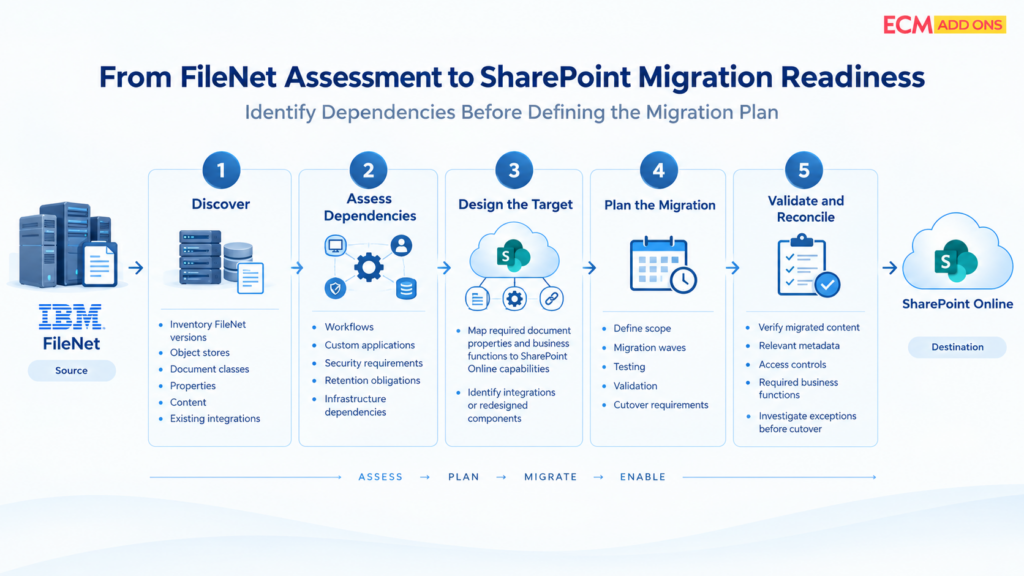
Moving from IBM FileNet to SharePoint Online Migration is not simply a matter of copying documents into SharePoint libraries.
FileNet environments may contain object stores, document classes, properties, versions, security rules, workflows, and integrations that have developed over many years. Some of these elements support critical business functions, while others may reflect legacy design decisions that no longer need to be reproduced.
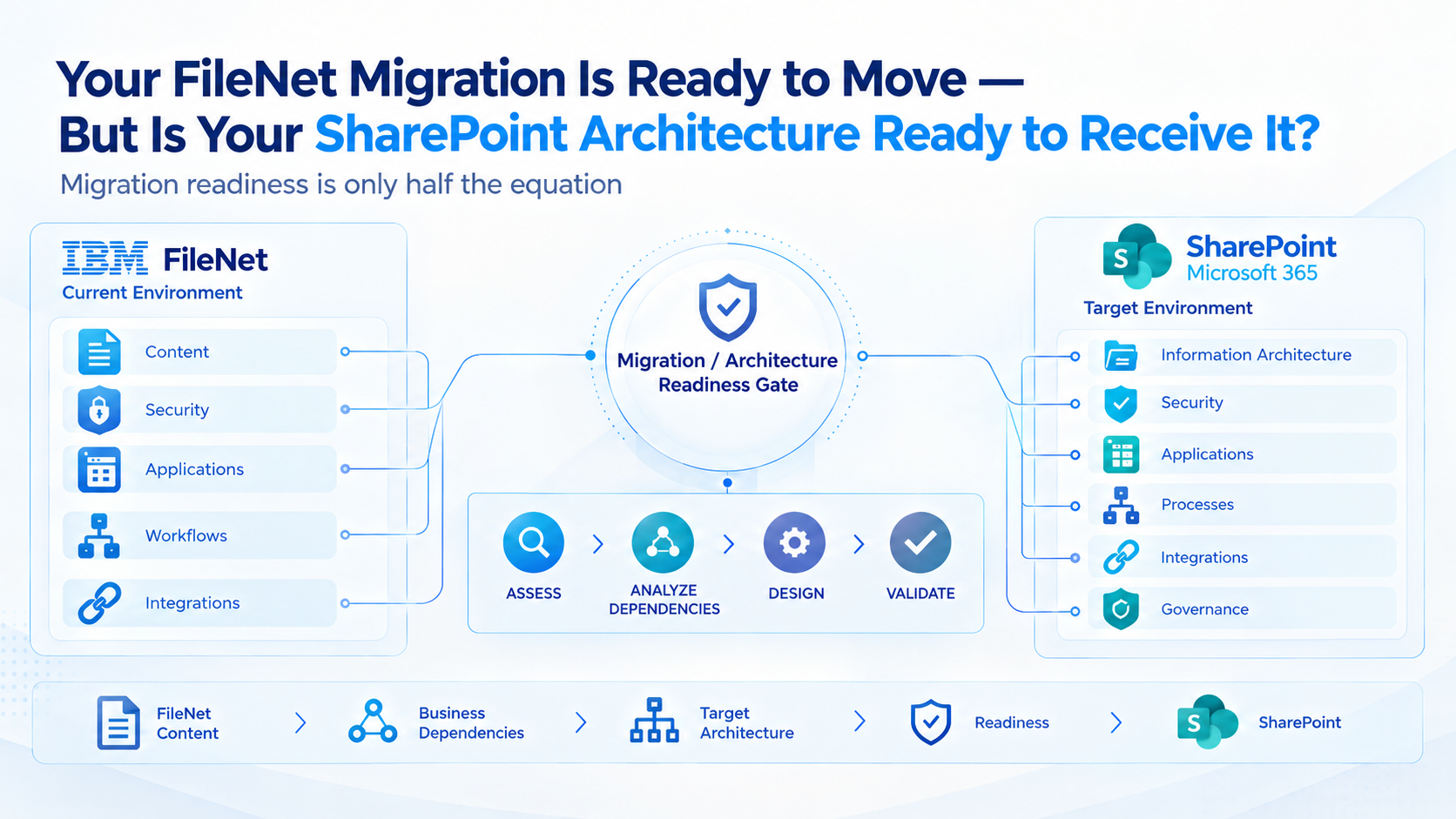
A successful migration requires understanding which behaviors and controls must continue in the destination.
FileNet components and business functions need suitable equivalents
The target architecture may need to accommodate functions previously supported by FileNet components, custom applications, and connected systems.
Examples include:
- Document management: Mapping FileNet document classes and properties to an appropriate SharePoint information architecture.
- Content access: Replacing or redesigning application experiences that depend on FileNet-specific interfaces.
- Workflows and business processes: Determining how existing process logic should continue, be integrated, or be redesigned.
- Security and governance: Implementing suitable destination controls for permissions, retention, records, and access.
- How to Address IBM FileNet Component Compatibility When Migrating to SharePoint Online: Datacap, Workflows, User Experience, and Enterprise Records
- Enterprise integrations: Assessing dependencies involving SAP, APIs, ERP systems, CRM applications, and other repositories.
Equivalent components do not necessarily mean identical technical implementations. Some requirements can use standard SharePoint capabilities, while others may need integrations, custom development, or a separate solution.
The goal is to preserve the required business outcomes without unnecessarily rebuilding every legacy feature.
Why expertise in both FileNet and SharePoint matters
A migration provider that understands only the destination may underestimate the behavior embedded in the source environment. A provider focused only on FileNet may not design the most practical SharePoint target.
Knowledge of both platforms helps connect the two sides of the project: understanding how the current environment works, identifying what the business actually needs, and selecting an appropriate destination design.
This can help reduce avoidable customization, identify dependencies earlier, and establish realistic migration and validation requirements.
Why Choose ECM Addons for Enterprise FileNet to SharePoint Migration?
The right time to assess the environment is before a support milestone, infrastructure limitation, or operational issue forces a rushed decision.
A useful starting point is to classify the current environment into three areas.
Area 1: Support and technical readiness
Confirm the installed FileNet version, applicable support arrangement, infrastructure dependencies, compatibility, and outstanding technical issues.
Area 2: Pricing and ROI
Evaluate upgrade and migration costs, licensing, infrastructure, ongoing maintenance, and resource requirements to understand the total cost of ownership and expected return on investment.
Area 3: Business and application dependencies
Identify which repositories, workflows, custom applications, integrations, and business functions rely on FileNet. Determine what must remain operational throughout any upgrade or migration.
Area 4: Future-state options
Compare continued operation, upgrading, and migration against business requirements, cost, risk, governance, and long-term platform strategy.
An assessment can then establish whether the next step should be an upgrade, a migration feasibility study, a phased transition, or a defined period of continued operation with documented risk controls.
The FileNet Analyzer can serve as an initial step in understanding the existing environment. For organizations evaluating a migration, the next step is to assess the specific repositories, dependencies, and governance requirements that will shape the project.
The value of this experience is understanding that a FileNet migration is not just a document-transfer exercise. It involves assessing the existing environment, identifying source-specific dependencies, and determining how business-critical requirements should be implemented and validated in SharePoint.
A cost-conscious migration approach should also identify where standard destination capabilities are sufficient, where integration changes are necessary, and where customization genuinely adds value.
ECM Addons can help organizations assess their FileNet environment, understand migration scope, and plan a structured transition toward SharePoint.
A practical readiness assessment
Use these questions to identify whether your organization needs a more detailed FileNet review.
- Do we know the exact FileNet version and its current support status?
- Have we confirmed support coverage for connected infrastructure and components?
- Do we understand the applications, workflows, and integrations dependent on FileNet?
- Can we estimate the cost of continued maintenance against upgrade and migration alternatives?
- Have we identified the records, security, retention, and access requirements that must remain satisfied?
- Have we assessed whether SharePoint Online can support the required business outcomes?
- Do we have a migration scope, validation approach, and cutover plan if migration is selected?
If several answers remain unclear, the immediate priority is not to select a migration date. It is to establish the facts needed to make a defensible decision.
How ECM Addons Helps Organizations Navigate IBM FileNet End of Support
IBM FileNet end of support is an opportunity to review whether the current environment remains the right long-term platform-not a reason to rush into a costly migration without understanding the requirements.
ECM Addons specializes in IBM FileNet and brings 15+ years of FileNet experience to enterprise content management, modernization, and migration projects.
For organizations evaluating SharePoint Online, the value lies in combining an understanding of FileNet’s existing components and dependencies with practical knowledge of the destination platform.
A structured migration approach can help enterprises:
- Assess their existing FileNet environment and identify migration dependencies.
- Determine which source capabilities need equivalent components or redesigned implementations in SharePoint.
- Evaluate application, workflow, security, and governance requirements before defining the migration scope.
- Identify opportunities to use suitable destination capabilities rather than unnecessarily recreating legacy customizations.
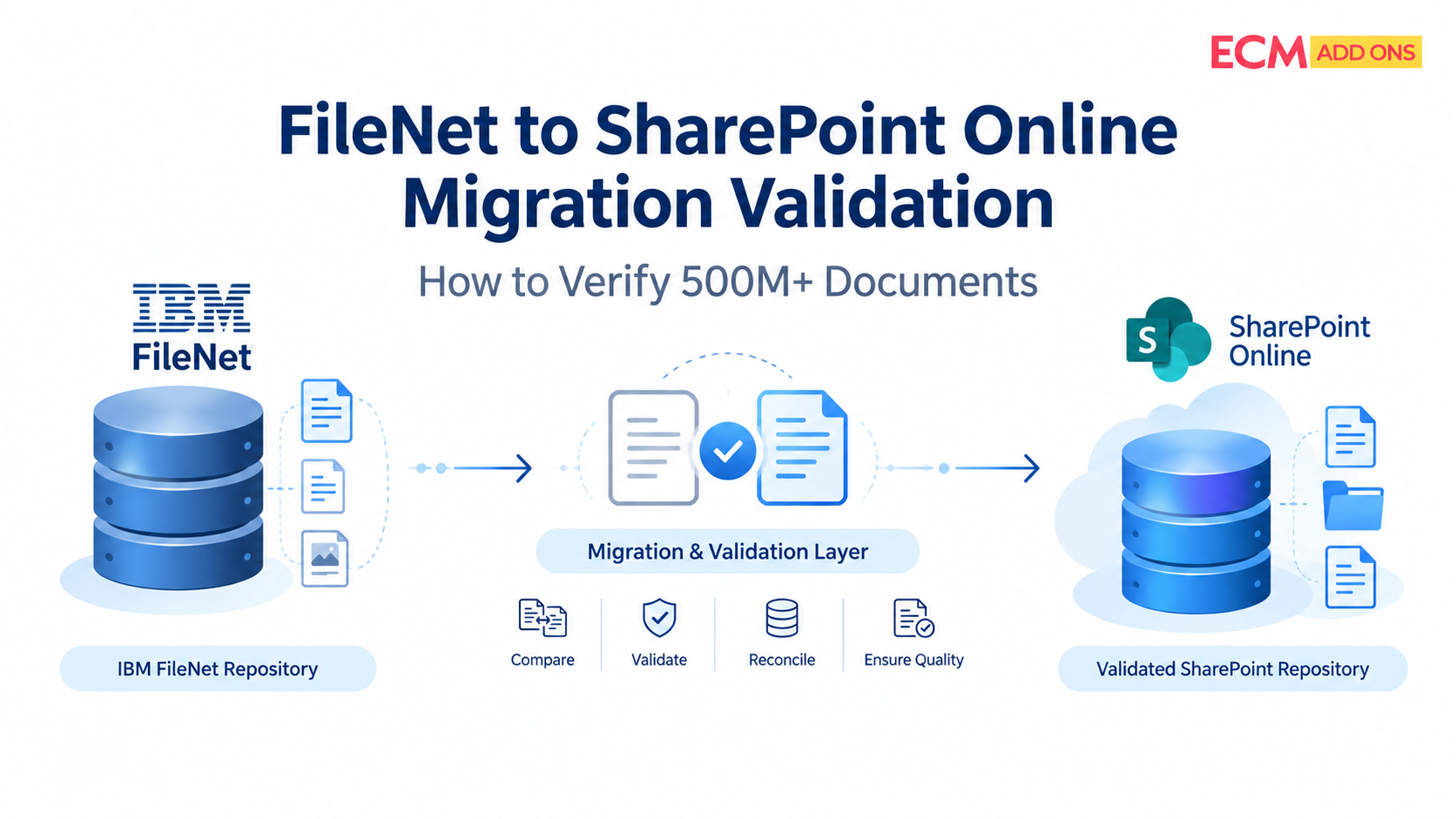
- Plan phased migration, validation, and reconciliation around business requirements.
This approach supports more informed decisions about scope, complexity, and cost. Actual effort and savings depend on the environment, integrations, content volume, and target architecture.
The objective is not to migrate every FileNet installation indiscriminately. It is to help organizations understand their options and plan a practical path forward when migration is the right decision.