Why enterprise IBM FileNet migrations should move in controlled waves; not as one massive transition to SharePoint Online.
An enterprise migration can have millions of documents successfully transferred and still be far from ready for cutover.
The documents may be in SharePoint Online. The business applications may be mapped. The migration dashboard may show substantial progress. Yet a business application may still depend on a FileNet object store, a workflow may rely on an existing integration, or a critical user group may not have the permissions it needs in the new environment.
That is where a migration that looks successful on paper can become a business problem.
The challenge is not simply moving content from IBM FileNet to Microsoft SharePoint Online. It is moving the right content, in the right sequence, with the right dependencies resolved, without disrupting the business processes that depend on it.
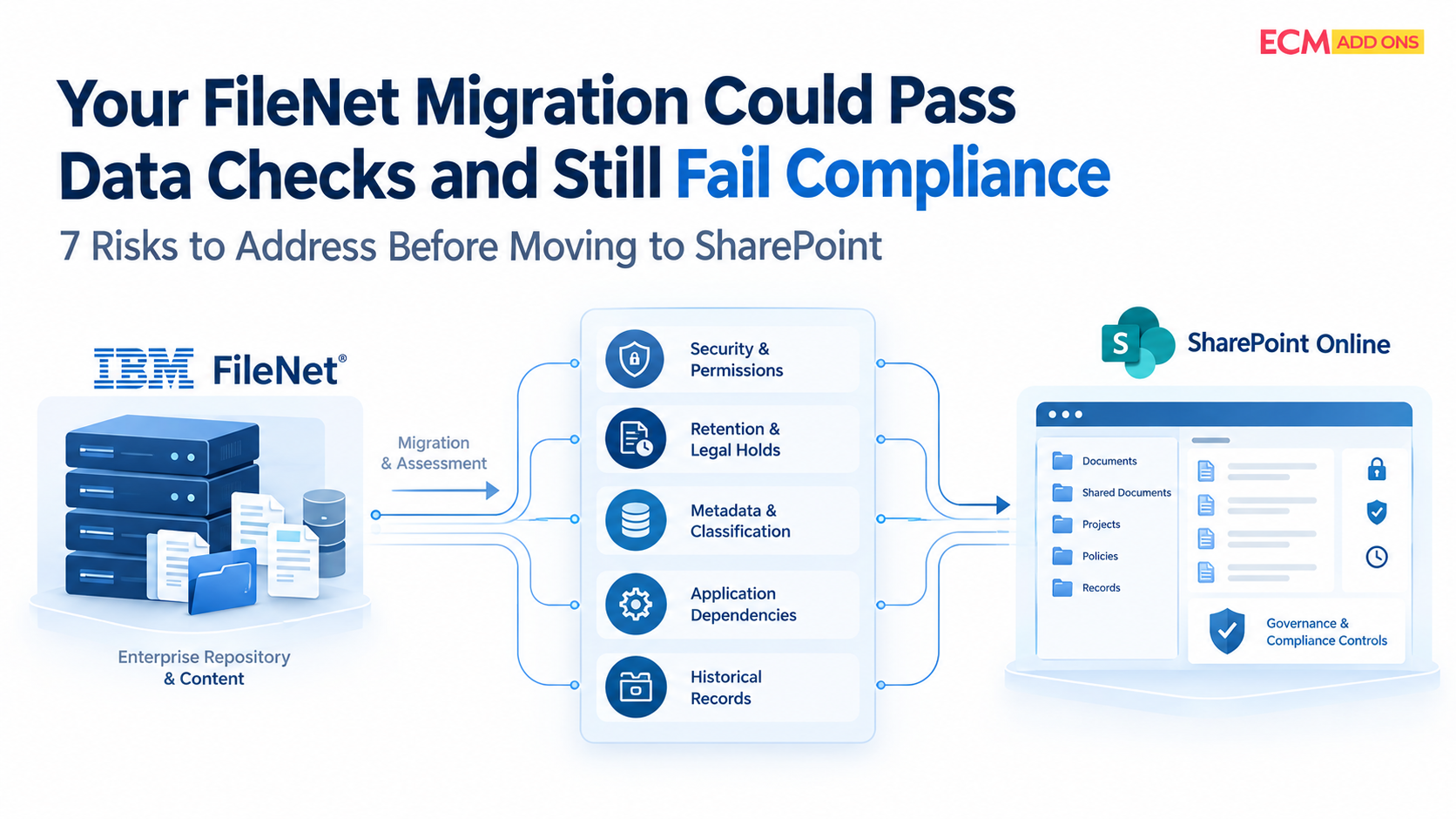
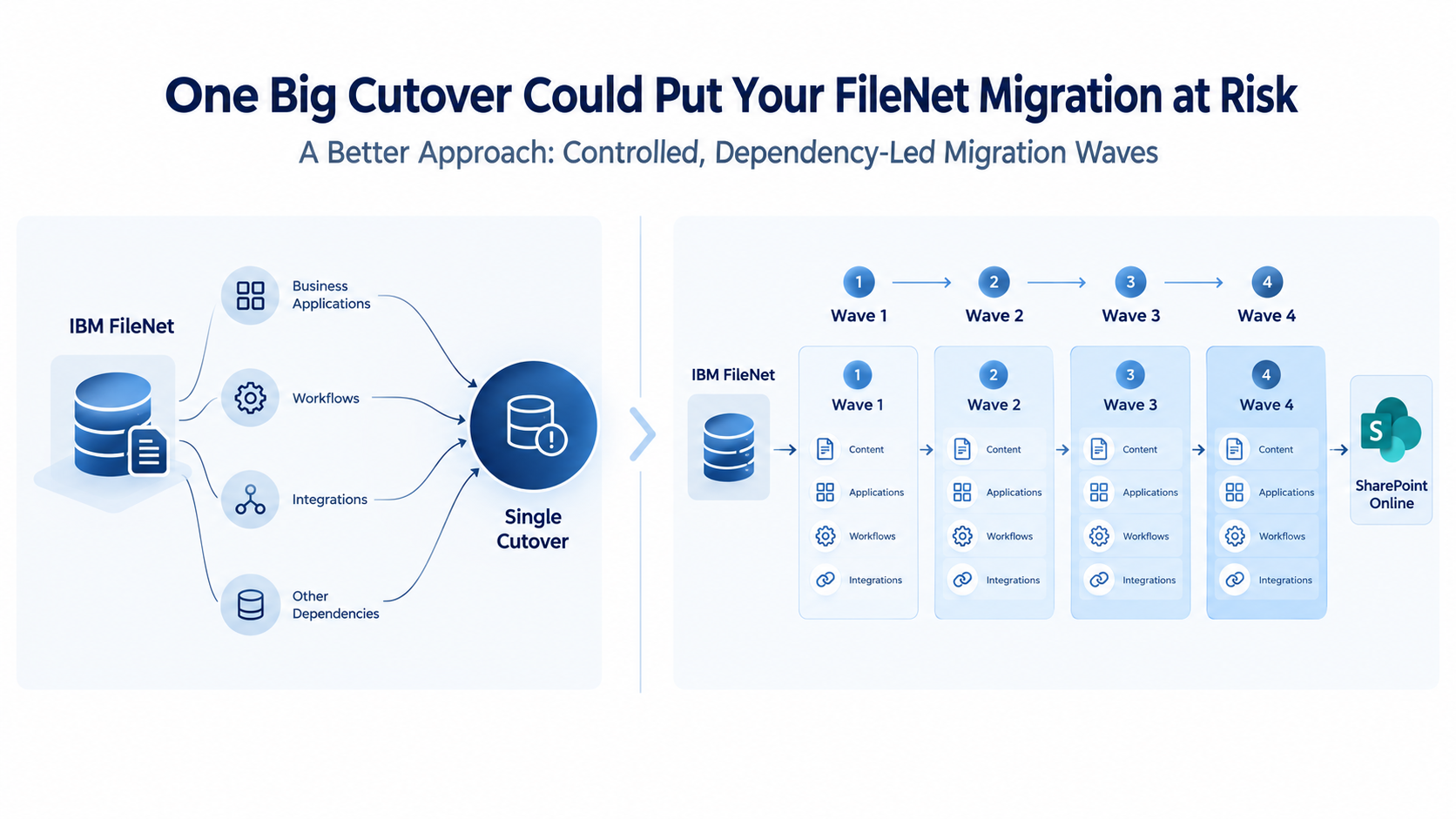
For large enterprises, this makes one decision particularly important: should the entire environment move in one major cutover, or should the migration progress through carefully planned waves?
For complex FileNet environments, a wave-based approach provides a more controlled way to manage dependencies, validate readiness, address exceptions, and build confidence before expanding the migration.
1. The Hidden Risk of Treating an Enterprise Migration as One Project, One Cutover
A FileNet environment rarely operates as an isolated document repository.
Over the years, it may become deeply connected to enterprise applications, business processes, security models, and supporting technologies. Different departments may depend on different object stores, document classes, custom applications, business automation workflows, and integrations.
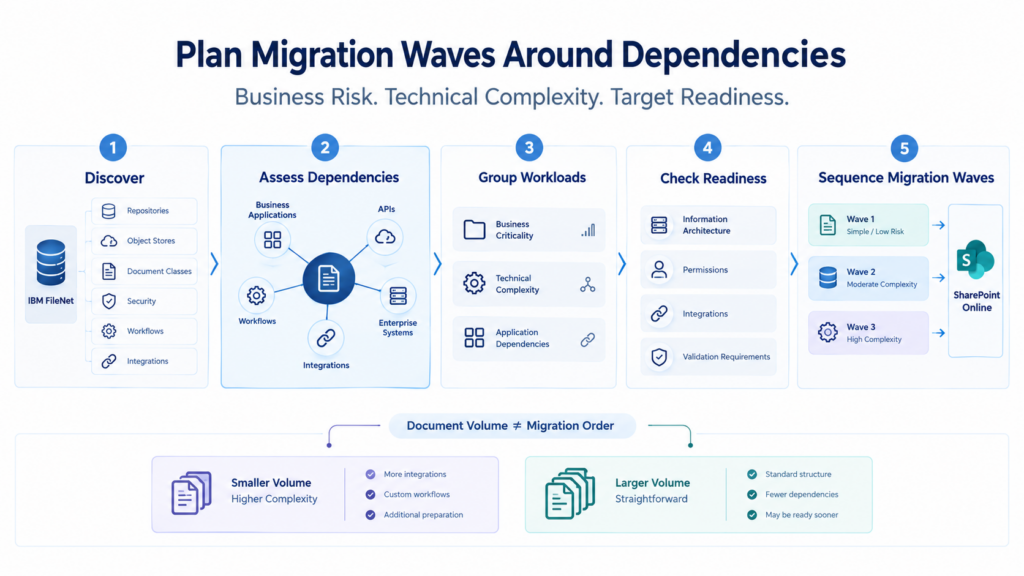
The difficulty is that these dependencies do not necessarily align with document volumes.
A repository containing a relatively small number of documents may support a business-critical process. Another repository may contain millions of records with straightforward access and limited application dependencies.
If both are treated as equivalent migration units simply because they contain content that needs to move, the migration plan can overlook the very factors that determine whether the transition will work.
A single large cutover concentrates migration, integration, validation, user-readiness, and operational risks into one critical event.
If a major dependency remains unresolved, the impact may extend beyond the content being moved. Business applications may lose expected access to documents, users may encounter permission issues, and teams may need to investigate exceptions under significant time pressure.
The question is not whether the content can be moved. It is whether the business can continue operating as expected when that content moves.
2. Why Migration Waves Should Follow Business Dependencies, not Document Counts
A common planning mistake is to divide a migration into batches based primarily on volume: a certain number of documents per wave, repository, or department.
Volume matters. But it should not be the only factor.
A migration wave should reflect the complexity and readiness of the content and the systems that depend on it.
Consider two hypothetical workloads.
The first contains a large volume of relatively straightforward documents, with understood access requirements and limited application dependencies. The second contains fewer documents but supports a critical workflow, a custom application, and multiple integrations.
The second workload may require considerably more planning, testing, and coordination; even though it contains fewer documents.
A useful wave-planning strategy considers:
- Business criticality: What business operations depend on the content, and what would happen if access were interrupted?
- Application dependencies: Which enterprise applications, APIs, and integrations read, create, update, or retrieve documents?
- FileNet architecture: Which object stores, document classes, security configurations, workflows, and custom components are involved?
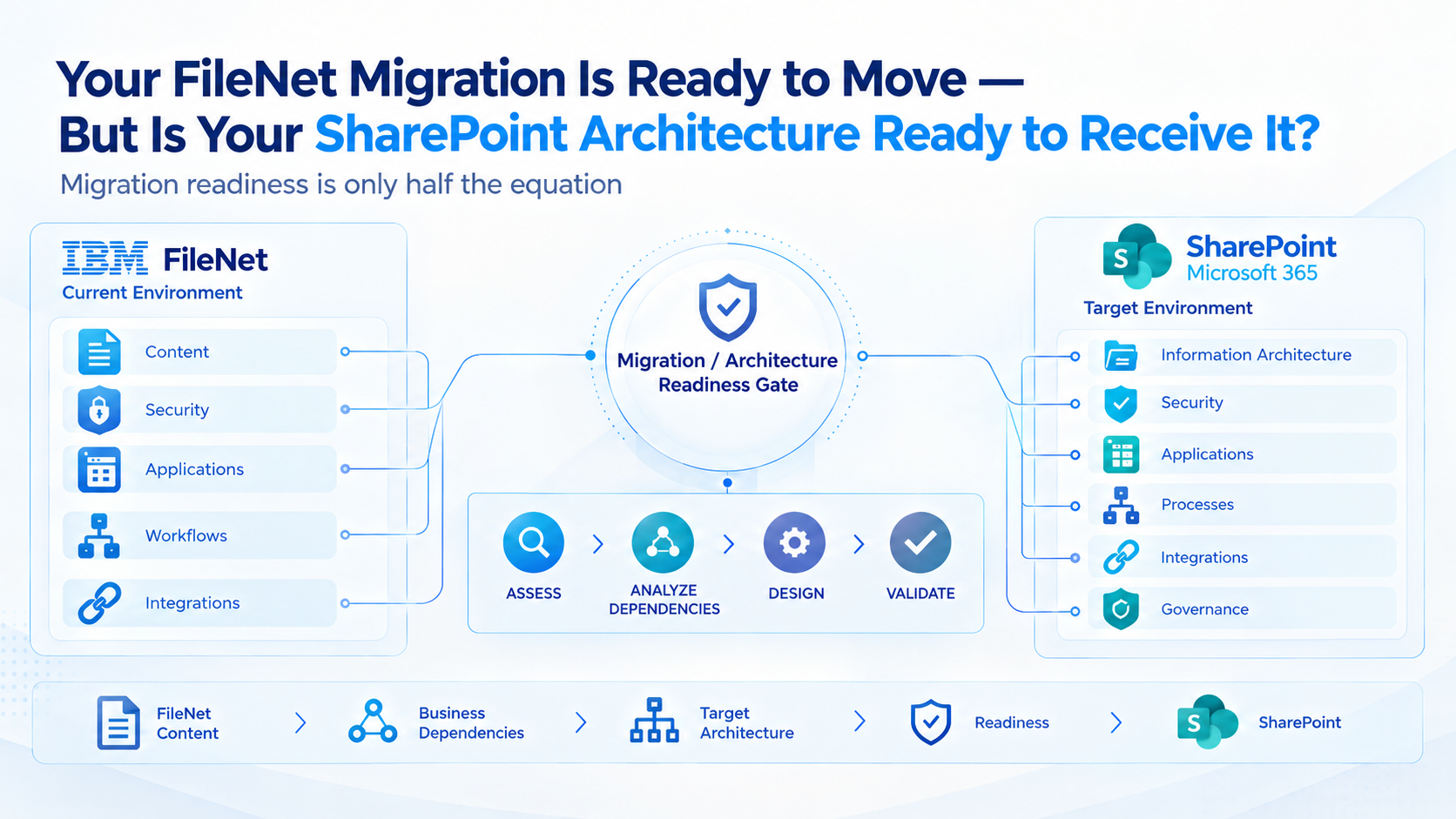
- SharePoint readiness: Are the target information architecture, permissions, storage design, and application integration patterns ready for the incoming workload?
- Data complexity: Are document versions, business applications, relationships, renditions, and exceptions understood and accounted for?
- Validation requirements: What evidence is needed to demonstrate that the migrated content and its business relationships are correct?
These factors help determine which workloads can move first, which require additional preparation, and which should remain in FileNet until their dependencies are ready.
The objective is not to create as many waves as possible. It is to create migration waves that reflect business risk, technical complexity, and demonstrable readiness.
3. What Should an Enterprise FileNet Migration Wave Actually Look Like?
A wave-based migration is more than dividing a document inventory into smaller batches. Each wave needs a defined scope, a readiness assessment, an application integration strategies , a migration plan, and measurable acceptance criteria.
A practical approach moves through five stages.
Stage 1: Discover the Full Scope
Before selecting the first wave, establish what the FileNet environment actually supports.
This includes repositories and object stores, document classes, content volumes, versions, security models, workflows, IBM Content Navigator, Business Automation Workflow (BAW), Datacap, Case Manager where applicable, custom applications, and integrations with systems such as SAP and other enterprise platforms.
The purpose is to identify not only what must move, but also what depends on it.
Without this discovery, wave planning risks being based on an incomplete picture of the environment.
Stage 2: Group Workloads by Dependency and Complexity
Once the environment is understood, group workloads according to their business relationships and technical requirements.
For example, straightforward content with limited dependencies may form an early wave. Content connected to established application integrations may follow after those integration patterns are tested. Workloads involving complex workflows, custom applications, or specialised components may require additional design and validation before they are ready.
The sequence must be determined by the actual environment, not by a generic migration template.
Stage 3: Prove SharePoint Readiness Before Moving Production Content
Every wave needs a target environment capable of supporting its requirements.
This means assessing the SharePoint Online information architecture, content organisation, permissions, application access, integration requirements, and relevant governance controls before moving production workloads.
FileNet components should not automatically be assumed to have direct, equivalent replacements in SharePoint Online. Where an existing capability cannot be reproduced directly, the appropriate alternative architecture or business process needs to be evaluated.
This is where understanding both platforms matters.
The source environment must be understood well enough to preserve the required business behaviour. The target environment must be designed well enough to support that behaviour in its new form.
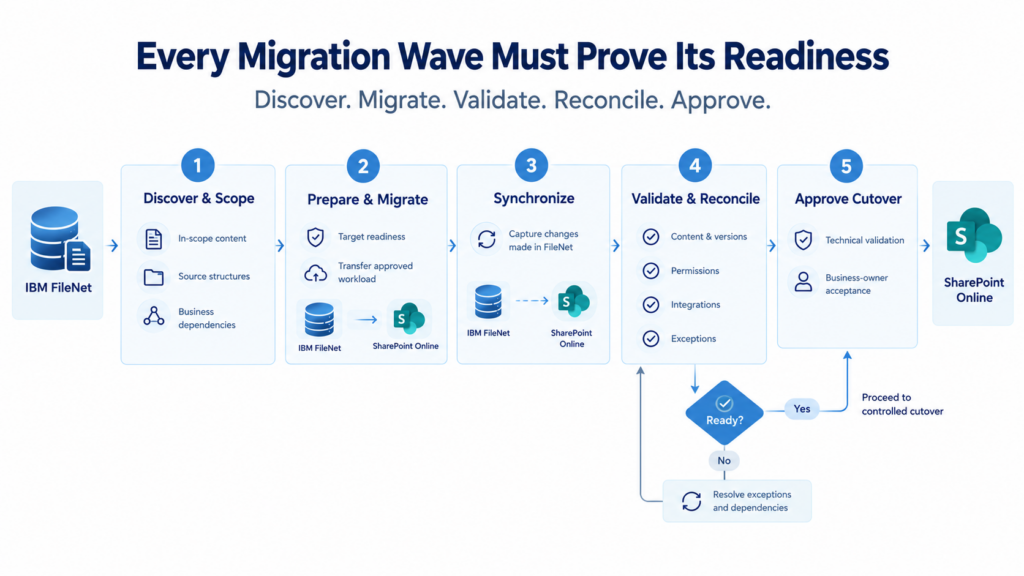
Stage 4: Migrate, Synchronize, and Validate Each Wave
After the wave is approved, migration tooling can help automate content transfer, apply agreed mappings, track progress, and identify exceptions.
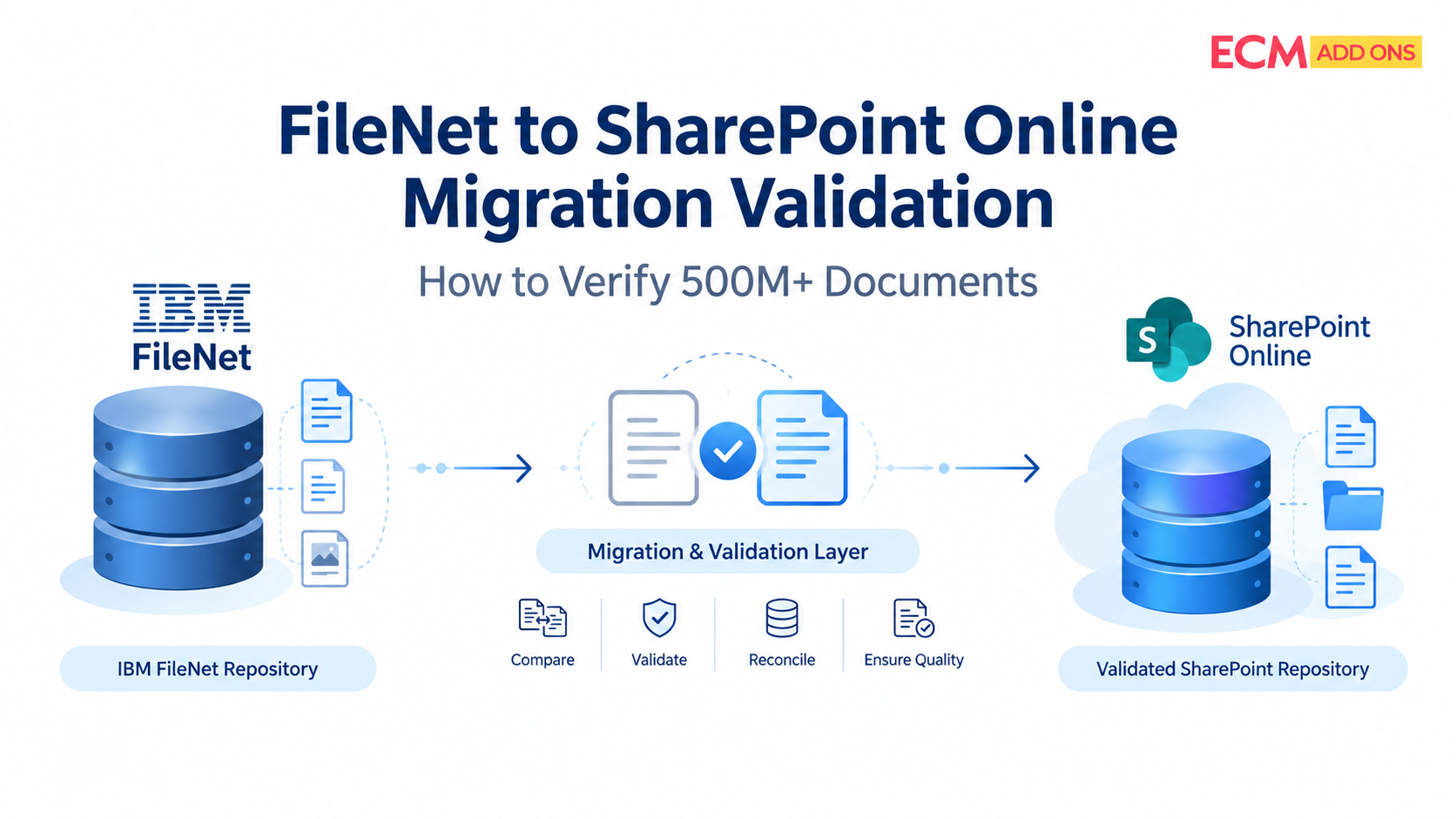
Validation should go beyond a successful transfer status. Depending on the requirements, it may include document counts, versions, metadata, permissions, relationships, representative content checks, application integration tests, and reconciliation of failed or excluded items.
Where FileNet remains active during the transition, an appropriate incremental or delta-synchronization strategy can help capture changes made after the initial migration. Its design must account for the source applications, update patterns, and cutover requirements.
A wave should not be considered complete simply because the documents have arrived.
It should be considered ready for acceptance when the agreed content, access, integration, and business-validation criteria have been met.
Stage 5: Accept the Wave Before Expanding the Migration
Before proceeding, review outstanding exceptions, unresolved dependencies, validation results, operational readiness, and business-owner acceptance.
If a wave exposes a mapping issue or an unexpected dependency, the team can investigate and refine the approach before that issue affects subsequent waves.
This creates a learning cycle: each accepted wave provides evidence that can improve the planning, execution, and validation of the next.
The result is a migration process that becomes more informed as it progresses, rather than one that depends on resolving every issue during a single high-pressure cutover.
4. A Practical Sequence: From Straightforward Content to Complex Business Workloads
There is no universal migration sequence that fits every enterprise. However, the following model illustrates how dependency-led waves might be organized.
Wave 1 – Lower-Dependency Content
Begin with suitable content that has well-understood structures, clear ownership, manageable security requirements, and limited application dependencies. Use it to validate the migration mappings, tooling, reconciliation process, and target configuration.
Wave 2 – Content with Established Integrations
Move workloads that rely on known application connections once the relevant SharePoint integration patterns, access arrangements, and business requirements have been tested.
Wave 3 – Workflow-Dependent Workloads
Address content associated with Business Automation Workflow or other process-driven applications after the required process behavior, document relationships, and transition approach have been established.
Wave 4 – Capture and Specialized Content Processing
For environments using Datacap or other capture technologies, assess document ingestion, indexing, processing, and downstream dependencies before defining the migration and cutover sequence.
Wave 5 – Highly Customized and Business-Critical Applications
Reserve additional planning and validation for complex custom applications, specialized IBM Content Navigator implementations, and workloads with tightly coupled enterprise integrations.
These waves are illustrative, not mandatory. Some workloads may run in parallel, while others may need to be split further or sequenced differently. The actual plan should emerge from discovery, dependency analysis, risk assessment, and target-platform readiness.
The principle is straightforward: move workloads when their dependencies and destination are ready-not merely when their document counts fit the schedule.
The migration wave sequence may vary depending on the specific FileNet environment, technical complexities, and business dependencies. ECM Addons designs migration strategies to achieve zero downtime, tailored to the requirements of each migration scenario.
5. How Do You Know a Wave Is Ready for Cutover?
A migration schedule can tell you when a wave is supposed to move. It cannot, by itself, establish whether that wave is ready.
Readiness needs evidence.
Before approving a production cutover, the project team should be able to answer several questions:
- Have the in-scope documents and relevant source structures been accounted for?
- Have agreed metadata, versioning, security, and content-validation checks passed?
- Have required application integrations and business workflows been tested?
- Have outstanding failures, exceptions, and exclusions been reconciled or formally accepted?
- Is the target environment ready for the expected access patterns and business workload?
- Has the final synchronization and cutover process been tested where required?
- Do business owners and operational teams understand the transition, acceptance criteria, and fallback arrangements?
A readiness dashboard can bring these indicators together, showing migrated and pending content, failures, exceptions, reconciliation status, validation results, and application-integration readiness.
The dashboard is valuable because it makes progress and unresolved risks visible. But progress percentages alone should never determine cutover approval.
A wave that is 99% migrated may still have a critical unresolved dependency. Another may be ready for acceptance despite a small number of documented exceptions that have been assessed and approved.
Cutover decisions should be based on business and technical readiness, not on a percentage that looks reassuring.
6. Keep FileNet Operational Until the Transition Is Ready
A wave-based plan also needs a clear strategy for the period when FileNet and SharePoint Online coexist.
During this period, users and applications may continue to create, update, or retrieve content in the source environment. The migration design must account for those changes so that the destination does not become an incomplete snapshot of a moving source.
Depending on the environment, this may require an initial migration followed by incremental synchronization, reconciliation, application changes, and a controlled final cutover.
The team must establish which system is authoritative for each workload during the transition, how new or updated content will be captured, and when writes or access patterns must change.
FileNet should remain available for the relevant business processes until the agreed transition criteria have been met. The exact coexistence and cutover model will depend on application dependencies, update behavior, business continuity requirements, and migration architecture.
The goal is not simply to move content quickly. It is to coordinate the transition so that business operations, content consistency, and application access are addressed throughout the process.
7. Why the Right Migration Partner Must Understand Both FileNet and SharePoint Online
A successful migration requires more than extracting documents from one platform and importing them into another.
The team needs to understand how the source environment works, why its content is structured the way it is, which applications rely on it, and which capabilities must be preserved, redesigned, replaced, or retired.
It also needs to understand the destination well enough to determine how content, access, information architecture, and integrations should operate in SharePoint Online.
A source-only perspective can miss the realities of the target platform. A destination-only perspective can overlook dependencies and behaviors that have accumulated in FileNet over many years.
That gap can lead to unsuitable mappings, incomplete migration scope, unresolved integrations, and late-stage redesign.
At ECM Addons, our focus is on IBM FileNet and Microsoft SharePoint migration and modernization. Our approach brings together understanding of the legacy environment and the target platform to help enterprises assess their migration scope, plan dependency-aware waves, automate migration activities, and validate the results.
Our FileNet-to-SharePoint migration capabilities, supported by assessment and migration tooling, can help teams establish a clearer view of the content to be moved, track execution, and identify exceptions that need attention. The specific approach is tailored to the source architecture, target requirements, and business constraints.
For enterprises with large repositories, complex integrations, or business-critical workloads, that combination matters. The migration plan needs to reflect the real environment; not just the capabilities of a transfer tool.
Before You Commit to a Cutover Date, Reassess the Migration Sequence
An enterprise FileNet migration should not be judged by how quickly content leaves the source repository.
It should be judged by whether the required content, business relationships, security arrangements, and application dependencies are ready to operate in the target environment.
A single cutover may be appropriate for a suitably simple and well-understood environment. But where a migration spans multiple repositories, business applications, workflows, and integration patterns, a dependency-led wave strategy provides a more structured way to manage complexity and establish readiness.
The most important decisions happen before production migration begins:
- What needs to move?
- Which capabilities need to be redesigned?
- What depends on what?
- Which workloads are ready?
- What evidence is required before each cutover?
For enterprise IT leaders, the question is not simply, How long will the migration take?
It is, How will we know each part of the business is ready to move?
ECM Addons can help your team assess its IBM FileNet environment, define a practical migration strategy, and plan the transition to SharePoint Online around business dependencies and target-platform readiness.
Planning an IBM FileNet-to-SharePoint Online migration?
Explore the FileNet-to-SharePoint Migration Tool to learn how migration execution can be supported.
Before choosing the cutover date, make sure the migration waves—and the architecture receiving them-are ready.