FileNet to SharePoint Migration Software
Automate Complex FileNet to SharePoint Migrations With Greater Control
Your FileNet environment contains far more than documents. Repositories, object stores, document classes, metadata, security, workflows, applications, and enterprise integrations can make large-scale migration highly complex.
ECM Addons FileNet to SharePoint Migration Software helps automate the migration lifecycle—from discovery and extraction to transformation, migration, synchronization, monitoring, and validation—supporting controlled migration of complex IBM FileNet environments to SharePoint at enterprise scale.
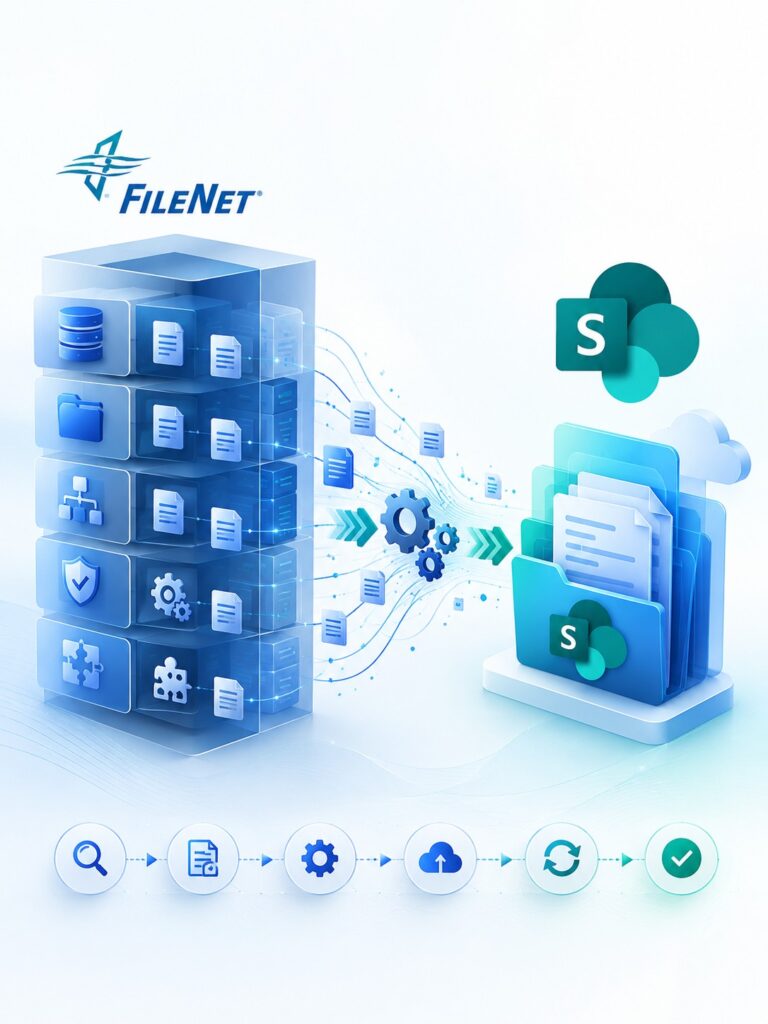
From FileNet Complexity to Controlled Migration
FileNet migration becomes complex when content is distributed across multiple repositories, governed by different structures and security models, or connected to business applications and workflows.
A conventional FileNet migration tool may address content movement, but enterprise migration also requires an understanding of the information surrounding that content. Repositories, object stores, document classes, metadata, permissions, workflows, applications, and integrations can all influence how migration should be planned and executed.
FileNet to SharePoint Migration Software brings these activities into a structured migration process, helping teams discover, extract, transform, migrate, synchronize, monitor, and validate content across controlled migration waves.
Discover the environment. Define the target. Automate the migration. Validate the result.
A Structured Approach to FileNet Content Migration
FileNet Migration Software helps organizations move enterprise content and metadata from IBM FileNet to SharePoint Online and modern content platforms.
Designed for complex FileNet content migration, it supports the complete migration lifecycle-from discovery and extraction to transformation, migration, synchronization, and validation.
Whether modernizing legacy FileNet, consolidating repositories, or migrating to SharePoint, the solution helps organizations plan, control, and execute content migration at scale.
Planning a FileNet to SharePoint migration? Assess your environment, define the migration scope, and establish your target architecture before moving content.
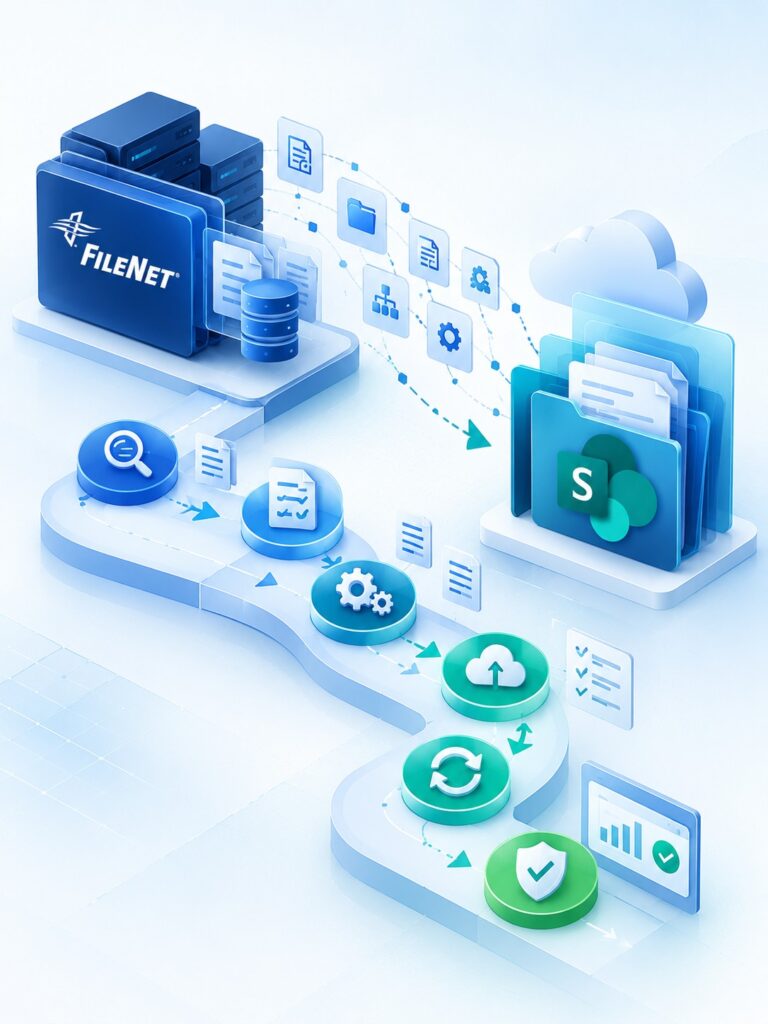
Validate Your FileNet Migration Before Scaling to Production
A successful IBM FileNet migration requires more than transferring documents. Organizations need to validate content integrity, metadata transformation, security permissions, folder structures, and application dependencies before migrating their entire repository.
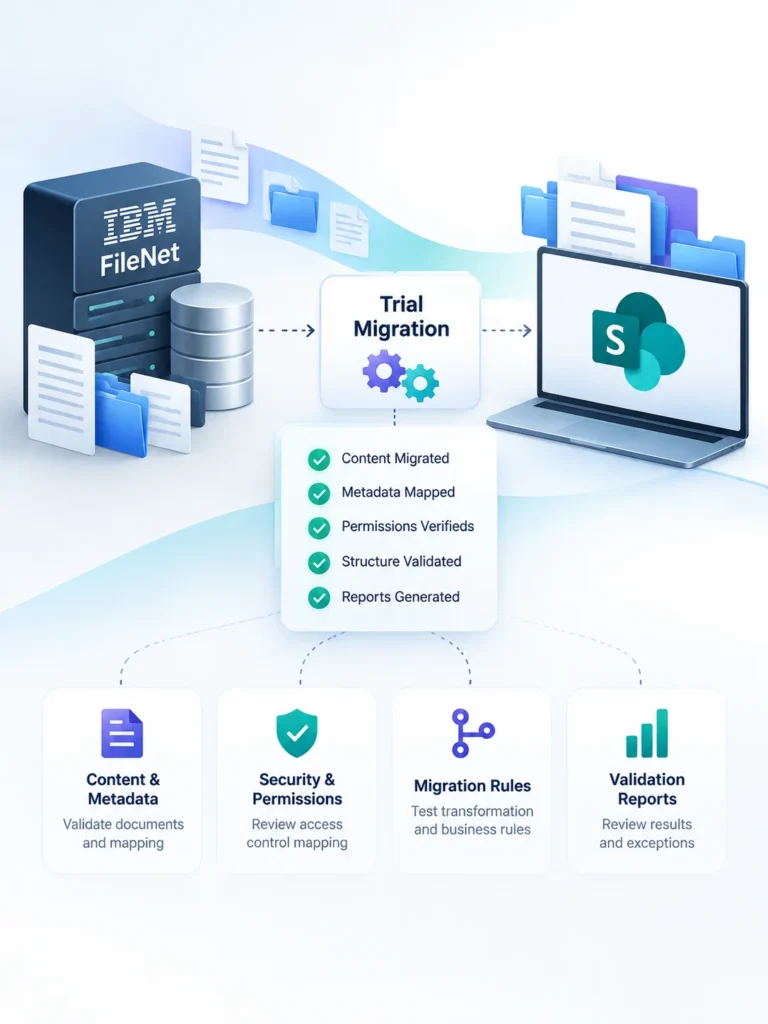
ECM Addons FileNet Migration Software enables organizations to run a controlled trial migration using a representative subset of their FileNet content. Evaluate the migration process, review the results, and identify potential challenges before scaling to a full production migration.
What You Can Validate During a Trial
- Document and Metadata Migration: Verify document content, document classes, properties, and metadata mapping.
- Folder Structure and Versions: Check the migrated content structure and version history against your requirements.
- Security and Permissions: Evaluate how FileNet access controls map to the target SharePoint environment.
- Migration Rules and Transformation: Test mapping rules and transformation requirements using representative content.
- Application Dependencies: Identify potential issues involving SAP, ERP systems, custom applications, and business workflows.
- Migration Reports and Validation: Review migration statistics, exceptions, and validation results to refine your migration strategy.
From Trial Migration to Enterprise-Scale Execution
Use the findings from your trial to refine migration rules, address exceptions, validate assumptions, and prepare a structured migration plan. Once the approach has been validated, extend it across additional Object Stores, business units, and larger content volumes.
What Does FileNet Migration Software Need to Handle Beyond Documents?
FileNet content can be distributed across repositories, object stores, folders, classifications, and relationships. FileNet content migration software needs to account for this structure before determining how content should be organized in the destination.
FileNet properties, document classes, classifications, and associated information may require direct mapping, transformation, rationalization, or restructuring depending on the target architecture.
Historical versions and associated information may need to be considered as part of migration scope. The migration strategy determines what should be retained and how it should be represented in the target environment.
FileNet security models need to be assessed so that relevant access requirements can be mapped to the security model of the destination platform.
Business applications and workflows may depend on FileNet content. These dependencies can affect migration sequencing, testing, integration requirements, and cutover planning.
SAP, ERP, CRM, APIs, databases, and custom applications can interact with FileNet content. Identifying these dependencies helps determine what needs to be considered before and during migration.
Governance, retention, records, and applicable regulatory requirements can influence migration scope, target architecture, and decisions about what should be migrated, retained, archived, or excluded.
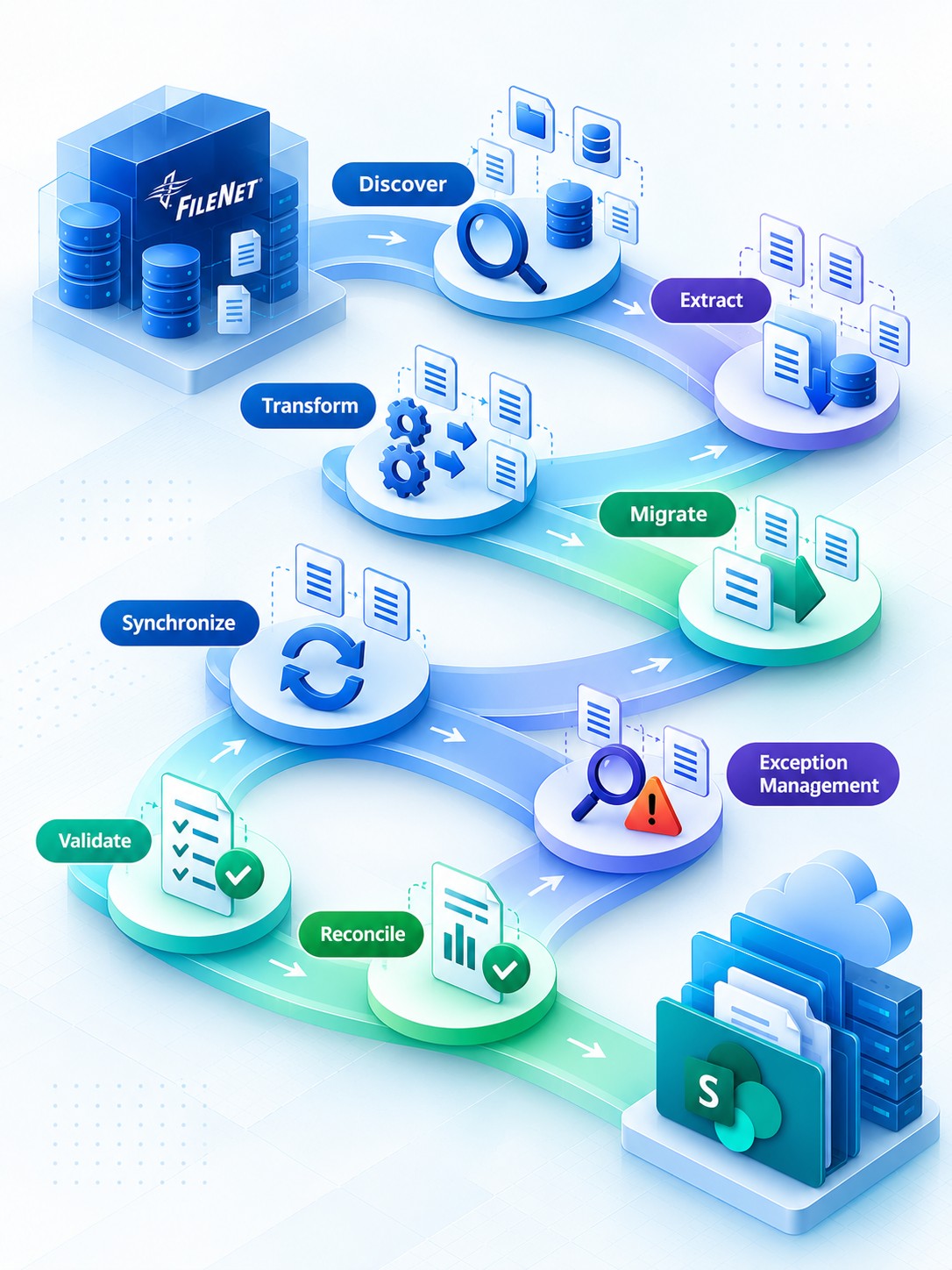
The FileNet to SharePoint Migration Lifecycle
01 - Discover
Analyze the FileNet environment to understand repositories, object stores, content, document classes, metadata, security, workflows, applications, and integrations.
02 - Extract
Extract documents and relevant associated information from the source environment for migration analysis, mapping, and transformation.
03 - Transform
Apply defined migration rules to content, metadata, classifications, structures, and other relevant information. Where direct mapping is not appropriate, information can be transformed for the target architecture.
04 - Migrate
Execute controlled migration waves using automation rather than relying on repetitive manual movement of content.
05 - Synchronize
Where FileNet needs to remain operational during migration, capture relevant source changes between the initial migration and final transition.
06 - Exception Management
Identify migration exceptions so that issues can be reviewed, addressed, and included in migration readiness decisions.
07 - Validate
Validate migrated content and associated information against agreed migration criteria and identify exceptions requiring attention.
08 - Reconcile
Compare migration results with the defined scope and validation criteria to establish what has successfully migrated and what still requires resolution.
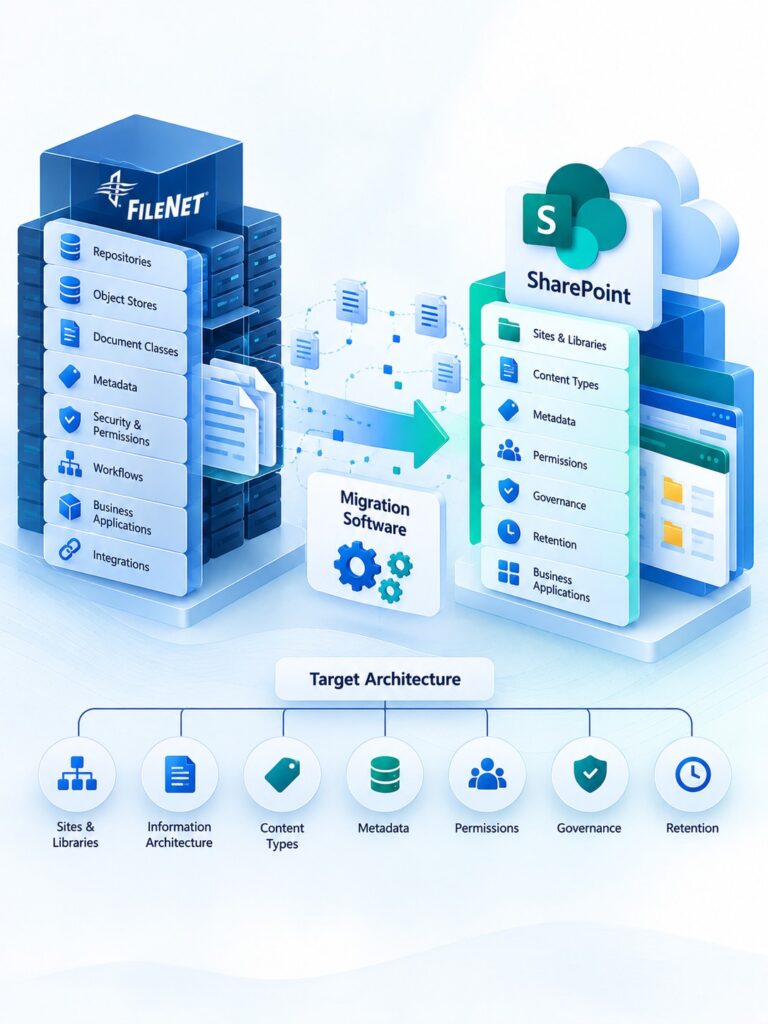
FileNet to SharePoint Migration with the Right Target Architecture
A successful FileNet to SharePoint migration requires more than migration software. It requires a clear understanding of both FileNet and SharePoint, along with experience handling different migration scenarios, content structures, and business requirements.
The target architecture should consider SharePoint sites and libraries, information architecture, content types, metadata, permissions, governance, retention, and business applications.
The goal is not to replicate every element of the legacy FileNet environment. Instead, it is to determine what business information and relationships need to be preserved—and how they should be represented in SharePoint.
With experience across different FileNet and SharePoint migration scenarios, FileNet Migration Software supports the migration process while the target architecture provides the foundation for how migrated content is organized, governed, and used.
Built for Complex Enterprise FileNet Environments
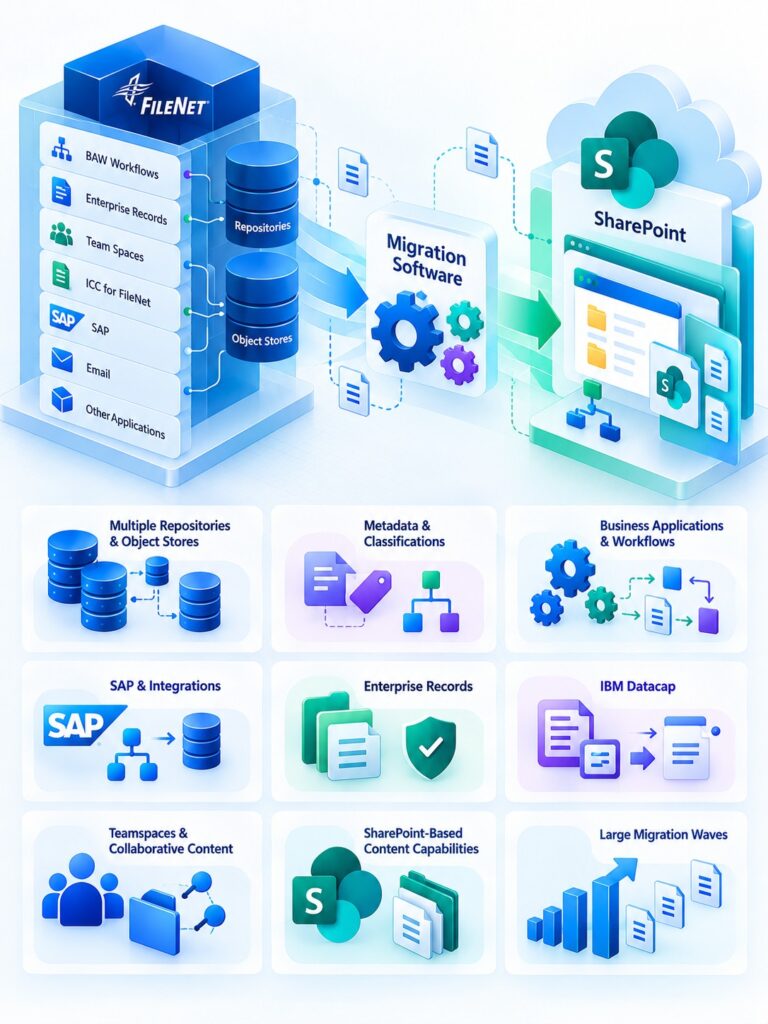
Enterprise FileNet environments often involve more than documents and metadata. Content can be deeply coupled with BAW workflows, Enterprise Records, Team Spaces, ICC for FileNet, SAP, email, and other business applications.
FileNet to SharePoint Migration Software is designed for these complex scenarios, helping assess content, metadata, relationships, workflows, and dependencies to determine the right migration strategy-without treating enterprise migration as a simple document transfer.
Multiple Business Units, Repositories & Object Stores
Large FileNet environments may contain multiple repositories or object stores with different structures, ownership models, security requirements, and migration priorities. Migration waves can be organized accordingly.
Complex Metadata & Classifications
Existing properties, document classes, and classifications may not have direct equivalents in the destination. Migration rules can be designed around the target information architecture rather than forcing a one-to-one structure.
Business-Critical Applications & Workflows
Applications and workflows that depend on FileNet content can influence migration sequencing, testing, integration, and cutover. These dependencies need to be identified before migration execution.
SAP & Enterprise Integrations
SAP, ERP, CRM, APIs, databases, and custom applications may interact with FileNet. Their dependencies can be incorporated into migration planning and target-state decisions.
IBM Enterprise Records
FileNet environments using IBM Enterprise Records introduce additional requirements around records classification, retention, disposition, and governance. These requirements need to be evaluated and mapped to the target records management architecture.
IBM Datacap
Organizations using IBM Datacap for document capture and processing may have capture workflows and content ingestion processes closely connected to FileNet. Migration planning should account for these dependencies and define how document acquisition and processing will work in the target environment.
Teamspaces & Collaborative Content
FileNet Teamspaces may contain collaborative workspaces, documents, metadata, and business-specific structures. These environments require careful assessment to determine what should be migrated, redesigned, or transitioned to the appropriate SharePoint collaboration model.
SharePoint-Based Content Capabilities
ECM Addons provides SharePoint-based capabilities that support key FileNet use cases, including document acquisition and search, retention, and a familiar user experience. This helps organizations transition FileNet-dependent capabilities while adopting SharePoint as the modern content platform.
Large Migration Waves
Complex environments can be divided into controlled migration waves based on repositories, business units, applications, content groups, or other business requirements. This allows mappings, migration results, and exceptions to be reviewed progressively rather than waiting until the entire environment has been migrated.
Why Choose ECM Addons for FileNet SharePoint Migration Software?
Successful enterprise migration requires more than automation alone. The migration software needs to work within the realities of the FileNet environment and the requirements of the target platform.
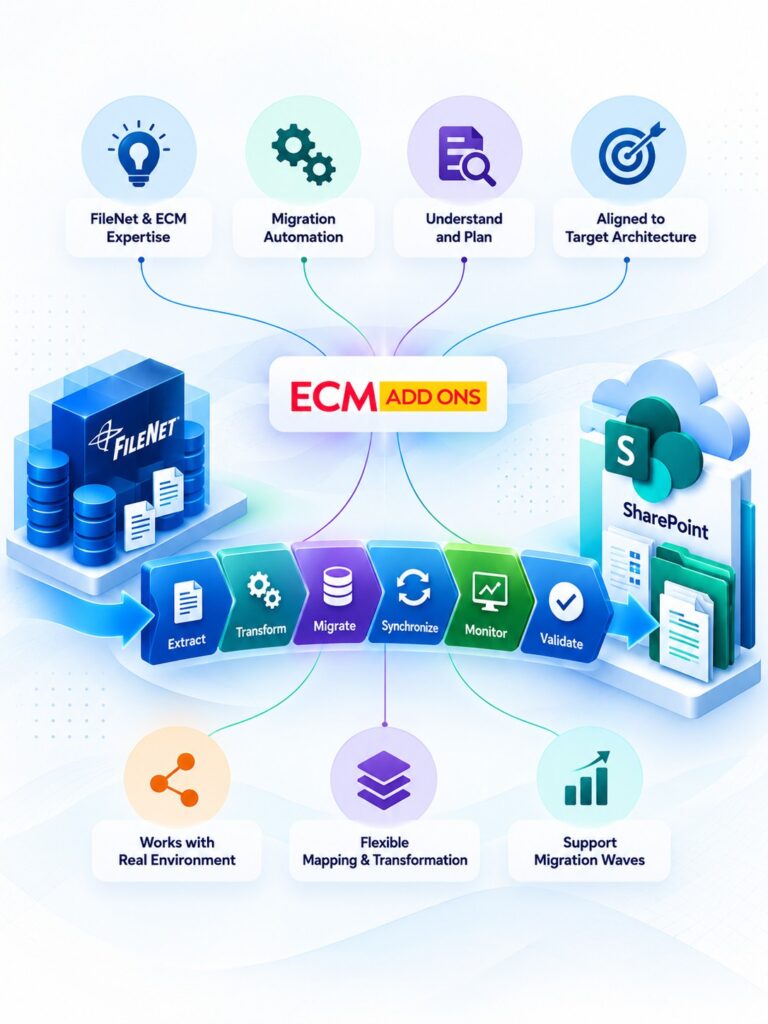
ECM Addons combines FileNet and enterprise content management expertise with migration automation, helping teams understand their source environment, define migration rules, execute migration waves, and validate results.
The FileNet migration solution supports extraction, transformation, migration, synchronization, monitoring, and validation while allowing the migration approach to be aligned with the organization’s target architecture.
For organizations evaluating an IBM FileNet migration tool, this approach provides a migration process built around the actual FileNet environment rather than a generic file-transfer model.
When FileNet structures do not map directly to the destination, the migration approach can incorporate appropriate transformations or alternative target-state decisions rather than forcing the legacy structure into the new platform.
What You Gain From Controlled FileNet Migration Automation
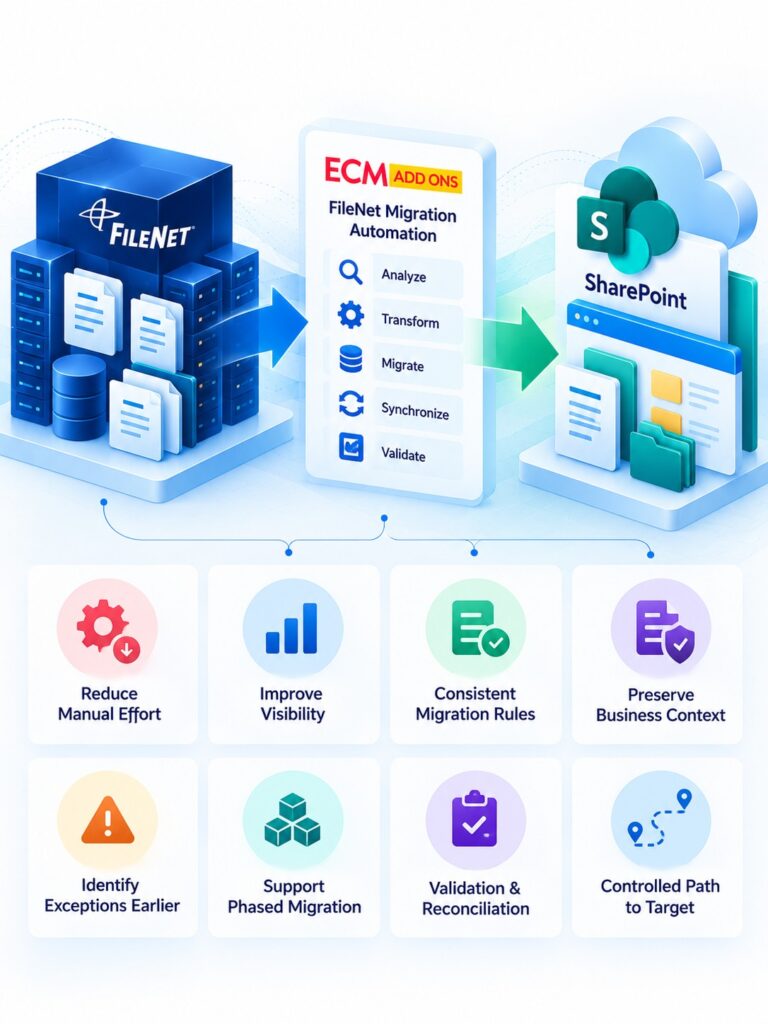
A structured and automated FileNet migration solution provides greater visibility into what is being migrated, how information is being transformed, and what remains to be addressed before cutover.
It can help organizations:
- Reduce repetitive manual migration effort
- Improve visibility across migration waves
- Establish consistent migration and transformation rules
- Preserve important business context
- Identify migration exceptions earlier
- Support phased migration of complex environments
- Apply defined validation and reconciliation criteria
- Create a more controlled path from FileNet to the target platform
The goal is not automation for its own sake. It is automation with visibility, transformation, synchronization, and validation built into the migration process.
Start Your FileNet to SharePoint Migration Trial Today
Explore a controlled FileNet to SharePoint migration with a free trial. Validate your migration approach, assess your content and dependencies, and see how ECM Addons FileNet Migration Software can support your transition to SharePoint.
Frequently Asked Questions
FileNet Migration Software is a software solution designed to automate key activities involved in migrating content and associated information from IBM FileNet to a target content platform.
Depending on the migration scope, this can include content, metadata, document classes, structures, security requirements, versions, and information associated with applications and integrations.
A basic FileNet migration tool may primarily focus on moving content. Enterprise FileNet migration can also require repositories, object stores, document classes, metadata, permissions, workflows, applications, integrations, and business dependencies to be considered.
FileNet Migration Software is designed around these broader migration requirements.
FileNet security requirements can be assessed as part of the migration. The migration design determines how relevant access requirements should be represented within the security model of the target platform.
FileNet content migration software is used to automate the extraction, transformation, migration, synchronization, and validation of enterprise content and associated information from FileNet.
It can support migrations involving repositories, document classes, metadata, security requirements, and other information that needs to be considered alongside the content itself.
FileNet data migration software provides capabilities for moving content and associated migration information from a FileNet environment to a target platform.
For enterprise migrations, this can involve more than document movement and may include metadata, classifications, structures, security requirements, and other dependencies.
Yes. Migration waves can be organized around repositories, business units, applications, content groups, or other business requirements.
Phased execution also allows migration mappings and results to be reviewed progressively.
Depending on the migration architecture and business requirements, the FileNet environment can remain operational while migration activities are performed.
Where required, synchronization or delta migration can be incorporated before final cutover.
Validation can be incorporated into the migration process using defined criteria for content and associated migration information.
Reconciliation and exception management help identify results that require further review before migration readiness is established.