The Compliance Gaps Generic Migration Projects Can Miss
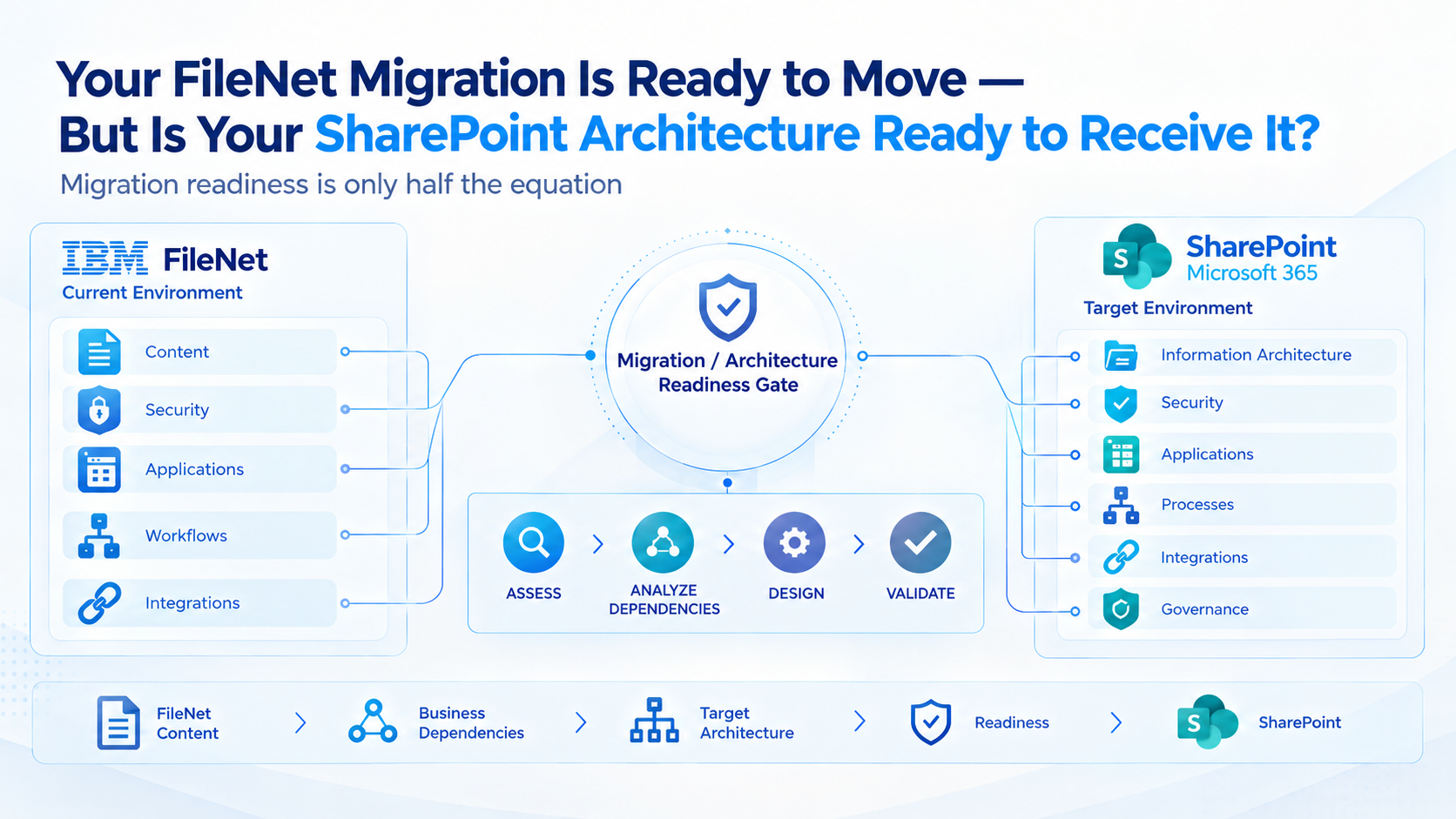
Migrating IBM FileNet to Microsoft SharePoint is not just about moving documents into a new repository. It requires understanding how the existing FileNet environment works and how its business and governance requirements should be implemented in SharePoint.
This is where enterprise migrations become more complex than they first appear.
A document may transfer successfully while its FileNet-specific security behavior, retention requirements, application references, or historical context still needs attention. A technically successful migration does not automatically establish that the destination meets the organization’s compliance obligations.
For enterprises with established FileNet environments, the challenge is not simply finding a migration tool. It is determining what must be preserved, what must be redesigned, and how to verify that the new environment works as intended.
The real migration risk lies in assuming that what worked in FileNet will work the same way in SharePoint.
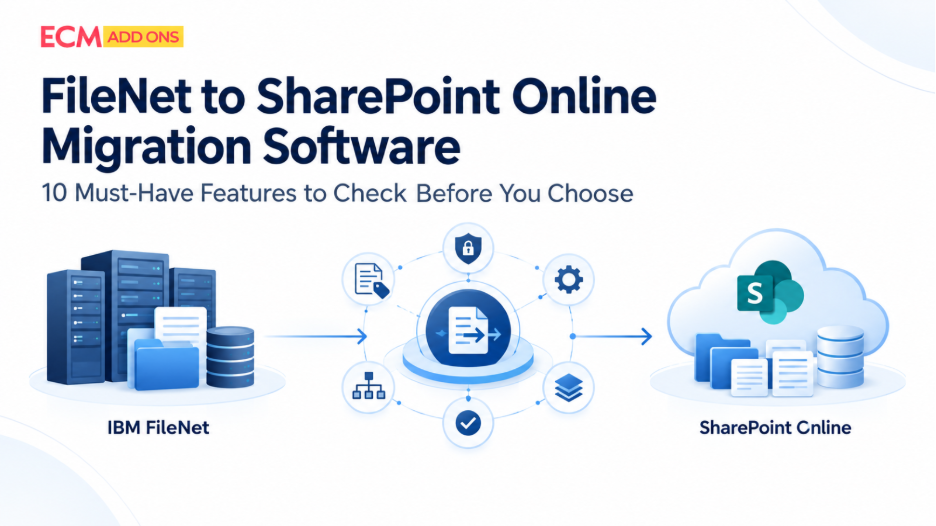
Enterprise FileNet to SharePoint migration services should combine knowledge of the source platform with a practical understanding of the destination-not treat the two systems as interchangeable document repositories.
What Makes FileNet-to-SharePoint Compliance Different from Standard Migration?
FileNet environments can contain years of accumulated business rules, custom configurations, application integrations, and repository-specific behavior. Some of these dependencies may not be obvious from a document inventory.
SharePoint has its own architecture, security model, records-management capabilities, and integration options. Reproducing the source environment exactly is not always practical or desirable.
The migration team must determine which source behaviors need equivalent outcomes in SharePoint, which need a different implementation, and which can be retired with business approval.
This requires expertise on both sides of the migration.
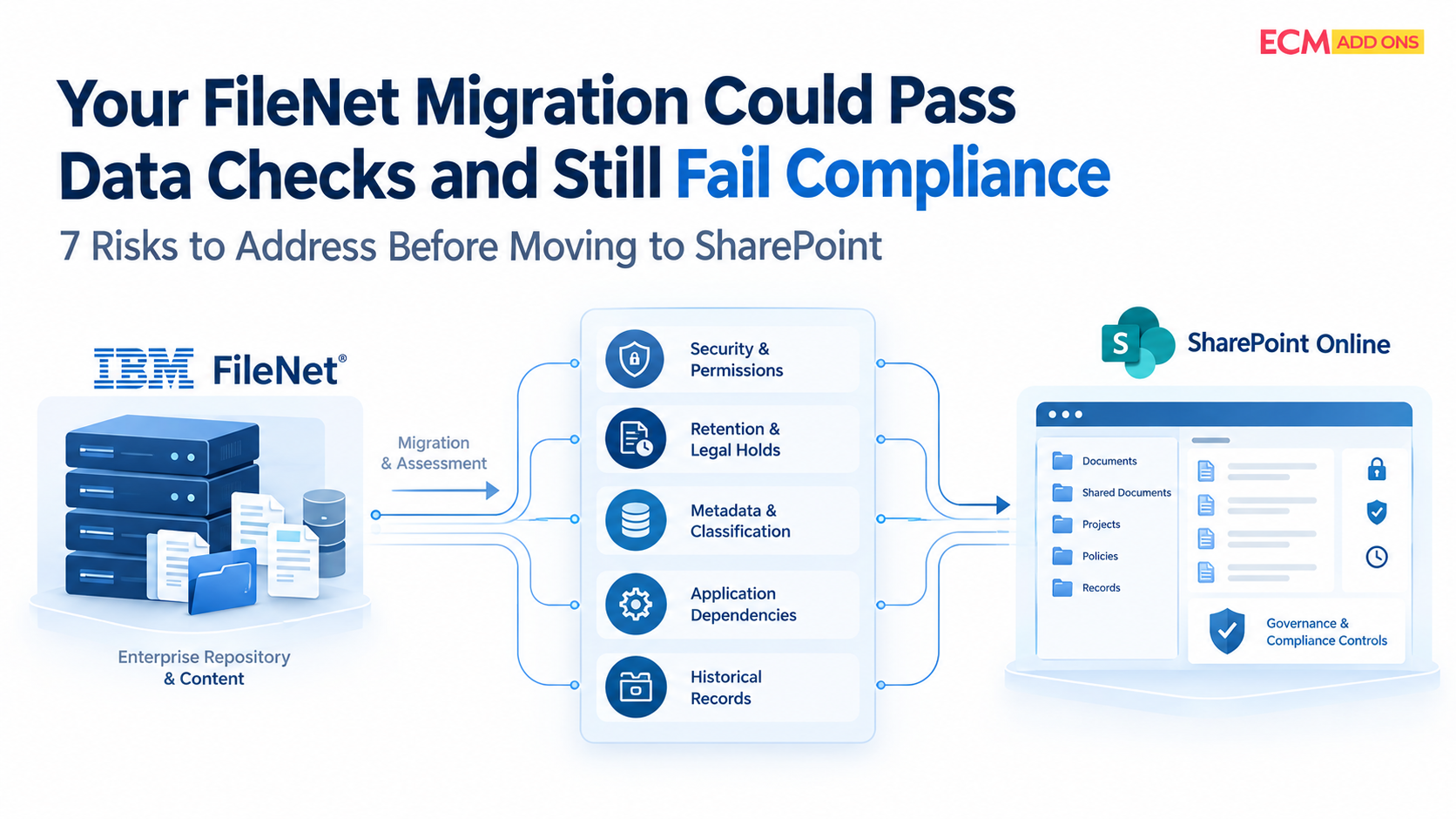
The following seven risks show where this platform-specific understanding matters most.
1. FileNet Security May Not Translate Directly to SharePoint
FileNet security can involve object-level permissions, users and groups, inheritance, and application-specific access behavior. SharePoint organizes access through its own sites, libraries, groups, and permission structures.
A direct transfer of permission assignments does not necessarily reproduce the intended access model.
The migration team must understand why access was configured a certain way in FileNet before deciding how to implement it in SharePoint.
What needs to be checked:
- FileNet users, groups, and access-control rules.
- Inherited versus unique permissions.
- Restricted documents and sensitive business records.
- Identity mapping and unresolved security exceptions.
- Whether representative users have the correct access after migration.
For regulated enterprises, the goal is not to copy every permission mechanically. It is to verify that authorized access and required restrictions remain effective in the destination.
2. FileNet Retention Rules and Legal Holds Need Explicit Mapping
Retention and legal holds are particularly important when migrating historical enterprise records.
IBM FileNet supports retention policies and holds that can prevent content from being deleted under specified conditions. SharePoint and Microsoft Purview offer different retention and records-management controls.
These mechanisms should not be assumed to map one-to-one.
For instance, a FileNet document subject to a legal hold must remain appropriately protected throughout the migration. The team must determine how the requirement will be satisfied in the destination or through an approved preservation arrangement.
The critical checks are:
- Which documents are subject to retention schedules or legal holds?
- What event or date determines the retention period?
- How will the requirement be implemented in SharePoint?
- How will the team verify that protected records cannot be improperly deleted?
- What evidence must be retained before the source environment is retired?
A migration plan should make these decisions before production cutover, with approval from the appropriate legal and records-management stakeholders.
3. FileNet Document Classes and Properties May Require More Than Field Mapping
FileNet document classes and properties can reflect years of enterprise-specific design. Some properties support business processes, application lookups, document classification, or security decisions-not merely search and display.
Mapping a FileNet property to a SharePoint column is only the starting point when the property has a wider role.
The team must understand how the property is used in the source environment and whether the target design needs to preserve, transform, or replace that behavior.
For example, a property used by a custom FileNet application to identify a business transaction may need a corresponding field and an updated application lookup in SharePoint.
A FileNet-aware migration should identify:
- Which classes and properties are actively used.
- Which fields support business-critical application logic.
- Which source values require transformation or normalization.
- Which properties are mandatory for records management or retrieval.
- How the resulting SharePoint content will be tested.
This prevents the target environment from becoming a collection of documents that have transferred successfully but no longer support the same business use cases.
FileNet Workflows and Custom Applications Can Create Hidden Compliance Gaps
Many enterprise FileNet implementations are connected to custom applications, IBM Content Navigator, IBM Business Automation Workflow, Datacap, APIs, or other business systems.
A migration can change repository locations, document identifiers, access methods, and workflow interactions. If these dependencies are overlooked, an application may continue referencing FileNet or fail to retrieve the correct content after cutover.
The compliance concern is not limited to an application outage. A broken process may prevent required documents from being attached to a transaction, routed for approval, or made available to authorized reviewers.
Before migration, identify the applications that create, update, retrieve, or govern FileNet content.
Then determine whether each dependency should be integrated with SharePoint, redesigned, retained against the source temporarily, or retired.
This is where experience with both FileNet and SharePoint becomes especially valuable: the team must understand the source dependency and make a workable decision about the destination architecture.
Enterprise Integrations Must Be Ready Before Migration Waves Begin
FileNet rarely operates in isolation within a large enterprise.
SAP, ERP platforms, CRM systems, custom applications, APIs, identity platforms, scanning systems, records processes, and downstream services may all interact with FileNet content.
These connections form part of the migration scope, even when the integrations themselves are not being migrated as documents.
For each dependency, the target architecture should determine whether the existing integration will be retained, reconfigured, rebuilt, replaced, or retired.
Consider an ERP application that retrieves documents through a FileNet interface. Moving those documents to SharePoint without redesigning the application’s interaction with the repository creates a dependency gap.
The organization must determine how the application will retrieve the content from the new environment—or whether the interaction should be redesigned altogether.
The same principle applies to SAP document access, custom applications, APIs, and other connected systems. The required integration approach depends on the current implementation and the capabilities expected in the target environment.
These decisions should be resolved before the affected workloads enter production migration.
Treating integrations as a later activity can result in migrated content that is technically present but not accessible through the business systems that depend on it.
This is why FileNet-to-SharePoint migration should be approached as an enterprise architecture initiative rather than a repository transfer project.
How Do Legacy FileNet Servers and OS Upgrades Impact SharePoint Online Migration?
Legacy FileNet environments may depend on older operating systems, application servers, databases, and runtime components. These dependencies can affect migration compatibility, source accessibility, performance, and project timelines.
Before migrating to SharePoint Online, organizations should determine whether the existing environment can support the planned migration or whether specific infrastructure components require remediation.
Key considerations include:
- Source compatibility: Verify that the migration tool supports the installed FileNet version and the required connection methods.
- Operating system and server lifecycle: Identify unsupported components and assess whether they introduce security, compatibility, or operational risks.
- Migration performance: Evaluate source infrastructure, storage, database performance, and network capacity to identify potential extraction bottlenecks.
- Upgrade dependencies: Determine whether an upgrade is necessary before migration or would introduce avoidable cost and testing.
- Business continuity: Assess how infrastructure changes could affect production applications, integrations, and migration schedules.
An operating system upgrade is not automatically required before a FileNet-to-SharePoint Online migration. The right approach depends on the existing environment, migration tooling, and business requirements.
A source assessment helps determine whether to migrate directly, upgrade selected components, or prepare a separate environment before moving content. This decision should be made before finalizing the migration scope and timeline
5. SAP ArchiveLink Dependencies May Be Missed in the Migration Scope
SAP-connected content requires particular care because business documents may be linked to SAP business objects through ArchiveLink.
If FileNet is used as the content repository for SAP-linked documents, moving the physical files alone may not preserve the complete retrieval process.
The migration team needs to understand the existing SAP-to-repository relationship, including relevant ArchiveLink configuration, document references, repository dependencies, and business applications.
The future-state architecture must define how SAP users and business processes will locate and retrieve migrated documents.
Depending on the intended design, this may require a suitable connector, integration changes, or a different repository-access approach.
Before cutover, validate that:
- Representative SAP transactions can retrieve the expected documents.
- Required document relationships and metadata are preserved.
- Access controls work for the intended SAP user roles.
- Applications no longer depend on obsolete FileNet references where those dependencies are meant to be retired.
- Exceptions have been documented and approved.
For enterprises using SAP and FileNet together, this is a specific architectural workstream, not a detail that should be left until after the document migration.
6. Historical Versions and Audit Evidence May Need a Separate Preservation Strategy
FileNet content may include versions, document properties, annotations, and audit information that serve different purposes.
These elements should not be treated as one interchangeable category. A document’s current content, its historical versions, and platform-level audit events may require different migration or preservation methods.
SharePoint’s native audit capabilities do not automatically recreate the complete historical audit trail of the source FileNet environment.
The organization should determine what evidence it needs for audits, investigations, records management, and business history before defining the migration method.
For each required information type, document whether it will be migrated, preserved in the original environment, or retained through an approved alternative.
The acceptance criteria should then verify that the required evidence remains available to authorized stakeholders
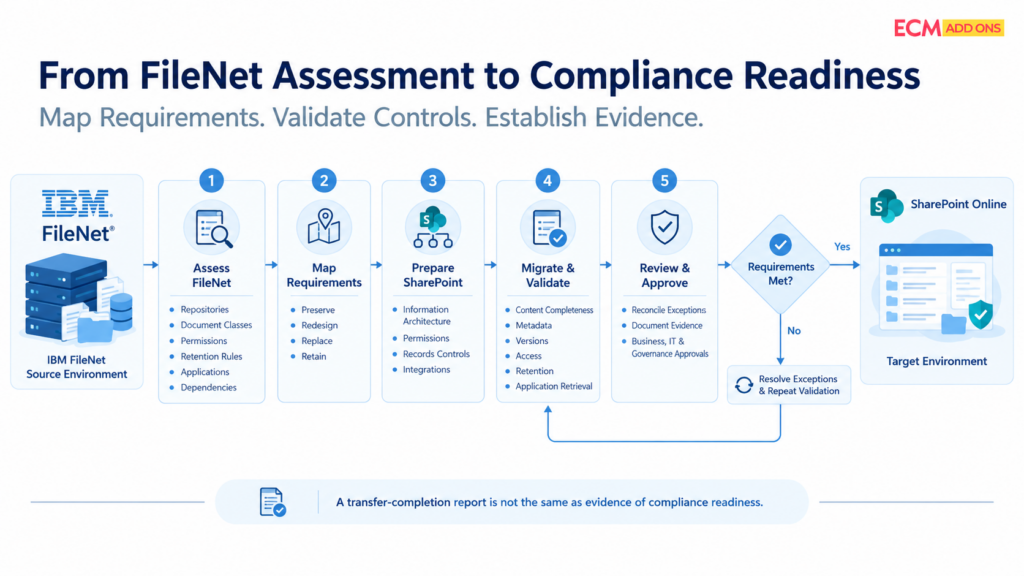
7. A Successful Migration Report May Not Prove Compliance Readiness
A migration dashboard can show how many documents were processed, failed, or remain pending. Those metrics are useful, but they do not by themselves establish that the target environment meets compliance requirements.
For example, a document may be present in SharePoint but have an incorrect property, an unresolved permission, or a retention configuration that has not been tested.
The migration team needs validation criteria that reflect the actual requirements of the FileNet environment.
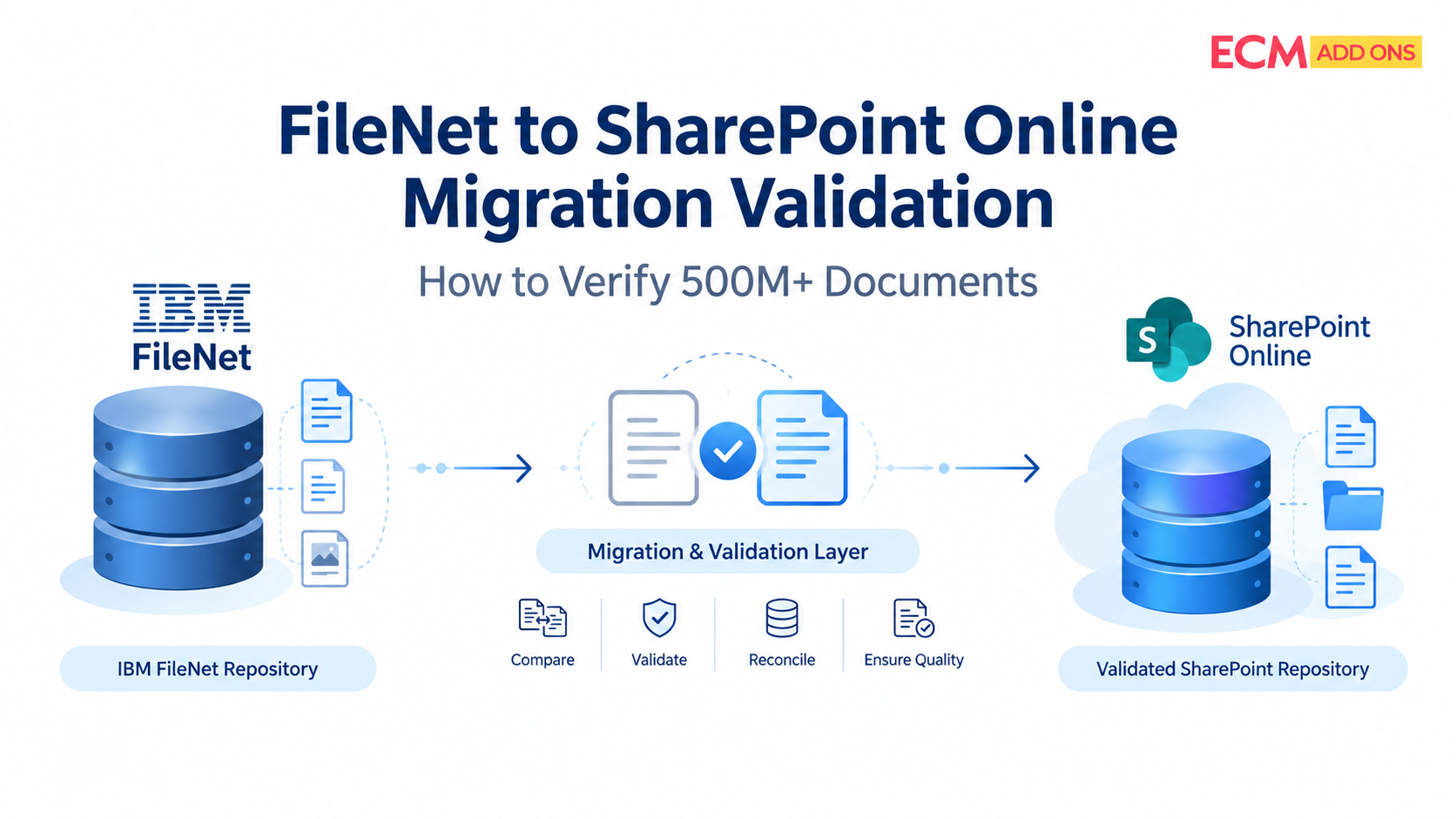
A practical approach should reconcile source inventories against destination results and test the controls relevant to each migration wave.
This can include content completeness, required metadata, versions, access permissions, retention settings, application retrieval, and documented exception handling.
The objective is to establish evidence of the required outcome—not simply evidence that a transfer took place.
How Can FileNet and SharePoint Expertise Make Migration More Cost-Effective?
Cost-effective enterprise migration does not mean choosing the lowest initial quote or reducing validation to save time. It means avoiding unnecessary rework, poorly scoped customizations, and preventable issues after cutover.
A team that understands FileNet can identify source-specific dependencies and distinguish essential functionality from legacy behavior that no longer needs to be reproduced. SharePoint expertise helps translate those requirements into a suitable destination design.
That combined knowledge can help organizations make better decisions about migration scope, integration changes, testing, and phased delivery.
Avoid Rebuilding Every Legacy Behavior
Not every FileNet configuration needs an identical SharePoint equivalent. Some requirements may be better served by standard SharePoint capabilities, while others may need custom development or a separate integration.
Assessing these options early helps avoid unnecessary customization.
Identify Dependencies Before They Delay Cutover
FileNet repositories may support applications and workflows that are not visible in a basic document inventory. Identifying these dependencies early helps teams plan the right sequence of work and reduce late-stage surprises.
Validate in Waves Instead of Discovering Problems at Scale
A pilot migration can test representative content, permissions, integrations, and governance requirements before larger volumes move. Lessons from the pilot can then improve the migration plan for subsequent waves.
Focus Testing on Business-Critical Requirements
Testing should reflect the actual complexity and risk of the source environment. This means validating the controls and dependencies that matter rather than applying the same generic checklist to every repository.
These practices do not guarantee a particular saving or migration duration. They provide a structured way to control scope, prioritize effort, and reduce avoidable costs.
What Should Enterprises Ask Before Choosing FileNet to SharePoint Migration Services?
Before selecting a migration provider, enterprise leaders should establish whether the team can handle both the source platform’s complexity and the destination’s requirements.
Ask prospective providers:
- Do you understand FileNet object stores, document classes, security models, and custom application dependencies?
- Can you design and validate the target SharePoint architecture rather than simply transfer documents?
- How will retention schedules, legal holds, and required historical evidence be handled?
- How will SAP ArchiveLink and other connected applications be assessed?
- What does the migration validation and exception-reconciliation process include?
- How will the project control customization, scope changes, and avoidable rework?
- What evidence is required before the organization approves cutover and source retirement?
Clear answers to these questions help distinguish a generic migration service from one designed for established enterprise FileNet environments.
Why Choose ECM Addons for Enterprise FileNet to SharePoint Migration?
ECM Addons brings specialized IBM FileNet experience to enterprise migration planning, with 15+ years of FileNet experience and a focus on FileNet-to-SharePoint modernization.
The value of this experience is understanding that a FileNet migration is not just a document-transfer exercise. It involves assessing the existing environment, identifying source-specific dependencies, and determining how business-critical requirements should be implemented and validated in SharePoint.
A cost-conscious migration approach should also identify where standard destination capabilities are sufficient, where integration changes are necessary, and where customization genuinely adds value.
ECM Addons can help organizations assess their FileNet environment, understand migration scope, and plan a structured transition toward SharePoint.
The FileNet Analyzer can serve as an initial step in understanding the existing environment. For organizations evaluating a migration, the next step is to assess the specific repositories, dependencies, and governance requirements that will shape the project.