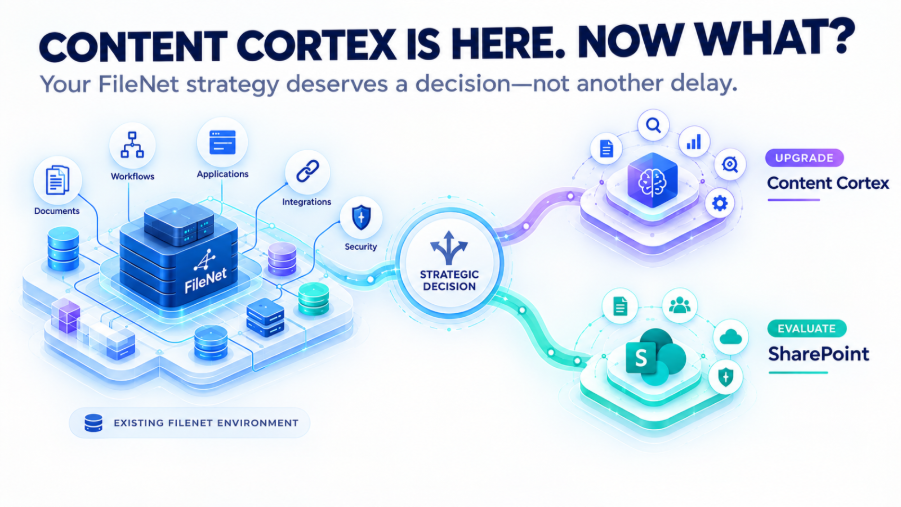
If your organization runs IBM FileNet today, IBM Content Cortex introduces an important strategic question: what should your enterprise content architecture look like next?
The decision is not necessarily about choosing between an IBM platform and Microsoft SharePoint immediately. It starts with understanding what your current FileNet environment contains, what depends on it, and which parts of that environment still support the business.
IBM Content Cortex is now available as the evolution of IBM FileNet Content Manager, carrying forward enterprise content services capabilities while extending them toward AI and agentic content automation. IBM describes Content Cortex as retaining capabilities such as security, governance, lifecycle management, and scalability while adding new content intelligence and automation capabilities.
For organizations with years of investment in FileNet, this creates a broader architecture discussion:
Should the organization modernize within the IBM ecosystem, evaluate Microsoft SharePoint, continue operating FileNet while planning a later transition, or take a phased approach?
There is no responsible answer without first understanding the environment.
Key Takeaways
- IBM Content Cortex is the evolution of IBM FileNet Content Manager, not simply a new name for an unrelated platform.
- A FileNet modernization decision should consider more than documents and storage. Applications, workflows, metadata, security, integrations, SAP dependencies, records, and business processes can all affect the target architecture.
- Content Cortex provides one modernization path for existing IBM content environments, while Microsoft SharePoint may represent another path for organizations already invested heavily in Microsoft 365.
- FileNet migration and FileNet modernization are different initiatives. One may involve moving content to another repository; the other may involve redesigning the existing content architecture while retaining the platform.
- Organizations on IBM FileNet Content Manager 5.5.x have an important support milestone: IBM lists September 30, 2026 as the End of Fix Support and End of Usage Support date for the 5.5.x releases listed in its current support schedule.
- The first step is not choosing the destination. It is understanding the current environment.
What Is IBM Content Cortex?
IBM Content Cortex is IBM’s current evolution of its enterprise content services platform. IBM states that Content Cortex is built from the capabilities of IBM FileNet Content Manager and extends them for AI-powered and agentic content automation.
That distinction matters to existing FileNet customers.
A long-running FileNet environment may already contain years of configuration, integrations, business applications, security models, metadata structures, workflows, and operational knowledge. Moving toward IBM’s newer content platform direction therefore needs to be considered in the context of that existing architecture.
The strategic question changes from:
Which FileNet version should we run?
to:
What role should enterprise content management play in our architecture over the next several years?
That is a much broader technology decision.
Why a FileNet Decision Is Bigger Than the Repository
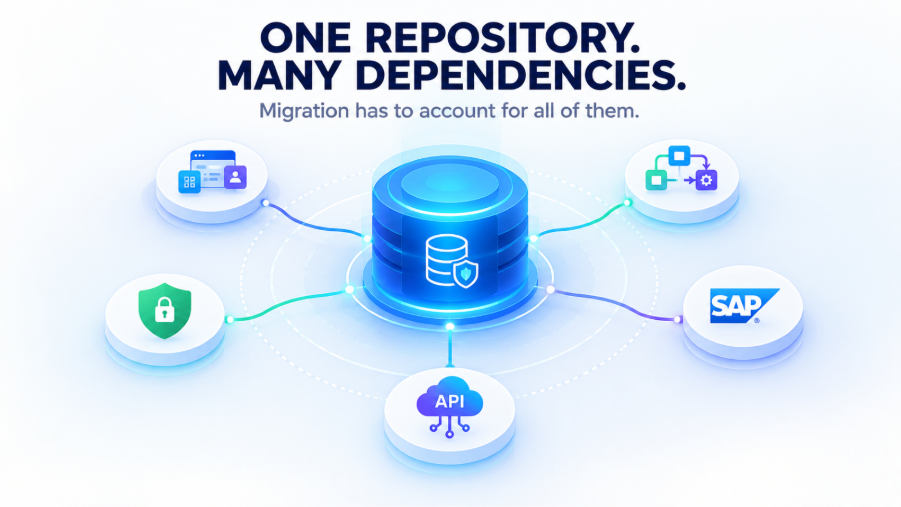
An enterprise FileNet environment rarely consists of documents sitting inside an Object Store.
Over time, the repository can become connected to:
- Business applications
- Document classes and metadata
- Object Stores
- Workflows
- Security and permissions
- SAP integrations
- ERP and CRM systems
- Custom applications
- APIs
- Records management
- Capture platforms
- Downstream applications
- Business processes
This means a platform decision based only on document volume, infrastructure, or licensing can miss important dependencies.
For example, an application that retrieves documents through FileNet interfaces has a different migration requirement from a repository containing mostly static content. A FileNet environment connected to SAP may require a different architecture discussion from one primarily used for internal document collaboration.
The important questions are therefore:
What exists?
What is actually being used?
What depends on FileNet?
What needs to move?
What needs to change?
What can be retired?
What needs to be validated?
This discovery work provides the foundation for comparing modernization paths.
Modernize Within the IBM Ecosystem
For organizations with substantial investment in IBM content services, Content Cortex provides an IBM modernization path.
IBM states that Content Cortex retains enterprise content services capabilities associated with FileNet Content Manager, including security, governance, lifecycle management, and scalability, while extending the platform toward agentic content automation.
That continuity can be relevant where existing applications, integrations, workflows, governance processes, and operational knowledge are closely tied to the IBM ecosystem.
However, modernization should not be treated as a simple version change.
Before planning the transition, organizations should understand:
- The current FileNet versions and components
- Object Stores and document structures
- Metadata and classification
- Security and permissions
- Applications that depend on FileNet
- Workflows and business processes
- Customizations
- External integrations
- SAP dependencies
- Operational and administrative requirements
The fact that the target remains within the IBM ecosystem does not eliminate the need for assessment and planning.
Evaluate Microsoft SharePoint as a Separate Modernization Path
The emergence of Content Cortex does not automatically eliminate the question of Microsoft SharePoint.
For organizations that already have a substantial Microsoft 365 architecture, SharePoint Online may represent a different content-management direction.
The evaluation is particularly relevant when SharePoint is already part of the organization’s collaboration, document management, and Microsoft 365 architecture.
But a FileNet-to-SharePoint initiative should not be reduced to:
FileNet → SharePoint → Done
Enterprise migration needs to consider the content ecosystem surrounding the repository.
That can include:
- Content and document classes
- Metadata
- Folder structures
- Versions
- Security and permissions
- Workflows
- Applications
- SAP integrations
- Business processes
- Retention requirements
- Customizations
- Existing content relationships
Not every FileNet capability necessarily has a direct one-to-one equivalent in SharePoint. Depending on the requirement, a capability may need to be mapped, transformed, redesigned, replaced, or retired.
Content Cortex vs. SharePoint: What Should Be Evaluated?
|
Consideration |
Modernize toward Content Cortex |
Evaluate SharePoint Online |
|
Existing platform investment |
Existing IBM content services investment may be relevant |
Existing Microsoft 365 investment may be relevant |
|
Application dependencies |
Existing IBM-connected applications need assessment |
Applications may require redesign or integration changes |
|
Content architecture |
Existing IBM content structures need evaluation |
FileNet structures need mapping to the target SharePoint architecture |
|
Workflows |
Existing workflows need assessment |
Workflows may require redesign or replacement |
|
SAP dependencies |
Existing SAP/FileNet relationships need assessment |
SAP-related repository dependencies need a target-state design |
|
Security |
Existing IBM security model needs review |
FileNet permissions need to be mapped to the target model |
|
Modernization approach |
Retain the IBM ecosystem while adopting its newer direction |
Reposition content within the Microsoft 365 ecosystem |
|
Migration scope |
May involve modernization and transition within the IBM ecosystem |
May involve repository migration and broader application changes |
This is not a platform ranking. The appropriate path depends on the organization’s current architecture, business requirements, application landscape, and modernization objectives.
FileNet Migration and FileNet Modernization Are Not the Same
These terms are often used interchangeably, but they describe different types of work.
FileNet migration generally involves moving content and associated requirements from the existing repository to another platform.
FileNet modernization can involve redesigning content structures, integrations, workflows, governance, and repository architecture while determining what should remain, change, or be replaced.
FileNet upgrade is different again: it involves moving the existing FileNet environment to a newer version or supported configuration while retaining the platform.
The distinction matters because each initiative has a different scope.
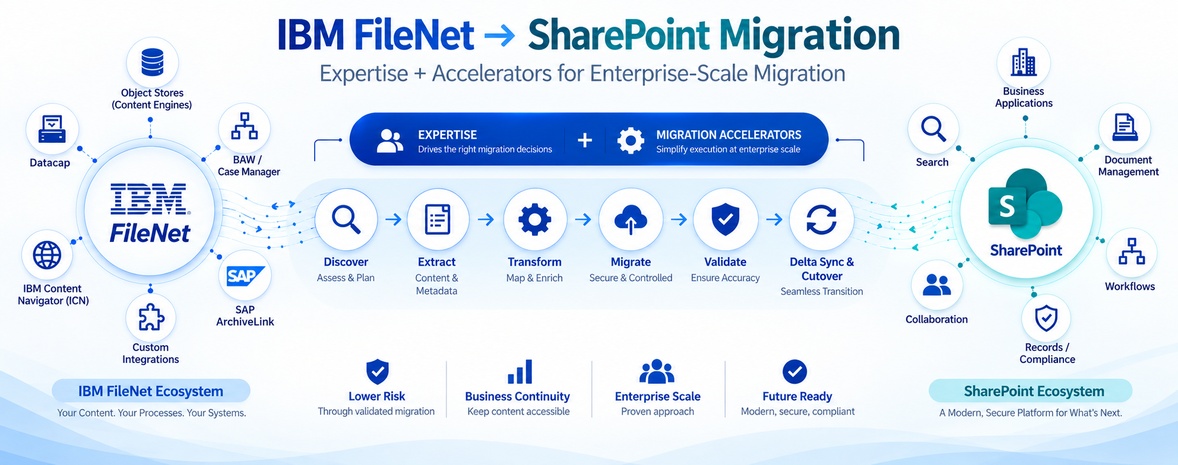
A migration project may require content extraction, metadata mapping, security mapping, validation, synchronization, and cutover planning.
A modernization initiative may additionally require architecture redesign, application changes, workflow redesign, governance changes, and decisions about which existing capabilities should continue.
What Should FileNet Leaders Assess Before Choosing a Direction?
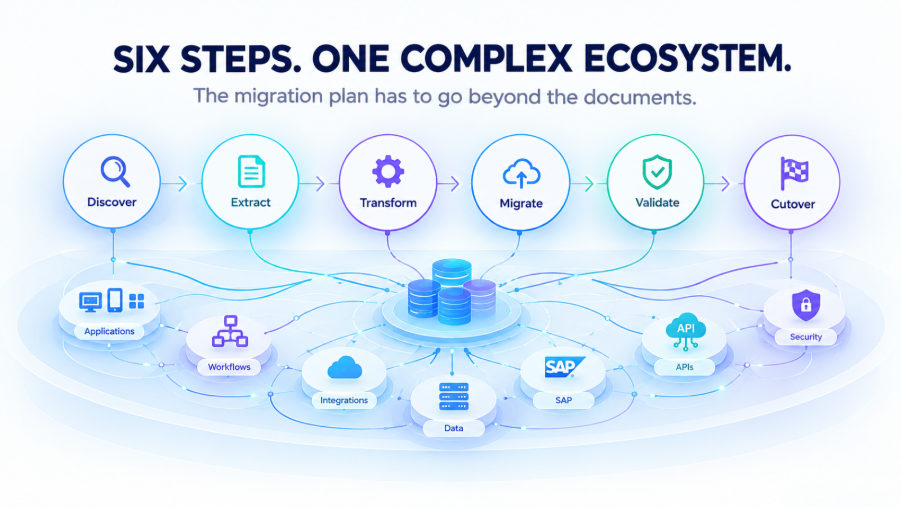
- What is actually running?
Document the current FileNet landscape, including versions, Object Stores, document classes, metadata, workflows, applications, integrations, and customizations.
- What depends on FileNet?
Identify applications and business processes that retrieve, create, modify, classify, route, or govern content through the repository.
A repository containing static content presents a different architectural challenge from one embedded in operational business processes.
- Are SAP dependencies involved?
If SAP ArchiveLink or other SAP integrations are connected to the existing repository, they should be part of the target architecture discussion from the beginning.
Replacing the repository without understanding how SAP currently references and retrieves content can create downstream architectural problems.
- How significant is Microsoft 365?
If SharePoint Online and the wider Microsoft 365 environment are already central to the organization’s technology strategy, that context should be included when evaluating the future content architecture.
- Which capabilities actually need to survive?
A legacy environment may contain capabilities that are no longer required in their current form.
During assessment, capabilities can be categorized as:
Migrate → Redesign → Replace → Retire
The objective is not necessarily to reproduce every element of the legacy environment in the target architecture.
- What is the cost of continuing as-is?
The cost of retaining an existing FileNet environment can extend beyond infrastructure.
Organizations may also need to consider specialist skills, aging customizations, integration maintenance, operational dependencies, security administration, upgrade requirements, and the long-term alignment of the repository with the broader technology strategy.
Why the September 2026 FileNet Support Milestone Matters
For organizations still running FileNet Content Manager 5.5.x, support timing adds urgency to an already important architecture discussion.
IBM’s current support schedule lists September 30, 2026 as the End of Fix Support and End of Usage Support date for the FileNet Content Manager 5.5.x releases listed in its schedule. IBM also identifies newer FileNet Content Manager releases, including 5.6.0 and 5.7.0, with later support timelines.
IBM’s separate lifecycle page for FileNet Content Manager 5.5.x identifies September 30, 2026 as the transition to Extended/Sustained or End of Support, with extended support availability shown through September 30, 2030.
These dates should not be interpreted as a requirement for every organization to migrate immediately.
They do, however, make it important for organizations on affected releases to understand their support position, evaluate upgrade or modernization requirements, and establish a realistic technology roadmap.
The risk of waiting is not simply that a deadline arrives.
It is that an organization may eventually have to make an architectural decision under time pressure rather than after evaluating its available options.
A Better Starting Point: Assess Before Choosing the Destination
The strongest modernization decisions begin with an accurate picture of the existing environment.
A practical assessment should establish the relationship between:
Content → Metadata → Security → Applications → Workflows → Integrations → Governance → Business Processes
Once those relationships are understood, the organization can evaluate realistic paths.
|
Possible path |
What it means |
|
Stay and optimize |
Continue operating FileNet while improving administration, performance, governance, and operational readiness |
|
Upgrade |
Move to a newer supported FileNet configuration |
|
Modernize within IBM |
Evaluate the transition toward IBM Content Cortex and its current content-services capabilities |
|
Migrate to SharePoint |
Move appropriate content and associated requirements into SharePoint Online |
|
Phased modernization |
Different content sets, applications, or workloads follow different modernization paths |
The objective is not to select a destination before understanding the source environment.
It is to determine which destination-or combination of destinations-fits the organization’s actual requirements.
How ECM Addons Approaches FileNet Modernization
ECM Addons works with enterprise IBM FileNet environments across upgrades, modernization, migration, support, and managed services.
For organizations evaluating their next step, the starting point can be an assessment of the existing FileNet environment and its dependencies. This can help establish what needs to be retained, changed, migrated, redesigned, or retired before a target architecture is selected.
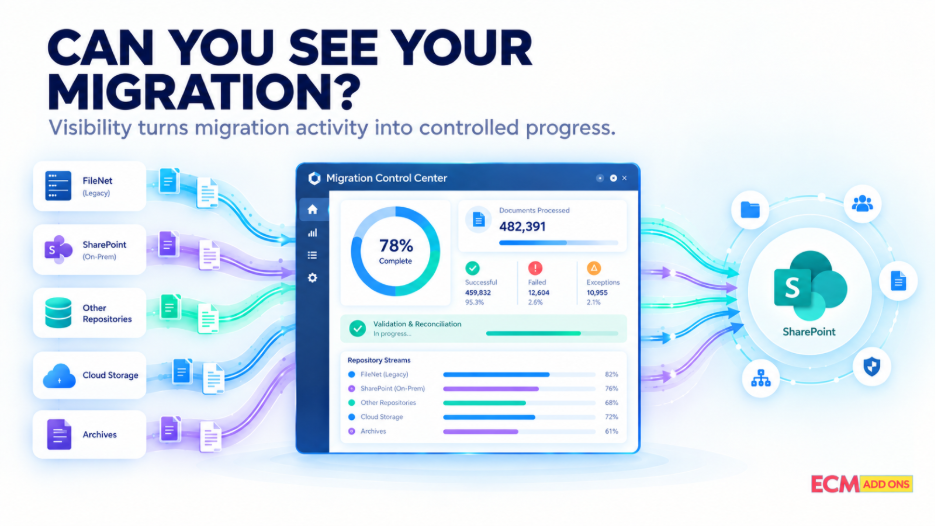
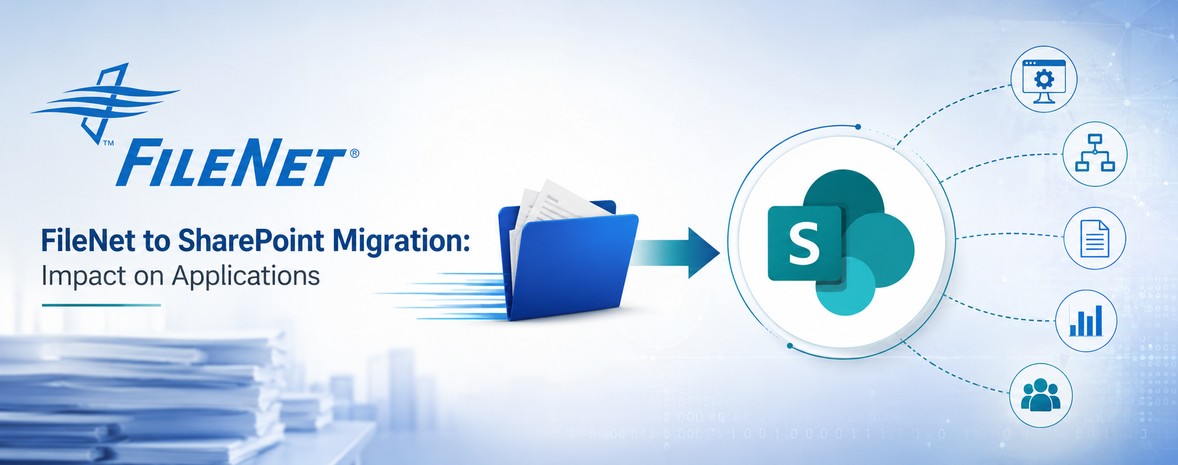
Where SharePoint is being evaluated as the target platform, ECM Addons approaches FileNet-to-SharePoint migration as more than document transfer. Content, metadata, security, applications, workflows, integrations, and other relevant dependencies need to be considered as part of the migration architecture.
For organizations that are not ready to migrate, ongoing FileNet support and managed services can also provide a way to maintain the existing environment while the longer-term modernization strategy is being evaluated.
The important point is that modernization does not have to mean rushing directly into migration.
In some environments, stabilizing and understanding the current platform is the appropriate first step.
Conclusion: The FileNet Question Has Changed
For years, the central question for many FileNet environments was:
How long can we continue running FileNet?
With IBM Content Cortex now available, the broader question is:
Where should our enterprise content strategy go next?
For some organizations, that may involve continuing within the IBM ecosystem and evaluating Content Cortex.
For others, Microsoft SharePoint may be worth evaluating as part of a broader Microsoft 365 strategy.
Others may need an upgrade, continued managed operations, or a phased modernization approach before making a larger repository decision.
The important step is not choosing a platform simply because a new platform is available.
It is understanding the environment well enough to make an informed architecture decision.
Don’t start with the destination. Start by understanding the environment.
If your organization is evaluating an IBM FileNet upgrade, modernization strategy, or FileNet-to-SharePoint migration, ECM Addons can help assess the current environment and the technical dependencies that need to be considered before defining the next step.
Ready to Evaluate Your FileNet Strategy?
IBM Content Cortex creates a new modernization path for organizations running FileNet. But deciding what comes next requires more than comparing platforms.
Before choosing to upgrade, modernize, continue with managed FileNet operations, or migrate to SharePoint, start by understanding your current environment.
ECM Addons can help you assess your FileNet environment, identify application and integration dependencies, and evaluate the practical path forward.
Considering SharePoint as your target platform?