An IBM FileNet environment can continue supporting critical business operations for years. Documents remain accessible, workflows function as expected, and enterprise applications continue relying on the content repository. However, continued platform availability does not necessarily mean the environment is secure, fully supported, or prepared to demonstrate compliance during an audit.
Operating systems require regular security updates. Platform components move through support lifecycles. User permissions change as employees and business responsibilities evolve. Retention requirements, legal holds, and audit expectations also need ongoing attention.
For organizations managing financial records, customer information, contracts, insurance documents, healthcare information, and other sensitive business content, these responsibilities extend beyond routine infrastructure maintenance. They are part of enterprise security, governance, and risk management.
Key Takeaways
- A functioning IBM FileNet platform does not automatically indicate that its underlying operating systems, databases, application servers, and supporting components are secure and supported.
- Audit readiness depends on verifiable evidence of document access, changes, version history, retention, and records-management activities.
- Outdated user permissions, inconsistent security configurations, and unreviewed group memberships can create unnecessary exposure.
- Retention policies and legal holds need to be assessed across the content-management environment, including connected applications and repositories.
- FileNet modernization provides an opportunity to review infrastructure, platform lifecycle, security, auditing, and governance requirements together.
- Organizations migrating from FileNet to SharePoint Online must plan for appropriate security, records management, auditability, and application capabilities in the destination environment.
Why IBM FileNet Audit Readiness Requires Continuous Attention
Enterprise content environments rarely develop security and compliance gaps overnight.
An IBM FileNet platform may have been implemented years ago to support business-critical applications and maintained by experienced IT teams. Over time, however, the surrounding technology and business requirements change. Components approach the end of their support lifecycles, security configurations may no longer reflect current responsibilities, and records-management arrangements may need to be reviewed against updated requirements.
This creates an important distinction between a system that is operational and one that is demonstrably secure, supported, and governed.
For enterprise IT leaders, audit readiness requires understanding the platform’s current configuration, the controls in place, and whether the organization can produce evidence that those controls are working as intended.
This is particularly important for financial institutions, insurance companies, healthcare organizations, and enterprises that manage sensitive or regulated business records
Security Risks Can Exist Beneath a Functioning FileNet Platform
One of the most overlooked aspects of enterprise content management is the infrastructure on which the platform operates.
IBM FileNet does not function independently. Depending on the deployment, its environment may rely on operating systems, application servers, databases, storage infrastructure, network configurations, and other supporting components. Each layer requires appropriate maintenance and security oversight.
Are Your Operating Systems Still Supported and Receiving Security Updates?
An organization may continue running FileNet on an operating system that has been in place for several years. The application may still function, but that does not establish whether the operating system is receiving necessary security updates or remains within its vendor support lifecycle.
An outdated or unsupported operating system can expose an enterprise to security risks, particularly when known vulnerabilities remain unaddressed. Regular patch management and vulnerability assessments are therefore important parts of maintaining a secure FileNet environment.
However, infrastructure patching cannot be treated as an isolated activity. FileNet versions, application servers, database versions, and integrations may have specific compatibility requirements.
Before upgrading an operating system or introducing significant infrastructure changes, organizations should:
- Verify the supported configurations for the installed FileNet version and associated components.
- Identify infrastructure dependencies and potential compatibility issues.
- Review relevant security updates and known vulnerabilities.
- Assess the impact of planned changes on connected applications and integrations.
- Conduct appropriate testing before implementing changes in production.
The objective is to maintain a secure, supported, and compatible environment without introducing unnecessary disruption to business-critical applications.
Are Your FileNet Components Within Their Support Lifecycles?
The FileNet platform itself also requires lifecycle oversight. Organizations may operate several connected components, including application servers, databases, IBM Content Navigator, Business Automation Workflow, Datacap, and customized applications. Each component may have its own version requirements, dependencies, and support considerations.
When these components are not reviewed periodically, enterprises may find that parts of their content-management environment are operating on versions that require upgrade planning or additional attention.
A platform lifecycle review should identify:
- The installed FileNet version and its support status.
- The versions of associated application servers and databases.
- The lifecycle status of connected FileNet components.
- Dependencies between platform components and enterprise applications.
- Upgrade requirements and supported configuration considerations.
Understanding these dependencies helps IT teams plan upgrades and security improvements more effectively
Can Your Enterprise Demonstrate Who Accessed Its Documents and What Happened to Them?
Enterprise compliance involves more than storing documents in a repository. Organizations need to understand how business records are accessed, modified, retained, and managed throughout their lifecycle. Consider a financial institution, insurance company, or healthcare organization responding to an internal audit or regulatory inquiry.
The team may need to establish:
- Who accessed a particular document?
- What changes were made, and when?
- Is the relevant document version available?
- Were access permissions appropriate for the user’s responsibilities?
- Was the document retained according to applicable requirements?
- Can the organization demonstrate that relevant records were preserved?
- Are the required audit records available and traceable?
Answering these questions depends on how the FileNet environment’s security configurations, auditing capabilities, document versioning, retention arrangements, and records-management processes have been implemented and maintained.
For example, IBM FileNet environments may use document versioning and audit capabilities to support traceability. However, the actual evidence available depends on the configuration, enabled auditing, retention of audit records, and applicable application integrations. If these controls have not been reviewed regularly, an organization may discover gaps only when it needs to demonstrate compliance.
Audit readiness should be established through verifiable system controls and evidence, not assumptions about how the platform was originally configured.
Outdated FileNet Permissions Can Create Security and Compliance Exposure
Enterprise content environments evolve as organizations change. Employees move between departments. Contractors complete assignments. Applications are replaced. Business responsibilities shift, and new integrations are introduced.
But do access permissions always evolve at the same pace?
In long-running FileNet environments, security configurations may accumulate across users, groups, document classes, object stores, and applications. Without periodic reviews, organizations may retain access arrangements that no longer reflect current business responsibilities.
Common Access-Control Gaps in Enterprise FileNet Environments
Excessive access: Users may retain permissions beyond what their current responsibilities require.
Inconsistent access controls: Different repositories or applications may enforce different security arrangements.
Limited visibility: IT teams may find it difficult to establish who has access to particular categories of business information.
Audit challenges: Demonstrating that access is appropriately restricted and periodically reviewed may require additional investigation.
Addressing these concerns requires more than making isolated permission changes.
Organizations need a systematic approach to reviewing access, understanding security inheritance, validating group memberships, and aligning permissions with business responsibilities.
This is particularly important when modernizing or migrating FileNet content to SharePoint Online. Existing FileNet permissions should be assessed and mapped against the intended SharePoint security model rather than automatically copied without evaluating whether the original access arrangements remain appropriate.
The objective is to establish appropriate access for the right users, supported by governance and periodic review processes.
Are Your Retention Policies, Legal Holds, and Records-Management Controls Still Aligned?
Enterprise records are subject to different retention and preservation requirements depending on their business purpose, industry, and applicable regulations.
Financial records, insurance documents, healthcare information, employee records, contracts, and legal documents may all have different lifecycle requirements.
IBM FileNet can support enterprise content and records-management requirements through its configured capabilities and associated solutions. However, the existence of a repository does not automatically establish that every document is being managed correctly.
Organizations need to review whether:
- Retention rules reflect current records-management requirements.
- Relevant documents are subject to appropriate retention schedules.
- Legal holds are implemented through the applicable records-management processes.
- Records requiring preservation are protected from inappropriate deletion or disposition.
- Document versions and associated records are managed appropriately.
- Audit evidence is available to demonstrate the required actions.
The challenge becomes more significant when organizations operate multiple repositories, customized applications, or integrations with other enterprise systems.
A retention policy may exist, but the organization must also understand how it is implemented across the systems that create, store, access, and manage the relevant records.
This is why compliance reviews should examine the complete content-management environment rather than focusing only on individual documents.
Common FileNet Security and Compliance Gaps Enterprise IT Should Assess
Security and compliance concerns are interconnected. An outdated infrastructure component, an unreviewed permission arrangement, or an incomplete records-management process can affect the organization’s ability to maintain and demonstrate appropriate controls.
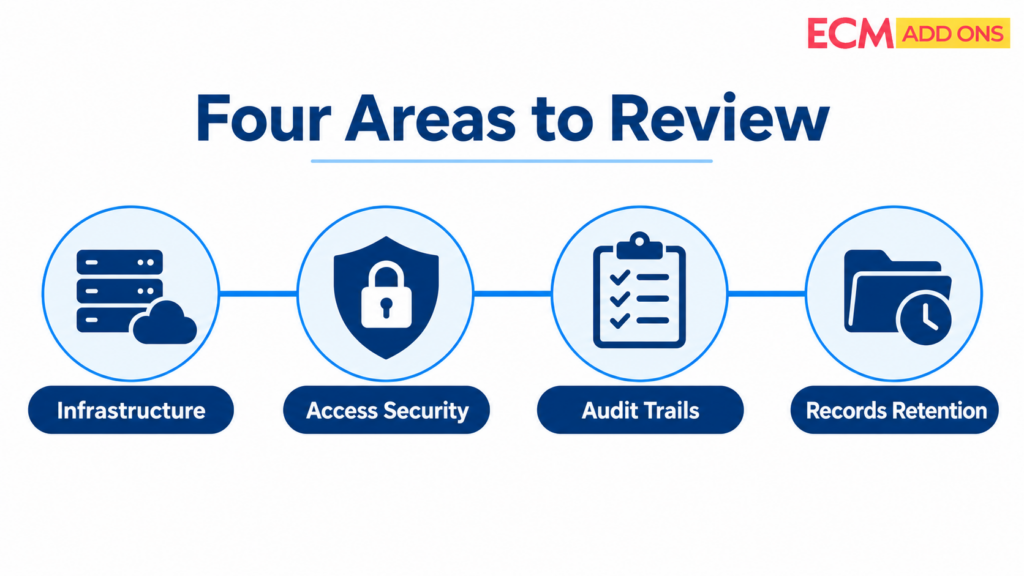
The following areas deserve attention during a FileNet environment assessment.
A Successful Migration Report May Not Prove Compliance Readiness
A migration dashboard can show how many documents were processed, failed, or remain pending. Those metrics are useful, but they do not by themselves establish that the target environment meets compliance requirements.
For example, a document may be present in SharePoint but have an incorrect property, an unresolved permission, or a retention configuration that has not been tested.
The migration team needs validation criteria that reflect the actual requirements of the FileNet environment. A practical approach should reconcile source inventories against destination results and test the controls relevant to each migration wave.
This can include content completeness, required metadata, versions, access permissions, retention settings, application retrieval, and documented exception handling. The objective is to establish evidence of the required outcome-not simply evidence that a transfer took place.
Infrastructure and Operating System Lifecycle
Identify operating systems approaching end of support, assess patching requirements, review known vulnerabilities, and plan infrastructure changes against supported FileNet configurations.
FileNet Platform and Component Lifecycle
Review the installed FileNet version and associated components. Identify unsupported versions, dependencies, and upgrade requirements.
Security and Access Governance
Review user permissions, group memberships, privileged access, security inheritance, and application-level access arrangements. Establish whether access continues to reflect current business responsibilities.
Audit and Records Management
Assess auditing configurations, document versioning, retention schedules, legal holds, records disposition, and the availability of required evidence.
Application and Integration Dependencies
Identify the applications, workflows, APIs, and enterprise systems that rely on FileNet. Ensure that modernization plans account for their security and operational requirements.
Reviewing these areas together helps organizations understand whether they should upgrade the existing environment, modernize selected components, redesign particular capabilities, or consider moving appropriate workloads to a newer content platform.
The important point is that modernization should address the risks and limitations of the existing environment, not simply change its technology version.
FileNet Modernization Is Also a Security and Compliance Decision
Many organizations approach FileNet modernization primarily as a technology upgrade. They evaluate infrastructure, application compatibility, platform versions, performance, and operational costs. These are important considerations, but modernization also presents an opportunity to reassess security and governance controls.
An upgrade may address certain platform lifecycle concerns, but it does not automatically resolve outdated permissions, incomplete audit configurations, or records-management gaps. Similarly, migrating content to another platform does not automatically correct the governance arrangements associated with that content.
The appropriate modernization approach depends on the existing architecture, business requirements, and technical dependencies.
Upgrade the Existing FileNet Environment
For organizations that intend to continue using FileNet, an upgrade or infrastructure modernization initiative may be appropriate.
This requires understanding the installed platform, supported configurations, component dependencies, and application requirements before changes are implemented.
The objective is to address lifecycle and compatibility concerns while maintaining the business capabilities that depend on the existing environment.
Modernize Selected Components
Not every modernization requirement needs to involve replacing the entire content-management platform.
Depending on the environment, organizations may be able to address specific infrastructure, application, integration, or security concerns through targeted improvements.
Evaluate a Transition to SharePoint Online
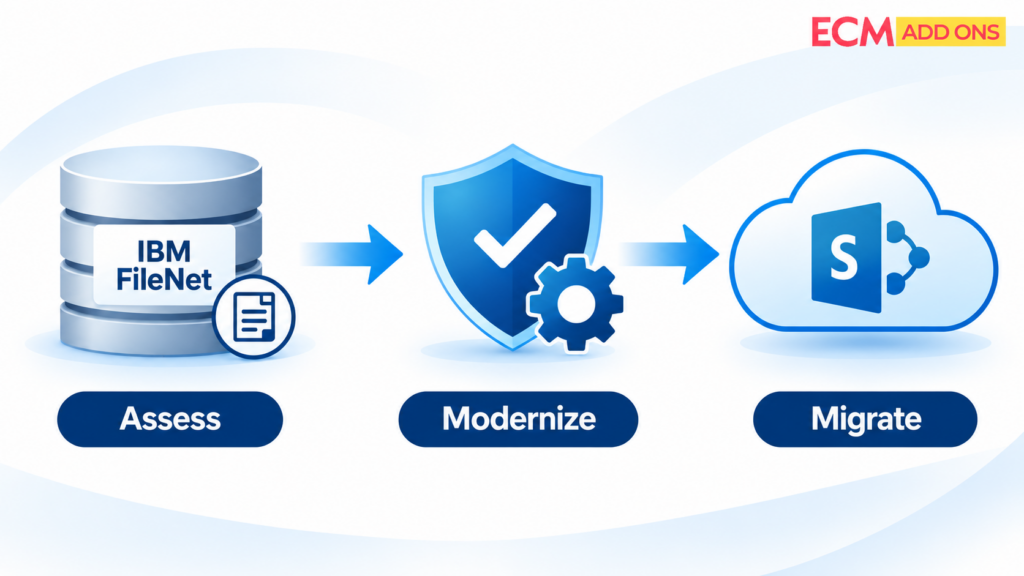
For organizations considering a transition from IBM FileNet to Microsoft SharePoint Online, the assessment must extend beyond document transfer.
The migration strategy needs to account for content, security, retention, auditability, applications, workflows, and integrations. This requires an understanding of both the source FileNet environment and the intended destination architecture.
Modernizing to SharePoint Online? Compliance Must Be Part of the Migration Strategy
Moving documents from IBM FileNet to SharePoint Online does not automatically resolve existing governance gaps.
The migration team must understand how the current FileNet environment manages content, access, records, and business processes, and how the required capabilities will be addressed in SharePoint Online. Several areas require careful consideration
Content and Records Assessment
Identify the documents, versions, classifications, and records that need to be migrated, retained, or handled differently.
The assessment should establish which content is in scope and identify relevant records-management requirements before migration begins.
The migration team must understand how the current FileNet environment manages content, access, records, and business processes, and how the required capabilities will be addressed in SharePoint Online. Several areas require careful consideration
Permission Assessment and Mapping
Understand existing FileNet security configurations and establish appropriate SharePoint access arrangements.
This includes reviewing users, groups, permissions, and security inheritance rather than assuming that existing access arrangements should be reproduced without modification.
Retention and Preservation Requirements
Determine how applicable retention requirements, legal holds, and records-management obligations will be supported in the destination architecture.
The organization should evaluate the relevant SharePoint Online and Microsoft Purview capabilities, configuration requirements, and licensing considerations against its governance needs.
Auditability
Evaluate the audit evidence required by the organization and the relevant logging and monitoring capabilities in the target environment.
The migration plan should account for which records and activities need to remain traceable and how the organization will demonstrate that the required controls are in place.
Application and Workflow Dependencies
Identify which FileNet applications, workflows, and integrations require replacement, redesign, or continued operation.
Not every FileNet component has a direct one-to-one SharePoint replacement. Some capabilities may require alternative Microsoft components, redesigned applications, or additional solutions.
The migration plan should account for which records and activities need to remain traceable and how the organization will demonstrate that the required controls are in place.
Validation and Reconciliation
Verify that migrated content and the agreed governance requirements have been addressed before approving cutover.
Validation should consider more than document counts. Organizations also need to evaluate the agreed content attributes, access arrangements, retention requirements, and application dependencies relevant to the migration scope.
SharePoint Online offers its own security, compliance, and information-governance capabilities, but these need to be appropriately configured and aligned with the organization’s requirements and licensing.
This is why a successful transition requires expertise in both platforms. The objective is to ensure that the content and business capabilities the organization depends on have an appropriate future-state solution.
IBM FileNet Security and Compliance Assessment Checklist
Before an audit, upgrade, or modernization initiative, enterprise IT teams should review the following areas.
- Identify the installed FileNet version and the lifecycle status of associated components.
- Review operating system support status, security patching, and known vulnerabilities.
- Assess application server, database, storage, and infrastructure dependencies.
- Review FileNet users, groups, permissions, privileged access, and security inheritance.
- Verify the relevant auditing configurations and availability of required audit evidence.
- Review document versioning and traceability requirements.
- Assess retention schedules, legal holds, and records-management processes.
- Identify connected applications, workflows, APIs, and enterprise integrations.
- Determine whether existing controls remain aligned with current business requirements.
- If migrating to SharePoint Online, assess the destination security, governance, retention, and audit requirements.
- Define validation and reconciliation requirements before approving migration cutover.
Completing this assessment gives organizations a clearer understanding of their current environment and the areas that require attention. It also provides a basis for deciding whether to continue with FileNet, upgrade selected components, or move appropriate workloads to SharePoint Online.
How ECM Addons Helps Enterprises Address FileNet Modernization and Compliance Challenges
Modernizing an established enterprise content environment requires a clear understanding of both the existing platform and the technology that will support it going forward.
At ECM Addons, our focus is on IBM FileNet and Microsoft SharePoint Online. Our experience across both platforms helps us approach modernization and migration with an understanding of the technical dependencies, content requirements, and business capabilities involved.
We help organizations evaluate their FileNet environments and identify areas that require attention, including:
- FileNet platform and infrastructure assessment.
- Operating system and component upgrade planning, subject to supported configurations.
- Security and vulnerability-related assessment coordination.
- FileNet application and integration dependency analysis.
- Content, records, and governance requirements assessment.
- FileNet-to-SharePoint Online migration planning and execution.
- Content migration validation and exception reconciliation.
For organizations continuing with FileNet, IBM FileNet Managed Services can support ongoing platform support, maintenance, and modernization planning.
For organizations considering SharePoint Online, our FileNet-to-SharePoint migration services help plan and execute the transition with the source environment and destination architecture considered together.
We do not approach FileNet modernization as just an upgrade or a document transfer exercise. We consider the platform, its dependencies, the content it manages, and the business capabilities that must continue working.
Take a Proactive Approach to IBM FileNet Security and Compliance
A functioning FileNet platform does not necessarily mean that its underlying infrastructure is fully supported, its security controls are current, or its records-management arrangements are ready for every audit requirement.
These responsibilities should not be postponed until an audit identifies a gap, a vulnerability becomes an incident, or an unsupported component creates an operational challenge.
For CIOs, CISOs, compliance leaders, and enterprise IT teams, the right time to understand these risks is before they become business-critical problems.
ECM Addons brings IBM FileNet and Microsoft SharePoint Online expertise together to help enterprises assess their current environments, plan modernization, and evaluate the right path forward.
Planning a FileNet upgrade, reviewing your environment’s security posture, or considering a transition to SharePoint Online? Start by understanding your existing environment and the dependencies that need attention.
Explore IBM FileNet Managed Services or learn more about our FileNet-to-SharePoint Migration Tool to take the next step toward a better-planned enterprise content environment
Frequently Asked Questions
What does IBM FileNet audit readiness mean?
IBM FileNet audit readiness refers to an organization’s ability to demonstrate that its content-management environment is appropriately configured, maintained, and governed.
This includes relevant security controls, user access arrangements, auditing configurations, document versioning, retention requirements, and records-management processes.
What security risks should organizations review in an IBM FileNet environment?
Organizations should review operating system support status, security patching, known vulnerabilities, FileNet platform and component lifecycles, application server and database dependencies, user permissions, group memberships, privileged access, and connected application security arrangements.
How often should FileNet access permissions be reviewed?
Access permissions should be reviewed periodically and when relevant organizational changes occur, such as employee transfers, contractor departures, application replacements, or changes in business responsibilities. The review frequency should reflect the organization’s security policies, risk profile, and applicable compliance requirements.
Does IBM FileNet support auditing and document versioning?
IBM FileNet environments may use auditing and document versioning capabilities to support traceability. However, the evidence available depends on the installed components, configuration, enabled auditing, audit-record retention, and application integrations. Organizations should assess their actual implementation rather than assume that every capability is enabled.
Why are retention policies and legal holds important in FileNet?
Retention policies and legal holds help organizations manage business records according to applicable preservation and disposition requirements. Incorrectly configured or inconsistently implemented processes may affect the organization’s ability to demonstrate that records were retained or preserved appropriately.
Does upgrading IBM FileNet automatically resolve security and compliance gaps?
No. An upgrade may address certain platform lifecycle, compatibility, or support concerns, but it does not automatically correct outdated permissions, incomplete auditing configurations, or records-management issues. These areas need to be assessed as part of the broader modernization initiative.
What should organizations consider when migrating FileNet to SharePoint Online?
Organizations should assess content and records, existing permissions, retention and preservation requirements, auditability, application dependencies, workflows, and integrations. They should also determine how the required capabilities will be supported in SharePoint Online, including relevant configuration and licensing requirements.