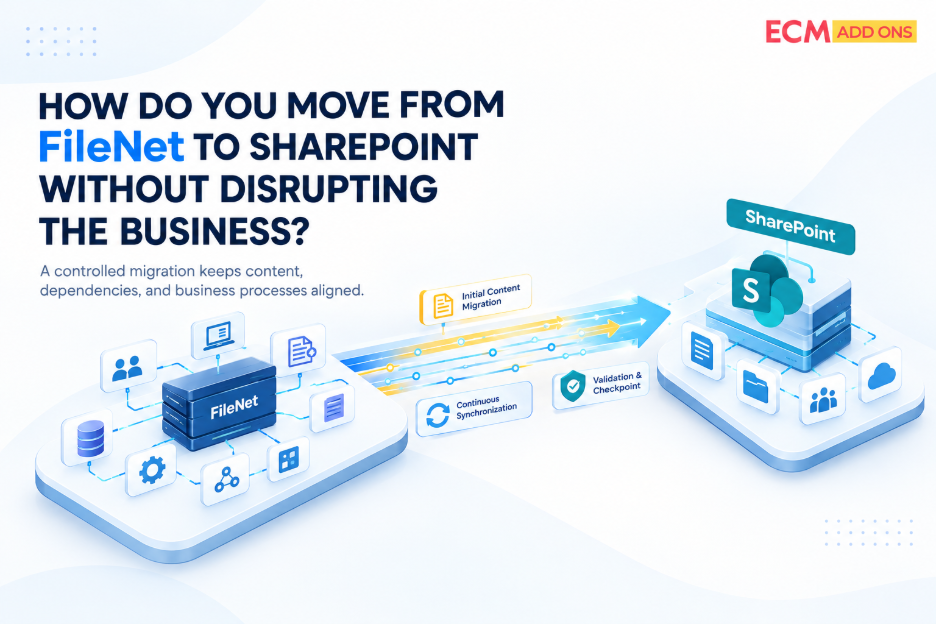
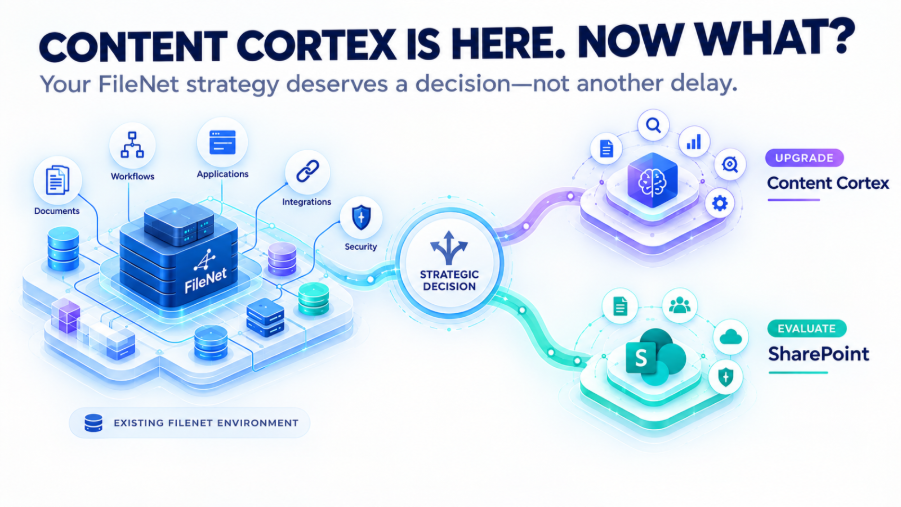
IBM FileNet to SharePoint Migration Tool
IBM FileNet to SharePoint Migration – Automated, Secure & Enterprise-Ready
Migrate complex FileNet repositories to SharePoint with automation, SAP integration support, workflow migration, and a risk-free pilot.
Seamless FileNet to SharePoint Migration – Key Steps for a Smooth Transition
Efficiency in action to achieve a fully managed, successful, and secure FileNet Migration.
A governed, end-to-end migration approach covering assessment, pilot migration, SAP and business integrations, production cutover, validation, and hypercare.
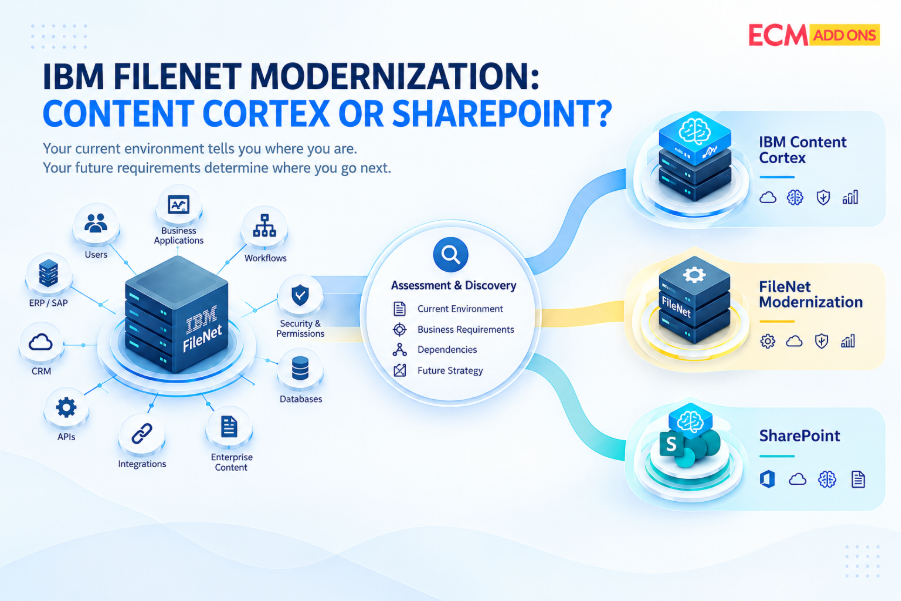
Conduct an in-depth analysis of the current FileNet environment, and access requirements.
Extract documents, folders, metadata, Workflows and security from the FileNet.
Ensuring readiness for the export of extracted data to the staging environment
Customize or configure destination ECM system to meet specific needs.
Integrate the destination system with external applications (Databases, ERP and workflow applications).
Perform testing and quality checks with the sample migrated data to guarantee data integrity and system readiness.
Transfer data, documents, workflows and metadata from FileNet to the destination system. Access your legacy content without any loss on the destination system.
Stabilize the new SharePoint environment with post-migration validation, issue resolution, performance monitoring, and user support to ensure a smooth transition.
What We Migrate from IBM FileNet to SharePoint
Move your FileNet content, metadata, security, versions, workflows, and integrations to SharePoint while preserving business context and information integrity.
We migrate more than documents-preserving the metadata, permissions, versions, workflows, SAP integrations, and business application dependencies that are essential to your enterprise content environment.
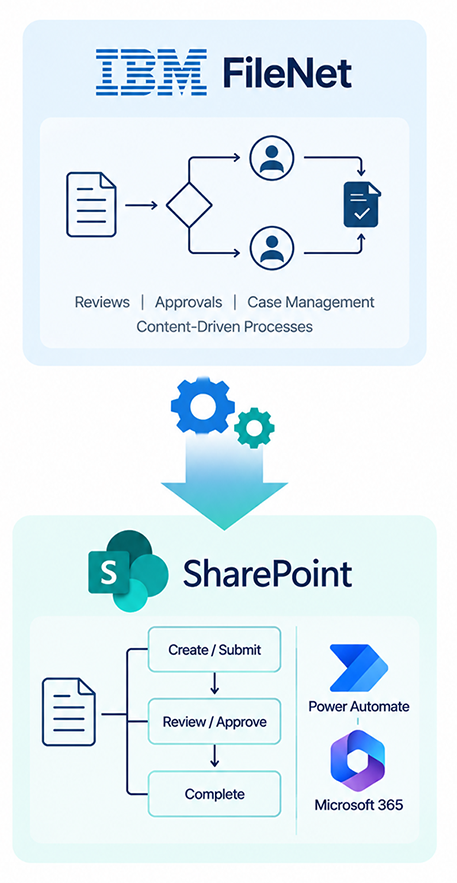
IBM FileNet Workflow Migration to SharePoint
Migrate and modernize FileNet workflows in SharePoint while preserving business logic, process continuity, approvals, and operational context.
- Assess existing FileNet workflows - Analyze workflows, activities, business rules, integrations, and dependencies.
- Map processes to SharePoint - Design the appropriate target architecture using SharePoint, Power Automate, or other Microsoft 365 capabilities.
- Preserve business logic - Retain critical approvals, routing, notifications, and process rules wherever applicable.
- Modernize legacy workflows - Redesign outdated or complex workflows rather than simply replicating legacy implementations.
- Integrate business applications - Address dependencies on SAP and other enterprise applications as part of the workflow migration.
- Validate before production - Test migrated workflows through pilot migration and UAT before production cutover.
Beyond Migration: Keep Your Business Running
What Happens to SAP and Business Application Integrations During Migration?
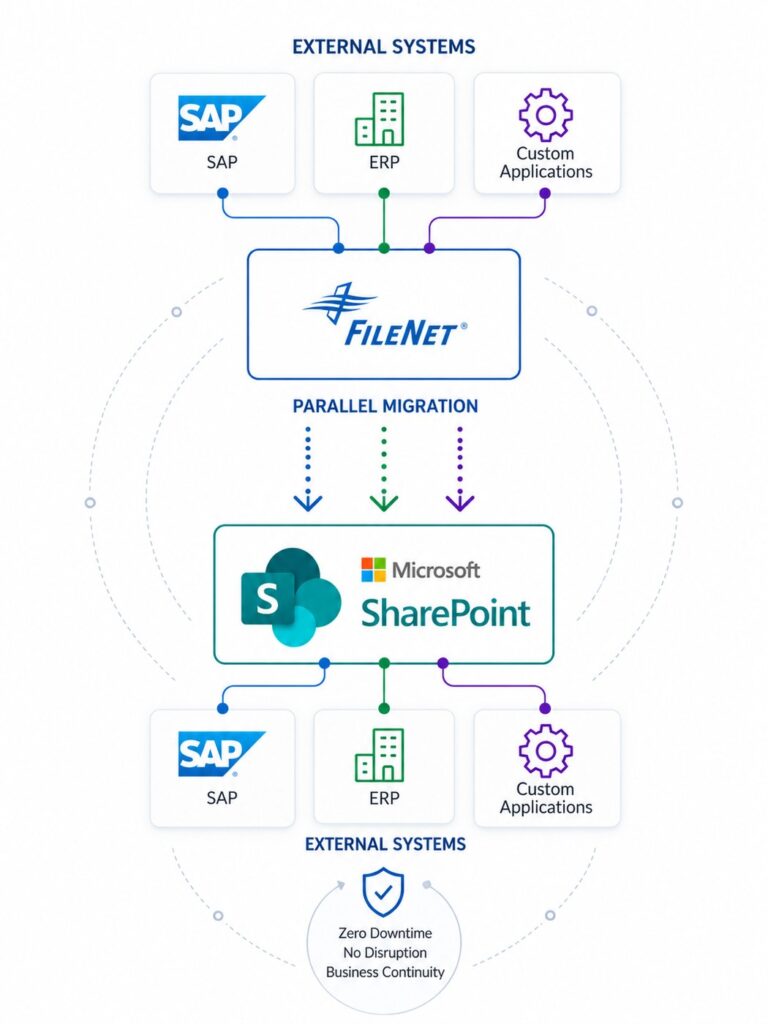
Migration isn’t just about moving data — it’s about keeping your business uninterrupted. We ensure your integrations, workflows, and operations continue seamlessly throughout the transition, eliminating the real risks that come from broken connections, not data volume.
- Preserve external integrations (SAP, ERP, custom apps)
- No disruption to business workflows
- Parallel migration with zero downtime
- Seamless transition from legacy to modern systems
Migration risk is mostly about broken integrations & workflows, not data volume
FileNet to SharePoint Migration: Best Practices Guide
Planning a Migration? Avoid Common Pitfalls!
Moving from FileNet to SharePoint can be complex, but with the right strategy, you can ensure a smooth, secure, and efficient transition. Our expert-crafted Best Practices Guide walks you through every step, helping you mitigate risks and maximize success.
Don’t let outdated FileNet slow you down! Download the guide and take the first step toward a future-ready ECM platform.
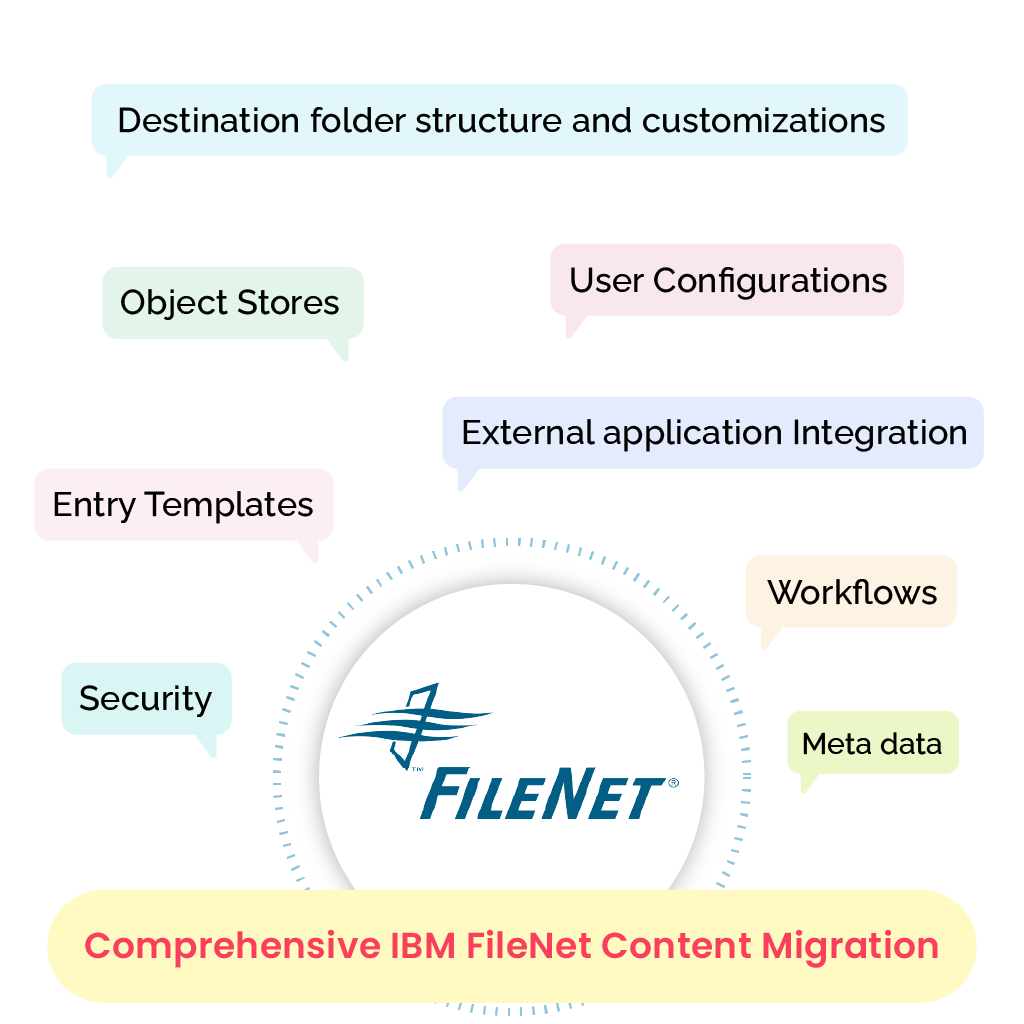
What Does a Comprehensive IBM FileNet Migration Include?
When undertaking an Automated FileNet Migration, it’s essential to consider various aspects to ensure a comprehensive and successful transition to SharePoint or Cloud platforms. Here are key factors to keep in mind to avoid missing anything during the process:
CONTENT & STRUCTURE
Object Stores · Metadata · Entry Templates · Search Templates · Folder Structure
SECURITY & BUSINESS PROCESSES
Security · Workflows · IBM Enterprise Records · Datacap · Teamspaces · Case Manager · User Configurations
INTEGRATIONS & APPLICATIONS
SAP ArchiveLink · External Application Integrations · Destination Configuration & Customizations
FileNet to SharePoint Online Migration
How Our Automated Migration Tool Simplifies FileNet to SharePoint Online Migration
- 100% Tool-Based and Insightful Process
- Generate Reports at any stage of Migration
- Custom Configurations: URL Mapping, Overwriting, and more
- Pause and Play options based on Load Balancing
- Time Configuration Feasibilities
- Error Reports
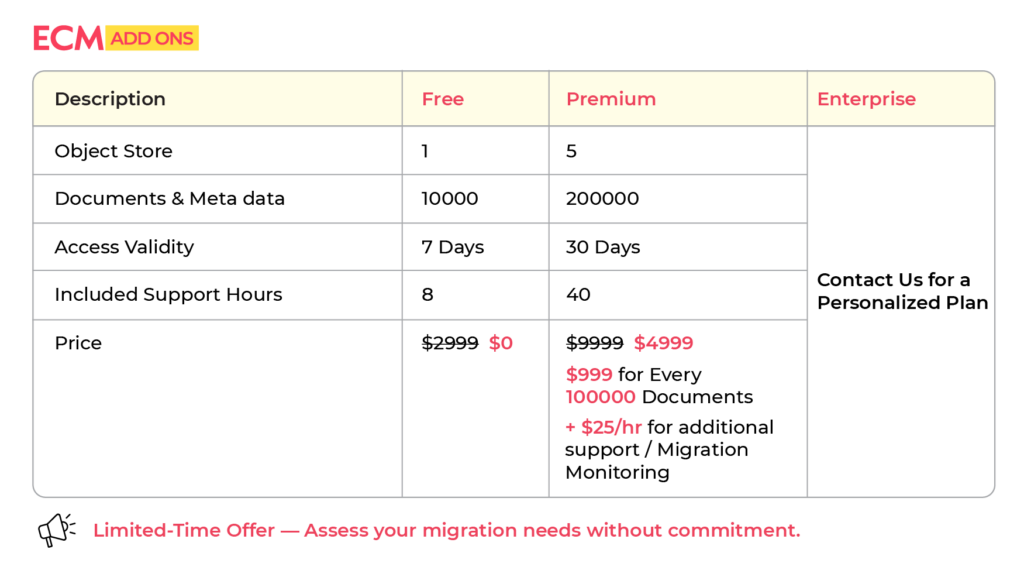
FileNet to SharePoint Migration Pricing
Plans & Pricing (Free Tier Included)
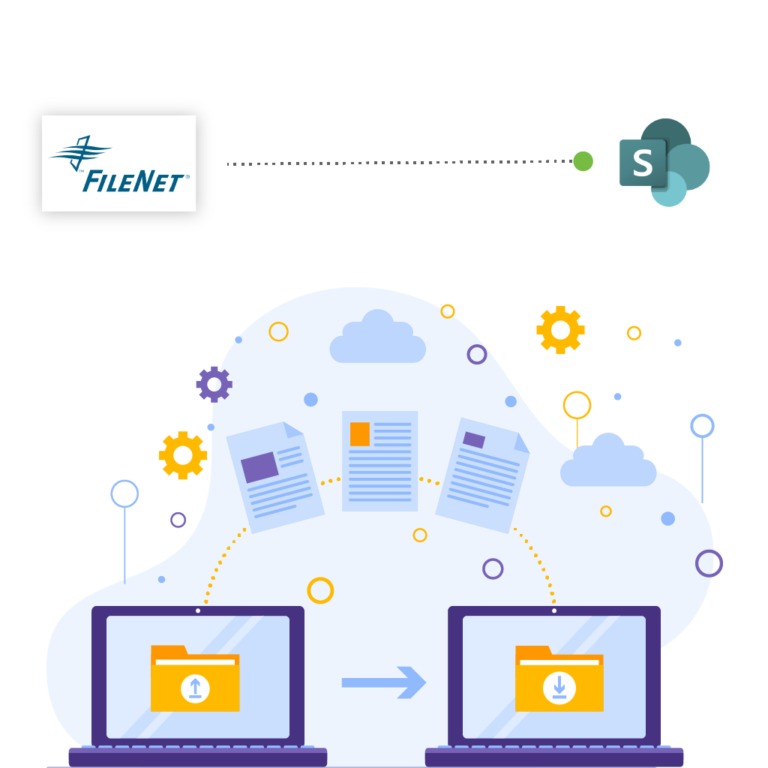
IBM FileNet to Sharepoint Migration
and more!
Streamline Your ECM Migration Journey: FileNet to SharePoint and Beyond
Ready to move from IBM FileNet to a more agile, scalable platform? We specialize in seamless FileNet to Cloud Migration, including transitions to Microsoft 365 and other ECM systems.
Our expert-driven process ensures:
- Smooth Transitions: Minimize downtime with a structured, risk-free migration strategy.
- Data Integrity: Secure and accurate migration of your documents, metadata, and workflows.
- Tailored Solutions: Customized migration approach to suit your organizational needs.
- Future-Ready Systems: Unlock enhanced features and scalability with your new ECM platform.
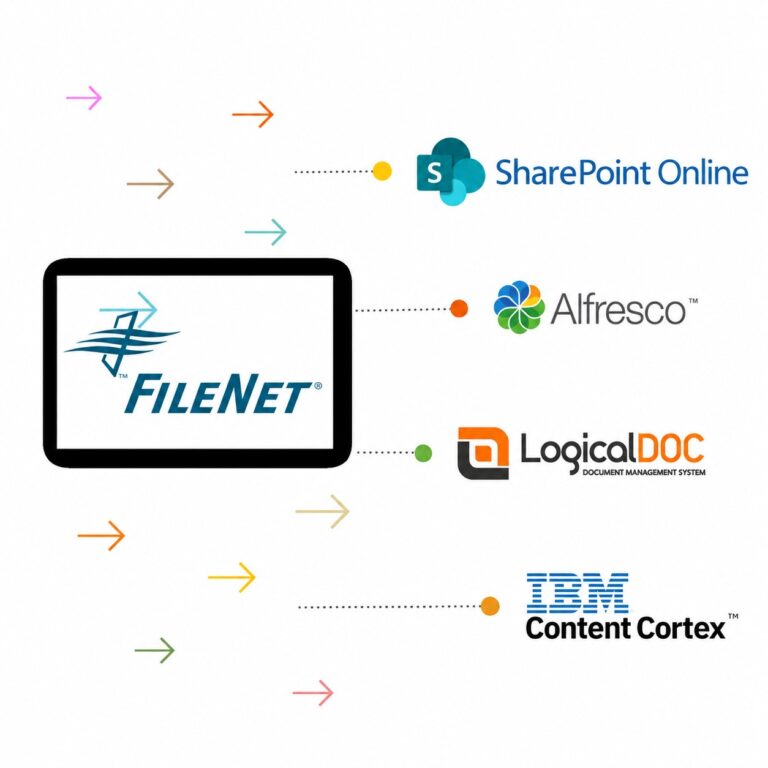
Whether you’re optimizing for collaboration with SharePoint, leveraging Alfresco’s flexibility, enjoying LogicalDOC’s simplicity, or upgrading within the IBM ecosystem, we have you covered.
Why ECM Addons?
IBM Filenet Expertise: Why We're the Preferred Choice for Large Corporations?
As a leading provider of IBM FileNet Migration solutions for large corporations, we stand out for our exceptional expertise in ECM Migration, proven track record, and commitment to delivering unparalleled results. With a deep understanding of FileNet’s capabilities and best practices, we offer tailored solutions that drive efficiency, enhance collaboration, and optimize business processes.
- 50+ Global FileNet Implementations
- 17+ Years of ECM Experience
- Minimal Developer Dependency
- 100% successful migration
- Transparent and Well-Informed Migration Process
- Deep Understanding of Destination Systems (SharePoint, Alfresco, LogicalDoc, etc)
- Built-in connectors for SAP, ERP, and business apps
- Parallel processing for faster migration
- Real-time monitoring & validation
- Multi-threaded architecture & performance focus
Trust our expertise for your IBM FileNet Upgrade and migration needs!
We specialize in seamless and successful Filenet migrations, ensuring a smooth transition of your valuable content to the new platform. With our expertise and meticulous approach, we guarantee a hassle-free migration process that minimizes disruption and minimizes the dependencies of FileNet for your organization.
We recognize the importance of uninterrupted business operations. Our migration process is designed to zero downtime and disruption to your daily activities. We carefully plan the migration schedule, coordinate with your teams, and execute the migration with precision to ensure a seamless transition.
Our commitment to your success doesn't end with the migration itself. We provide comprehensive post-migration support, including user training, system optimization, and ongoing maintenance to ensure that you fully leverage the capabilities of Filenet and maximize its value to your organization.
Migration is not just about moving data — it’s about preserving how your business operates. We ensure that all external integrations, including SAP, ERP, and custom applications, continue to function seamlessly throughout the migration. Our approach maintains workflow integrity, prevents disruptions, and eliminates the risks associated with broken connections between systems.
FAQ
A FileNet to SharePoint migration is the process of moving documents and associated content from IBM FileNet to Microsoft SharePoint or SharePoint Online. Depending on the migration scope, this can include documents, metadata, folders, versions, annotations, permissions, and other content structures. A successful migration also evaluates workflows, applications, SAP/ERP integrations, and other dependencies that may be affected when FileNet is retired.
Yes. IBM FileNet content can be migrated to SharePoint Online using a structured extraction, transformation, mapping, migration, and validation process. The migration approach depends on the FileNet version, repository structure, document volume, metadata complexity, security model, integrations, and target SharePoint architecture.
The tool can migrate FileNet documents and associated content based on the project’s requirements and source environment. Typical migration scope includes documents, metadata, document classes, folders, versions, annotations, renditions, security information, and other supported FileNet content. The tool also supports analysis of workflows, applications, SAP/ERP integrations, and other dependencies that may require remediation rather than direct migration.
Yes. ECM Addons can assess and migrate content from older or end-of-support FileNet environments to SharePoint Online, SharePoint Server, or Azure-based platforms, subject to compatibility and target architecture.
Documents, metadata, folder structures, versions, security, permissions, workflows, annotations, SAP ArchiveLink content, and supported business application dependencies can be migrated based on your requirements.
Yes. FileNet users, groups, permissions, and security mappings can be transformed to the SharePoint security model and validated during pilot migration and UAT.
ECM Addons supports migration from multiple IBM FileNet P8 versions, including older and end-of-support versions. Compatibility is validated based on the source version, repository configuration, and target SharePoint environment before migration.
FileNet workflows are assessed, mapped, and modernized for SharePoint/Microsoft 365. Business rules, approvals, routing, and integrations are validated before production cutover.
Yes. FileNet metadata can be mapped to SharePoint columns, content types, managed metadata, and other destination structures. The migration process can include property mapping, data transformation, validation, and handling of required or incompatible properties. Metadata mapping should be designed before production migration to maintain searchability, classification, and business context.
FileNet security can be analyzed and mapped to the SharePoint security model based on the target architecture. This may include users, groups, document-level permissions, folder permissions, and inheritance requirements. Because FileNet and SharePoint use different security models, a security mapping and validation exercise should be completed before production migration.
Depending on the source configuration and migration requirements, FileNet versions, annotations, renditions, and related document information can be assessed for migration. Each content type should be reviewed during discovery because the target SharePoint architecture may require a specific mapping or transformation approach.
FileNet workflows generally require assessment and redesign rather than a simple document migration. Workflow definitions, queues, business rules, participants, and application dependencies should be analyzed to determine whether they should be recreated using SharePoint, Power Automate, or another target solution.
ECM Addons also provides a workflow engine that works with SharePoint Online, enabling organizations to implement and manage business workflows within their new SharePoint environment. This can help organizations transition business processes from legacy FileNet workflows while maintaining continuity of document-driven processes.
The migration assessment identifies which workflows can be retired, replaced, redesigned, or integrated with the new SharePoint environment, and recommends the appropriate approach for each workflow.
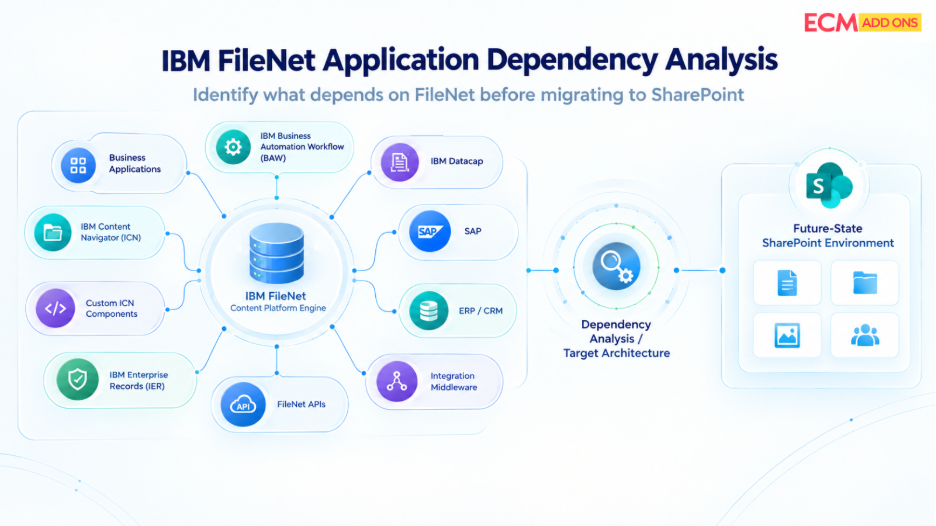
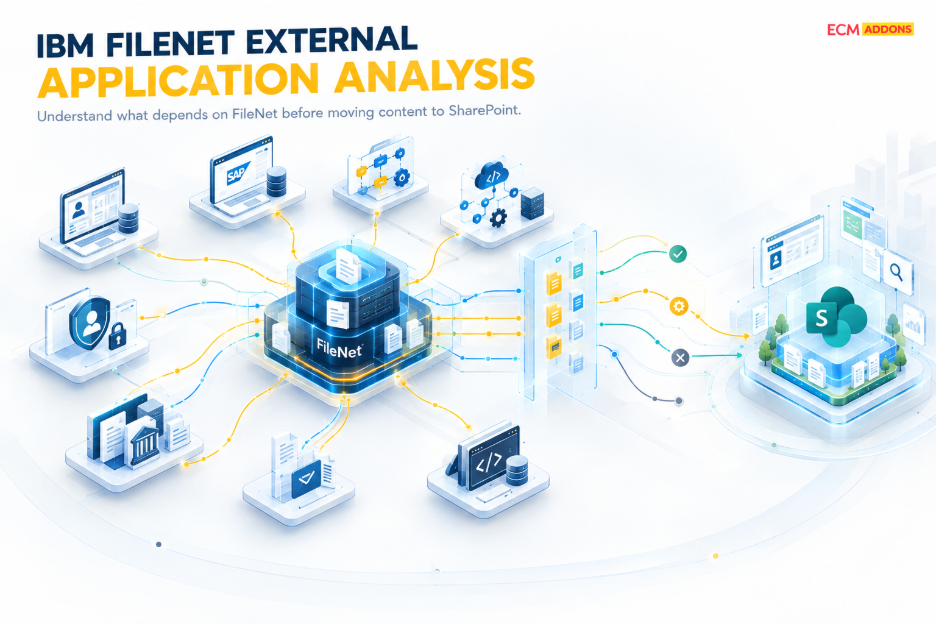
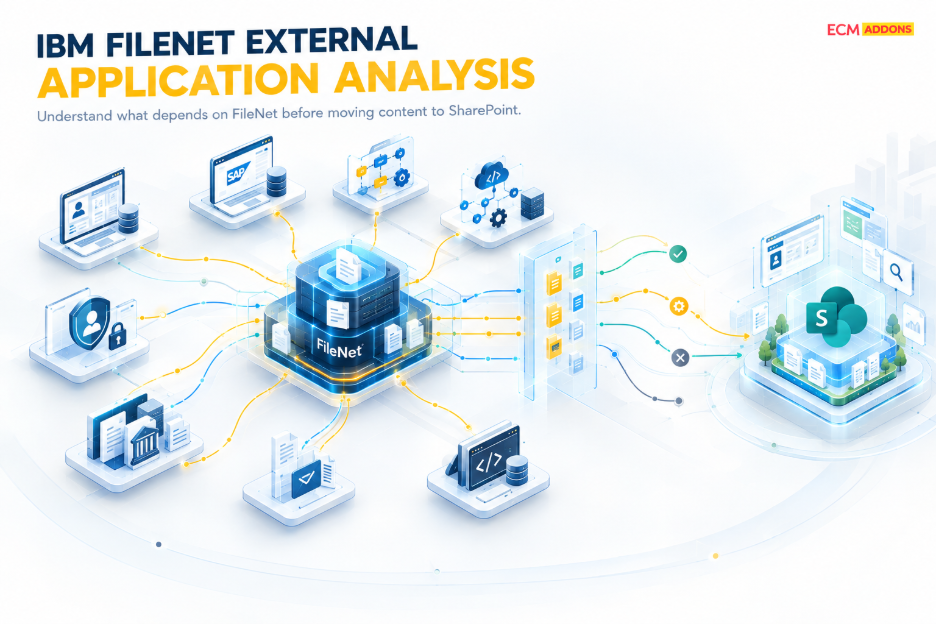
Applications that depend on FileNet should be identified before migration. These dependencies may include FileNet document IDs, URLs, metadata, APIs, web services, workflows, database references, SAP/ERP integrations, and custom applications.
A FileNet application dependency assessment helps identify affected applications and determine whether each dependency should be remapped, modified, replaced, or retired as part of the migration.
ECM Addons also provides alternative solutions that work with SharePoint Online for several FileNet-dependent capabilities, helping organizations modernize their applications instead of simply moving content. Depending on the existing FileNet environment and business requirements, these alternatives can address capabilities comparable to IBM FileNet DataCap, IER, Team Spaces, and SAP ArchiveLink within a SharePoint Online-based architecture.
This approach allows organizations to evaluate content migration, application modernization, workflow transformation, and replacement solutions together, reducing dependency on legacy FileNet components while preserving critical business processes.
Yes. SAP and ERP integrations should be assessed as part of the FileNet to SharePoint migration rather than treated as a separate activity. The assessment identifies how SAP and other business applications currently store, reference, retrieve, and manage FileNet documents and determines the changes required for the SharePoint Online architecture.
ECM Addons provides SAP Content Bridge for SharePoint, a SharePoint Online-based solution for SAP ArchiveLink content management. It provides an alternative architecture for organizations that need to transition SAP document storage from FileNet or another legacy content repository to SharePoint Online.
This approach allows organizations to address FileNet content migration, SAP ArchiveLink integration, and SharePoint modernization as part of a coordinated migration strategy. Where existing ERP or custom integrations require changes, ECM Addons can assess and implement the appropriate remapping, integration enhancement, replacement, or application redevelopment approach.
Yes. Incremental or delta migration can be used to synchronize new or modified content after the initial migration. A typical enterprise migration approach consists of an initial migration, delta synchronization, validation, user acceptance testing, and a controlled final cutover.
This approach helps reduce the amount of content that needs to be processed during the final migration window.
Yes. We offer pilot migration to validate content, metadata, security, folder structure, integrations, and migration performance using a representative sample before the full production migration.
Migration validation compares the source FileNet environment with the migrated SharePoint content. Depending on the project scope, validation can include document counts, file sizes, metadata values, folder structures, versions, permissions, and other migration attributes.
Application, workflow, SAP/ERP, search, and business-process validation should also be performed where these dependencies are part of the migration scope.
Yes. ECM Addons supports enterprise-scale migrations of hundreds of millions of documents and tens of terabytes, with parallel processing, incremental migration, monitoring, validation, and controlled cutover.
Yes. Your FileNet environment can continue operating during migration while content is progressively transferred to SharePoint Online, followed by delta synchronization and a controlled cutover with zero downtime.
Migration errors and exceptions should be captured through detailed migration logs and reports. Failed items can be reviewed, categorized, corrected, and reprocessed without necessarily restarting the entire migration.
Error handling should cover issues such as unsupported content, invalid metadata, permission mapping problems, connectivity failures, duplicate content, and destination configuration issues.
Yes. ECM Addons offers a migration trial that allows organizations to test the FileNet to SharePoint migration process using their own environment and representative content before committing to a full migration.
The trial can help validate content extraction, metadata mapping, security, migration performance, and the overall suitability of the migration approach.
Pricing depends on factors such as document volume, data size, FileNet complexity, integrations, migration timeline, and support requirements. A migration assessment helps determine the scope and provide an accurate estimate.
After migration, we perform validation, UAT, integration checks, and controlled cutover, followed by hypercare and stabilization support. Once SharePoint is fully validated, the legacy FileNet environment can be safely retired or decommissioned.
Real-World Success Stories: Seamless FileNet to SharePoint Migration
Discover how organizations like yours have successfully transitioned from IBM FileNet to SharePoint Online.
Explore real case studies showcasing cost savings, improved collaboration, and enhanced document management efficiency.