IBM FileNet has been a foundational enterprise content management platform for organizations managing mission-critical documents, business processes, records, and enterprise information. Over the years, many organizations have built extensive business applications around FileNet, integrating it with ERP systems, SAP, enterprise records management, document capture platforms, workflow engines, and custom applications.
However, enterprise technology requirements are changing.
Organizations are increasingly evaluating cloud adoption, infrastructure modernization, operational cost optimization, application simplification, and AI-driven business automation. At the same time, maintaining an established FileNet environment can become increasingly challenging as infrastructure, integrations, customizations, and specialized technical skills evolve.
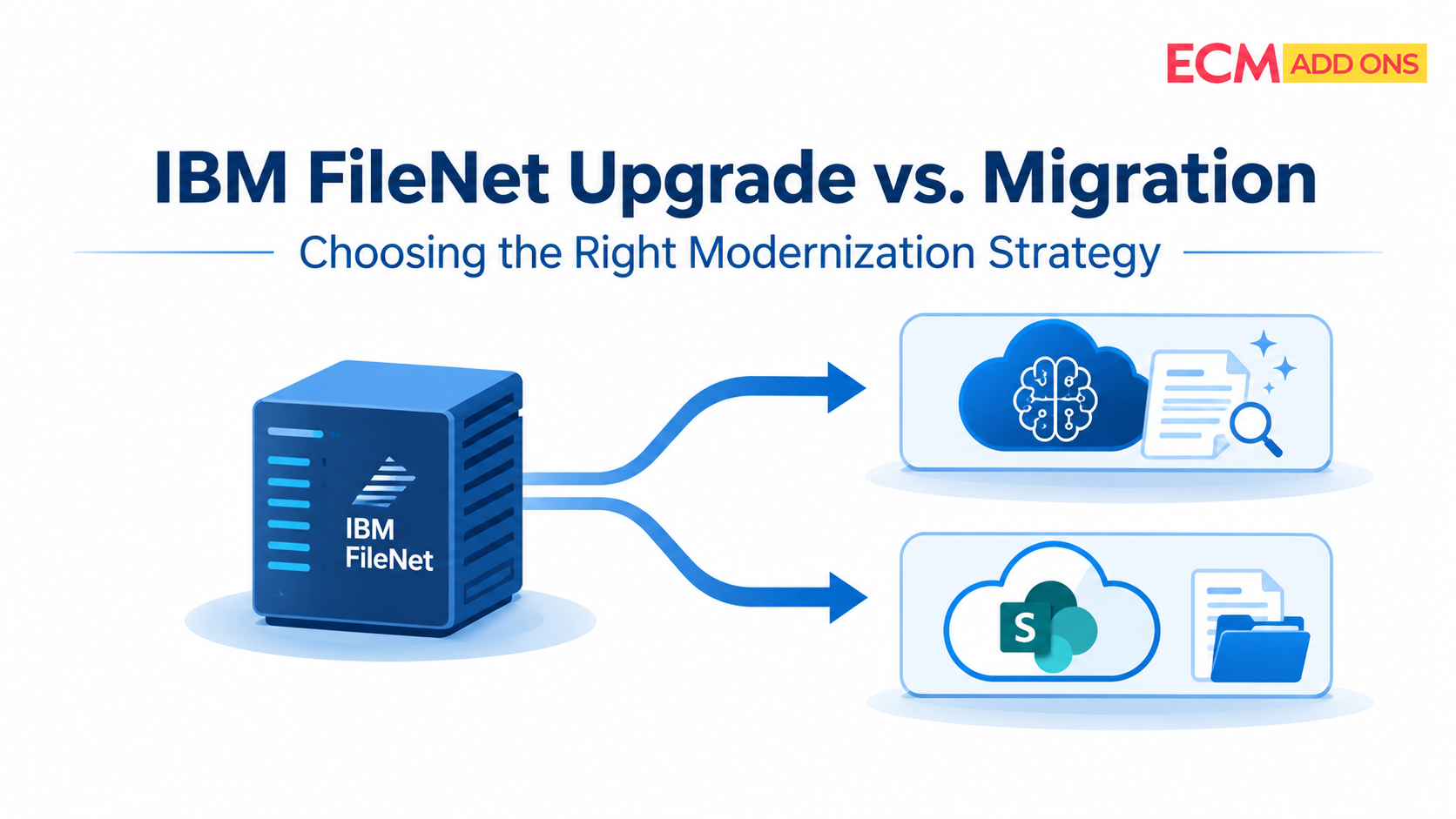
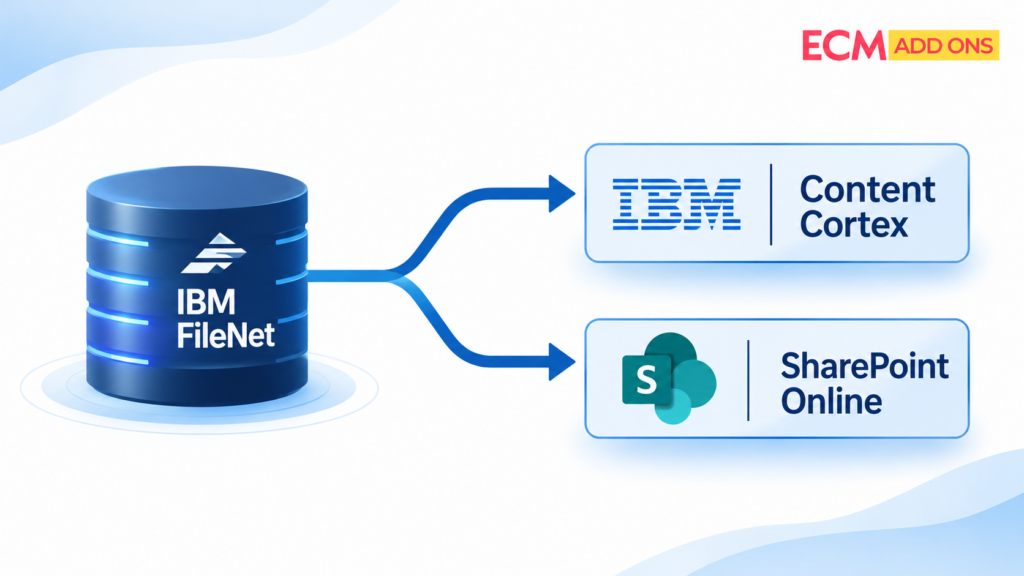
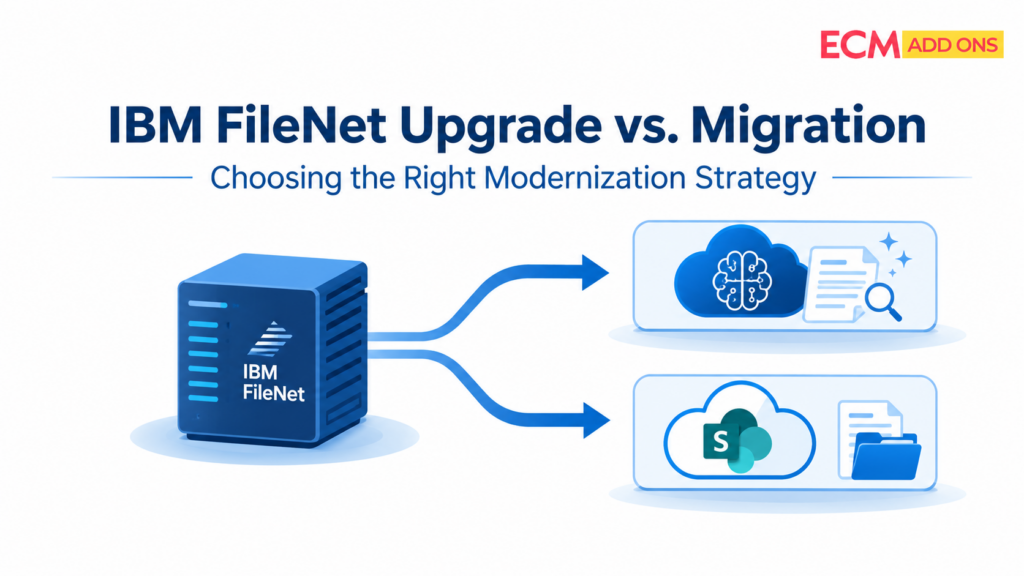
For technology leaders, the question is no longer simply whether IBM FileNet should be modernized. It is whether to upgrade the existing environment to IBM Content Cortex or migrate the enterprise content ecosystem to another platform such as Microsoft SharePoint.
Both approaches can support modernization, but they address different business and technical objectives.
An upgrade can preserve existing FileNet investments while introducing newer platform capabilities and AI-driven content services. Migration can provide an opportunity to simplify the application landscape, consolidate repositories, reduce platform dependencies, and align enterprise content management with a broader Microsoft or cloud strategy.
Choosing the wrong approach can introduce unnecessary costs, application redevelopment, business disruption, and long-term technical debt.
This guide explores the key considerations enterprise leaders should evaluate when choosing between an IBM FileNet upgrade and migration strategy, including platform readiness, application dependencies, risk, licensing costs, existing FileNet component utilization, and future AI adoption
Why Are Enterprises Reconsidering Their IBM FileNet Strategy?
IBM FileNet continues to support many enterprise content management environments. Organizations have invested years developing business-critical applications, document repositories, workflows, integrations, and governance models around the platform.
For many enterprises, FileNet is not simply a document repository. It is deeply integrated into business operations.
A manufacturing organization may use FileNet to manage engineering drawings, quality documentation, supplier records, and compliance documents. A financial institution may depend on FileNet for loan documentation, customer correspondence, records retention, and approval workflows. Healthcare organizations may use it to manage patient-related documentation, operational records, and regulatory information.
These implementations are often customized to meet specific business requirements.
However, enterprise priorities are changing, creating several reasons to reconsider the existing FileNet architecture.
Increasing Infrastructure and Operational Costs
Maintaining enterprise FileNet environments involves more than software licensing.
Organizations must account for database infrastructure, application servers, storage, high availability, disaster recovery, infrastructure monitoring, system administration, and specialized technical resources.
As environments grow, the operational effort required to maintain them can increase.
Technology leaders are therefore evaluating whether continuing with the existing architecture, upgrading to IBM Content Cortex, or migrating to another enterprise content platform offers a more sustainable total cost of ownership (TCO)
Complex Application Dependencies
Many FileNet environments have evolved over several years, with multiple business applications depending on the underlying content platform.
These dependencies may include:
- IBM Content Navigator and customized user interfaces.
- IBM Business Automation Workflow (BAW) and FileNet workflows.
- IBM Enterprise Records (IER) and records management.
- IBM Datacap for document capture and processing.
- IBM Content Collector and enterprise integrations.
- SAP ArchiveLink and ERP integrations.
- Email management and content ingestion.
- Teamspaces, custom applications, and third-party integrations.
Replacing the repository without understanding these dependencies can affect multiple business applications
Cloud and Enterprise Platform Consolidation
Many enterprises are standardizing their technology landscape around Microsoft 365, Azure, and other cloud platforms.
As part of this strategy, organizations may consider consolidating document management, collaboration, content storage, and business applications into a common ecosystem.
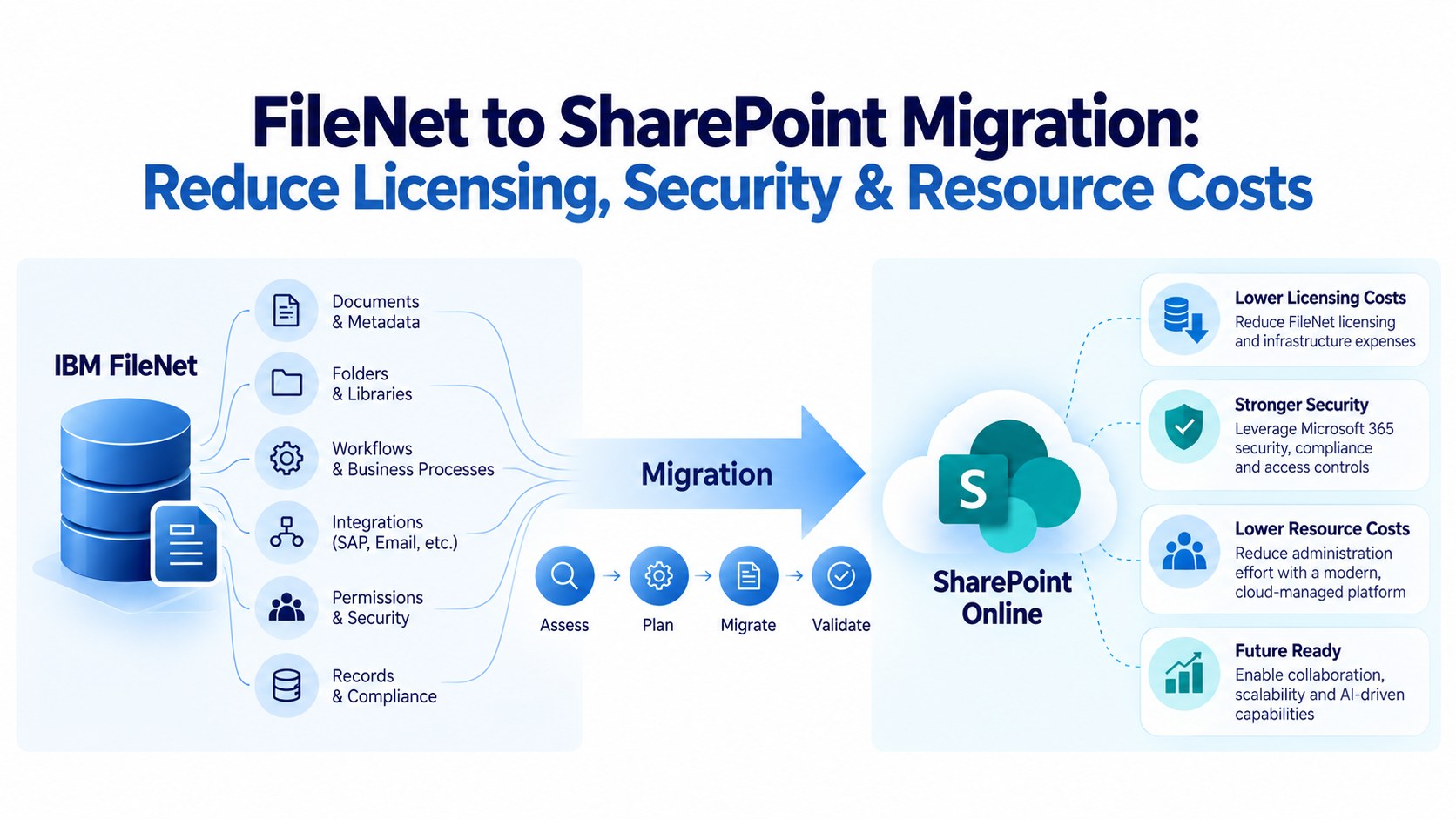
For these organizations, migrating FileNet content and associated business functionality to SharePoint may offer a more aligned enterprise architecture.
However, migration should be based on functional requirements rather than the assumption that every FileNet capability can be replaced by a SharePoint document library.
AI Adoption and Intelligent Content Management
AI is changing how enterprises interact with business content.
Traditional ECM platforms primarily focus on storing, organizing, retrieving, securing, and governing documents. Modern content platforms are increasingly expected to support intelligent document processing, semantic search, content classification, automated metadata extraction, document summarization, and AI-powered business workflows.
IBM Content Cortex introduces AI capabilities into the FileNet content services ecosystem, providing a modernization path for organizations that want to build on their existing FileNet investments.
For enterprises considering migration, AI readiness must also be evaluated in the context of the target platform, including its integration capabilities, governance model, and ability to expose enterprise content securely to AI applications.
The modernization decision should therefore consider not only where documents will be stored, but also how enterprise information will be accessed, governed, and used in the future.
IBM FileNet Upgrade vs. Migration: Understanding the Difference
Before choosing a modernization strategy, technology leaders must understand what each approach involves.
An IBM FileNet upgrade focuses on evolving the existing content management environment while retaining the underlying platform architecture and business investments wherever supported.
With IBM Content Cortex, organizations can modernize their FileNet environment and adopt newer content services and AI capabilities.
A migration, on the other hand, involves transitioning enterprise content, metadata, business functionality, and relevant integrations from FileNet to a different target platform.
For example, an organization may migrate from IBM FileNet to Microsoft SharePoint Online, Azure-based content services, or another enterprise content management platform.
The scope of migration depends on whether the organization intends to move only documents and metadata or replace the complete business application ecosystem.
Key Differences Between Upgrade and Migration
Evaluation Factor | Upgrade to IBM Content Cortex | Migrate to SharePoint or Another Platform |
Primary objective | Modernize the existing FileNet ecosystem | Transition to a different enterprise content platform |
Platform continuity | Builds on the FileNet content services foundation | Introduces a new target platform |
Existing investments | Retains relevant FileNet investments and entitlements, subject to compatibility and licensing | Existing FileNet investments may be reduced or retired |
Application dependencies | Existing applications may require upgrades or modifications | Applications and integrations require functional assessment and potential redevelopment |
Content migration | Follows the applicable upgrade and data transition procedures | Requires content extraction, transformation, and migration |
Workflow requirements | Existing workflow capabilities require version and component assessment | Workflows may need to be redesigned using target-platform capabilities |
Records management | Existing records capabilities require compatibility assessment | Records policies and functionality must be mapped to the target platform |
AI adoption | Access to IBM Content Cortex AI capabilities | Depends on the selected target platform and AI architecture |
Licensing | Requires assessment of existing entitlements, new licensing, and deployment requirements | Requires target-platform licensing and potentially parallel transition costs |
Long-term direction | Continue with the IBM content services ecosystem | Align with a different enterprise content strategy |
An important distinction: An upgrade to IBM Content Cortex should not automatically be treated as a simple in-place version upgrade. The actual path depends on the source FileNet version, deployment architecture, applications, integrations, and component compatibility.
IBM documents a supported upgrade path, but the implementation requirements must be assessed against the actual environment.
When Should You Upgrade IBM FileNet to IBM Content Cortex?
Upgrading to IBM Content Cortex is worth evaluating when the organization wants to modernize its existing FileNet environment without undertaking a complete platform replacement.
For enterprises with substantial investments in FileNet applications, workflows, integrations, and records management, this approach may offer a more practical modernization path.
The following situations indicate when an IBM Content Cortex upgrade may be the right strategy.
Your Organization Has Significant Investments in FileNet
If FileNet is deeply embedded in your enterprise architecture, migrating to another platform may involve considerable application redevelopment.
Consider an organization that has implemented:
- Hundreds of custom FileNet applications.
- Multiple object stores supporting different business units.
- Complex document classification and metadata structures.
- Business workflows integrated with enterprise applications.
- Records management and retention policies.
- SAP and ERP integrations.
- Custom IBM Content Navigator applications.
Recreating these capabilities on another platform could require significant investment.
In such scenarios, upgrading to IBM Content Cortex allows organizations to evaluate how much of their existing architecture can be retained while adopting modern content services.
Strategic consideration: If your existing FileNet environment continues to meet business requirements and its application investments remain valuable, modernization within the IBM ecosystem may provide a more suitable path than replacing the platform.
Your FileNet Environment Has Complex Application Dependencies
FileNet environments often support more than document storage.
For example, an enterprise may use FileNet for document ingestion, workflow processing, records management, business application integration, and enterprise-wide document retrieval.
Migrating such an environment requires identifying the dependencies between the repository and the applications consuming its services.
If business applications rely heavily on FileNet APIs, workflows, security models, or custom components, a migration could introduce substantial redevelopment effort.
IBM Content Cortex provides continuity through its FileNet content services foundation, although client applications, customizations, and associated components still need compatibility assessment.
This makes an upgrade worth considering when preserving existing application functionality is a major priority.
Your Organization Wants to Adopt AI Without Replacing Its ECM Foundation
AI adoption is becoming an important consideration in enterprise content management.
Organizations want to move beyond traditional document storage and enable business users to interact with enterprise information through intelligent search, document understanding, classification, summarization, and AI-driven automation.
IBM Content Cortex introduces capabilities designed to support this evolution.
Its AI capabilities include:
- AI-powered content management services.
- Navigator Core Agent for conversational content interactions.
- Model Context Protocol (MCP) integration.
- Intelligent content operations.
- AI-assisted classification and extraction.
- Governance and security for AI-driven content interactions.
IBM Content Assistant also provides document question answering, summarization, and document comparison capabilities as an additional product.
For enterprises that want to retain their existing content services foundation while introducing AI-enabled capabilities, IBM Content Cortex deserves serious consideration.
The key question is whether the organization wants to modernize its existing content ecosystem or replace it entirely.
FileNet Continues to Meet Your Business and Operational Requirements
Not every legacy platform needs to be replaced.
If the existing FileNet environment continues to support business requirements, performs reliably, and provides the necessary governance and security, migration may introduce more complexity than business value.
An upgrade can be more appropriate when the main objective is to modernize the technology foundation, improve maintainability, and adopt newer capabilities without fundamentally changing how business applications operate.
However, this decision should also consider infrastructure costs, technical support requirements, scalability, and the long-term product roadmap
When Should You Migrate from IBM FileNet to SharePoint?
While upgrading to IBM Content Cortex can preserve relevant FileNet investments, migration may be the better strategy when the organization has a broader objective of simplifying its enterprise content architecture.
For some organizations, FileNet has become an expensive and complex platform supporting requirements that can be addressed through a more standardized content management ecosystem.
In these cases, migrating to SharePoint or another target platform can provide an opportunity to consolidate content, simplify integrations, and reduce long-term platform dependencies.
Your Enterprise Is Standardizing on Microsoft 365 and SharePoint
If your organization has already adopted Microsoft 365 across departments, continuing to maintain a separate ECM platform may create unnecessary operational complexity.
You may be managing:
- SharePoint for collaboration and departmental documents.
- FileNet for enterprise document management.
- Separate identity and access management configurations.
- Multiple document search experiences.
- Different storage and governance policies.
- Independent infrastructure and support teams.
A structured FileNet-to-SharePoint migration can help consolidate these environments.
However, SharePoint should be evaluated against the actual FileNet requirements, particularly for complex workflows, enterprise records, high-volume content management, and specialized business applications.
Your Organization Wants to Reduce FileNet Application Complexity
Some FileNet environments have accumulated years of custom development and application dependencies.
Over time, these customizations can become difficult to maintain, particularly when original development teams are no longer available or the business requirements have changed.
If many existing applications are no longer required, migration offers an opportunity to rationalize the environment.
Organizations can identify which applications need to be retained, redesigned, consolidated, or retired.
This is especially valuable when the enterprise wants to simplify its technology landscape rather than recreate every legacy capability.
Your FileNet Environment Is Primarily Used for Document Storage and Retrieval
Not every FileNet implementation uses the complete platform.
Some organizations primarily use FileNet for:
- Document storage.
- Metadata management.
- Document retrieval.
- Version management.
- Departmental document access.
- Basic approval workflows.
If the environment has limited dependency on complex FileNet components, migrating to SharePoint may be a practical option.
A functional assessment should establish whether the target platform can support the required document management, search, security, retention, and integration capabilities.
The lower the application complexity, the easier it may be to plan a controlled migration.
Your Organization Wants to Reduce Long-Term Platform and Infrastructure Costs
FileNet environments can involve significant infrastructure, database, licensing, administration, and support costs.
For organizations with a strategic objective to retire FileNet, migration can provide an opportunity to reassess the entire operating model.
Potential cost optimization areas include:
- Retiring legacy application servers.
- Reducing database infrastructure requirements.
- Consolidating content repositories.
- Eliminating unused FileNet applications.
- Rationalizing storage.
- Reducing specialized platform administration.
- Consolidating document access and collaboration tools.
However, SharePoint migration is not automatically cheaper.
Microsoft 365 licensing, SharePoint storage consumption, premium capabilities, third-party migration tools, custom development, and ongoing governance must all be included in the TCO calculation.
Your Organization Has a Clear FileNet Decommissioning Objective
Some modernization initiatives have a defined business outcome: retire the existing FileNet platform.
This may be driven by infrastructure data center consolidation, enterprise cloud strategy, mergers and acquisitions, application rationalization, or long-term vendor strategy.
If the objective is to eliminate FileNet dependencies, an upgrade to Content Cortex may not address the underlying business requirement.
In such cases, a structured migration strategy should focus on transferring business-critical content, recreating required functionality, validating the target environment, and safely decommissioning the original platform.
FileNet Component Utilization: A Critical Factor in the Modernization Decision
One of the most important considerations in an IBM FileNet modernization strategy is understanding how extensively the organization uses the FileNet platform.
Many enterprises have implemented multiple FileNet components over several years. These components may support different business functions and have dependencies that are not immediately visible.
A document migration that considers only files and metadata can overlook critical business functionality.
Before choosing between upgrading and migrating, organizations should assess the actual utilization of their FileNet components.
Understanding Existing FileNet Components
FileNet Component | Business Function | Modernization Consideration |
Content Platform Engine (CPE) | Core content repository, metadata, security, and content services | Assess repository architecture, object stores, APIs, and application dependencies |
IBM Content Navigator (ICN) | Enterprise content access and user interface | Assess existing customizations, desktops, plug-ins, and user experiences |
IBM Business Automation Workflow (BAW) | Business process and workflow automation | Determine whether workflows can be retained, upgraded, or redesigned |
IBM Enterprise Records (IER) | Enterprise records management and compliance | Assess retention, disposition, legal holds, and records policies |
IBM Datacap | Intelligent document capture and data extraction | Determine whether capture processes require replacement or integration |
IBM Content Collector | Enterprise content ingestion and archiving | Assess email and enterprise content ingestion requirements |
FileNet Teamspaces | Collaborative document management | Map collaboration and workspace functionality to the target architecture |
SAP ArchiveLink | SAP document archiving and retrieval integration | Assess SAP integration requirements and target repository compatibility |
Custom applications and APIs | Business-specific content services and integrations | Identify dependencies, custom code, and redevelopment requirements |
Why Full Utilization Matters
Consider two organizations running IBM FileNet.
Organization A:
- Uses FileNet primarily for document storage.
- Has limited custom applications.
- Uses basic metadata and document retrieval.
- Has minimal workflow dependencies.
- Already operates on Microsoft 365.
For this organization, migrating to SharePoint may be a logical modernization strategy.
Organization B:
- Uses multiple FileNet object stores.
- Has extensive custom applications.
- Relies on complex workflows and business automation.
- Uses enterprise records management.
- Integrates FileNet with SAP and other enterprise applications.
- Has significant investments in existing FileNet functionality.
For this organization, upgrading to IBM Content Cortex may be worth prioritizing, particularly if the business wants to retain its existing ECM foundation and introduce AI capabilities.
These examples demonstrate why the decision should be based on actual component utilization rather than document volume alone.
Assessing Equivalent Components During Migration
When migrating from FileNet, organizations must identify how each existing business function will be supported in the target environment.
For example:
- FileNet document repositories must be mapped to appropriate SharePoint sites, libraries, or other content storage structures.
- FileNet metadata and document classes must be mapped to target content types and metadata structures.
- FileNet workflows must be evaluated for redevelopment using suitable workflow and automation platforms.
- Enterprise records management requirements must be mapped to appropriate records and compliance capabilities.
- FileNet Teamspaces must be evaluated against collaboration and workspace requirements.
- SAP ArchiveLink integrations must be redesigned or reconfigured for the selected target repository.
- Custom applications must be assessed for API compatibility and redevelopment requirements.
Important: These are functional mapping considerations, not direct one-to-one product replacements. The target architecture must be validated against business requirements, licensing, integration capabilities, security, and regulatory obligations.
This assessment is particularly important for organizations with deeply integrated FileNet implementations.
IBM FileNet Upgrade vs. Migration: Evaluating Readiness, Risk, and Cost
Once the organization understands the existing FileNet environment, the next step is to evaluate the readiness of each modernization approach.
A successful strategy should not be selected based on platform preference alone.
Technology leaders should evaluate readiness, implementation risk, financial implications, business continuity, and future technology requirements.
Platform and Application Readiness
Before upgrading or migrating, organizations must understand the current technical landscape.
For an IBM Content Cortex upgrade, readiness assessment should include:
- Current FileNet version and deployment architecture.
- Operating system, database, and infrastructure compatibility.
- Object store configuration and storage architecture.
- Custom applications and API dependencies.
- Content Navigator customizations.
- Workflow and records management dependencies.
- Security configurations and identity integrations.
- Existing integrations and third-party components.
For migration, readiness assessment should additionally include:
- Total document count and storage volume.
- Document classes and metadata structures.
- Content formats and attachments.
- Version history and document relationships.
- Security permissions and access controls.
- Retention policies and legal holds.
- Application and workflow dependencies.
- Target platform capabilities and storage limitations.
The output should be a documented readiness assessment with identified gaps, dependencies, and remediation requirements.
2. Business and Technical Risk
Both upgrade and migration introduce risks, but the nature of those risks differs.
An upgrade can introduce compatibility issues, infrastructure changes, application modifications, and operational challenges.
A migration introduces additional risks associated with content transformation, metadata mapping, security remapping, application redevelopment, and user adoption.
The following areas should be evaluated:
Risk Area | Upgrade to Content Cortex | Migration to SharePoint |
Application compatibility | Existing custom applications may require modifications | Applications may require redevelopment |
Data integrity | Content and repository data must be validated through the upgrade process | Documents, metadata, versions, and relationships must be validated after migration |
Workflow continuity | Existing workflows and associated components require upgrade validation | Workflows may need to be redesigned |
Security | Existing security configurations require validation | Security models must be mapped and tested |
Business disruption | Upgrade activities may require planned downtime or restricted access | Phased migration and synchronization can reduce disruption |
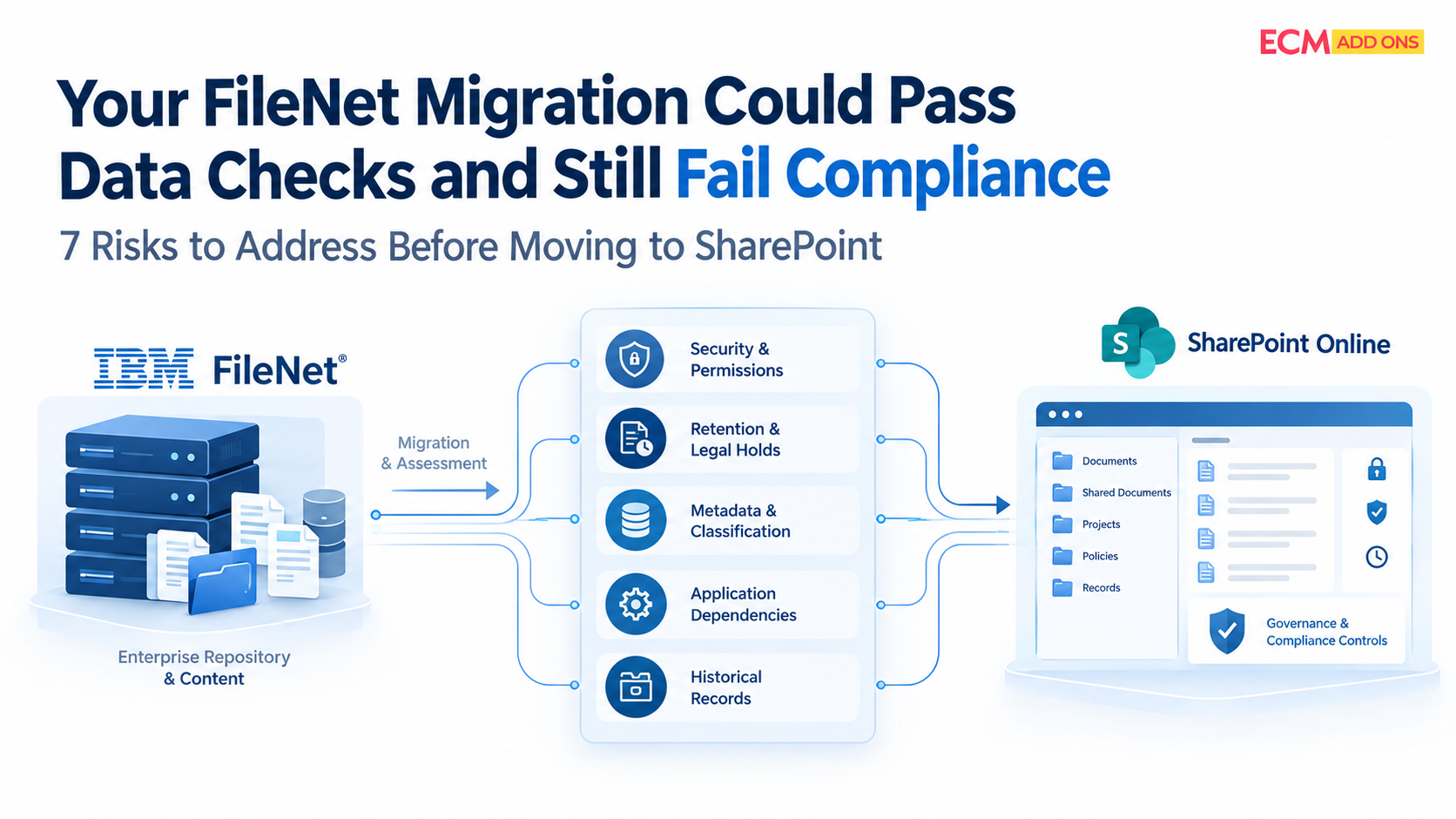
Compliance | Existing records and retention functionality must be verified | Records, retention, and audit requirements must be recreated or mapped |
User adoption | Existing users may need training for new capabilities | New interfaces and business processes may require broader change management |
The objective should be to select the approach with the most manageable risk profile while meeting the enterprise’s long-term objectives.
Total Cost of Ownership and Licensing Considerations
One of the biggest mistakes in modernization planning is comparing only the software licensing costs.
A proper financial evaluation should consider the complete cost of operating each platform over a defined period, ideally three to five years.
IBM Content Cortex upgrade cost considerations
- Existing FileNet licensing and applicable entitlements.
- Additional IBM Content Cortex capabilities and licensing.
- Infrastructure modernization.
- Database and storage requirements.
- Application compatibility and remediation.
- Upgrade implementation and testing.
- AI services and additional product requirements.
- Ongoing support and administration.
FileNet migration cost considerations
- Migration assessment and discovery.
- Content extraction and transformation.
- Metadata and security mapping.
- Migration software and infrastructure.
- Workflow and application redevelopment.
- Target-platform licensing and storage.
- Testing, validation, and user acceptance.
- Parallel system operation during transition.
- FileNet decommissioning and archival requirements.
The financial comparison should also include the cost of retaining the existing FileNet environment versus retiring it.
For example, migrating a large volume of inactive content to a lower-cost archival platform may generate savings, even if the migration itself requires an initial investment.
Similarly, upgrading an environment with extensive existing customizations may be more economical than recreating those capabilities elsewhere.
The right decision depends on the complete cost model, not simply the cost of the target platform.
Business Continuity and Implementation Readiness
Enterprise FileNet environments often support business-critical applications that cannot be interrupted for extended periods.
Therefore, modernization must account for operational continuity.
For upgrades, organizations should plan backups, test environments, application compatibility testing, rollback procedures, and controlled production deployment.
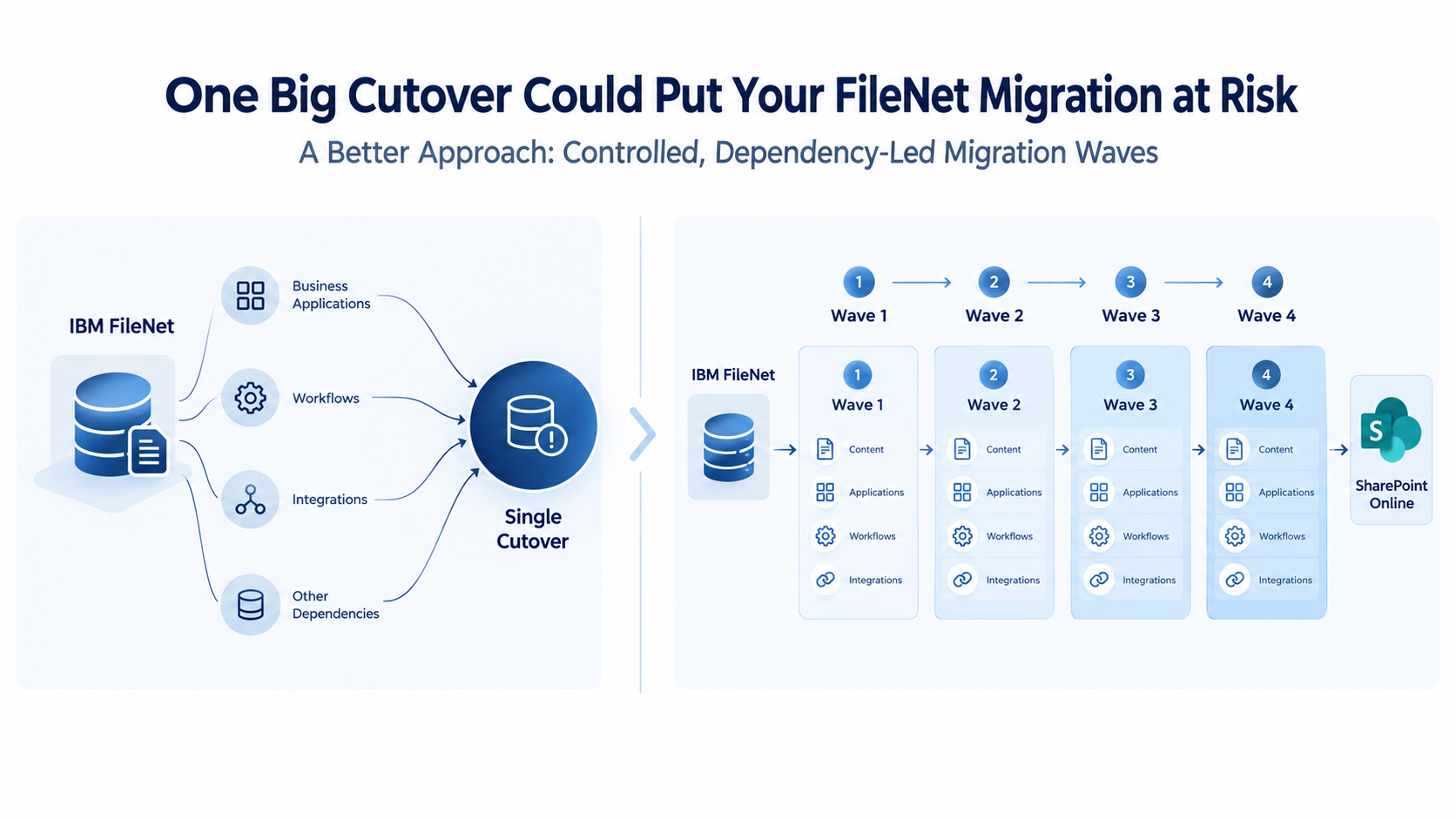
For migrations, organizations should consider phased content migration, incremental synchronization, parallel operations, user acceptance testing, and controlled cutover.
A well-planned migration can allow users to continue accessing the original FileNet environment while content is transferred and validated in the target platform.
The final transition should happen only after critical content, security, search, integrations, and business processes have been verified.
AI Adoption: Should It Influence Your FileNet Modernization Strategy?
AI adoption is becoming an increasingly important factor in enterprise content management decisions.
Organizations want their enterprise documents to become accessible to intelligent applications, AI assistants, and automated business processes.
However, simply moving documents to a new repository does not make an organization AI-ready.
Enterprise AI adoption requires more than content storage. It requires structured metadata, reliable document classification, secure information access, governance, and integration with AI models and agents.
Therefore, modernization must account for operational continuity.
For upgrades, organizations should plan backups, test environments, application compatibility testing, rollback procedures, and controlled production deployment.
For migrations, organizations should consider phased content migration, incremental synchronization, parallel operations, user acceptance testing, and controlled cutover.
A well-planned migration can allow users to continue accessing the original FileNet environment while content is transferred and validated in the target platform.
The final transition should happen only after critical content, security, search, integrations, and business processes have been verified.
Business Continuity and Implementation Readiness
IBM Content Cortex introduces AI capabilities into the enterprise content services ecosystem.
These capabilities include:
- Conversational content interactions through Navigator Core Agent.
- AI services and MCP-based integration.
- Intelligent content operations.
- AI-supported content classification and extraction.
- Content discovery and management.
- Enterprise security and governance for AI interactions.
IBM Content Assistant provides additional capabilities for natural-language document questions, summarization, and document comparison.
For organizations with substantial FileNet investments, Content Cortex provides a route to explore AI-enabled content management without automatically replacing the entire repository architecture.
AI Modernization Through Migration
For organizations choosing SharePoint or another target platform, AI readiness must be evaluated as part of the target architecture.
For example, an enterprise adopting Microsoft 365 may consider Microsoft 365 Copilot and other AI-enabled services as part of its content strategy.
However, the organization must evaluate licensing, supported content sources, information protection, permissions, retention, and AI data governance.
A migration should also address the quality of existing content.
Documents with inconsistent metadata, duplicate records, outdated classifications, and poor indexing may limit the effectiveness of AI applications.
Therefore, content profiling, classification, metadata enrichment, and information governance should be considered before moving the data.
The strategic question is not simply which platform has AI capabilities. It is which platform best supports the organization’s future AI architecture while preserving security, compliance, and control over enterprise information.
How to Choose the Right IBM FileNet Modernization Strategy
There is no universal answer to the IBM FileNet upgrade vs. migration decision.
The right approach depends on the organization’s existing technology investments, application dependencies, operational requirements, financial objectives, and long-term enterprise architecture.
The following decision framework can help technology leaders evaluate the appropriate direction.
Choose IBM Content Cortex Upgrade If:
- Your organization has significant investments in FileNet applications and infrastructure.
- Existing business applications are deeply integrated with FileNet.
- Your environment uses multiple FileNet components and capabilities.
- Recreating existing workflows and business functionality would be expensive.
- Your organization wants to preserve relevant FileNet investments and entitlements.
- You want to adopt AI-enabled content management while retaining the IBM content services foundation.
- Your existing FileNet architecture remains aligned with long-term enterprise requirements.
Executive Decision Matrix
Strategic Consideration
Upgrade to Content Cortex
Migrate to SharePoint
Preserve existing FileNet investments
Strong fit
Limited fit
Retain FileNet-centric applications
Strong fit, subject to compatibility
Requires functional redesign
Reduce FileNet dependency
Limited objective
Strong fit
Microsoft 365 standardization
Possible through integration
Strong fit
AI adoption within IBM content services
Strong fit
Depends on target AI ecosystem
Simplify legacy applications
Requires assessment
Opportunity for rationalization
Replace FileNet entirely
Not the primary objective
Strong fit
Retain complex ECM capabilities
Strong fit, subject to component validation
Requires target-platform capability assessment
The decision matrix should be used as an initial screening tool, not as a substitute for a detailed technical and financial assessment.
How ECM Addons Helps Enterprises Modernize IBM FileNet
Choosing between an IBM FileNet upgrade and migration requires more than a platform-level comparison. It requires a detailed understanding of the existing ECM architecture, business applications, technical dependencies, and long-term enterprise objectives.
ECM Addons helps organizations evaluate and execute FileNet modernization initiatives through specialized assessment, professional services, and migration capabilities.
IBM FileNet Upgrade and IBM Content Cortex Modernization
For organizations looking to continue with the IBM content services ecosystem, ECM Addons provides FileNet upgrade and modernization expertise.
Our services focus on understanding existing environments, identifying application dependencies, evaluating component compatibility, and planning controlled modernization initiatives.
We help organizations assess:
- Existing FileNet architecture and infrastructure.
- Application and integration dependencies.
- Custom Content Navigator implementations.
- Workflow and records management requirements.
- Upgrade readiness and implementation risks.
- AI adoption opportunities through IBM Content Cortex.
The objective is to modernize the existing environment while minimizing business disruption and protecting relevant enterprise investments.
IBM FileNet to SharePoint Migration
For organizations planning to move away from FileNet, ECM Addons provides specialized FileNet-to-SharePoint migration services.
Our migration approach addresses the complete content lifecycle rather than simply transferring documents.
Key activities include:
- FileNet environment discovery and analysis.
- Document and metadata extraction.
- Content transformation and mapping.
- Security and permission migration.
- Document version and relationship handling.
- Target SharePoint architecture and configuration.
- Incremental synchronization.
- Migration validation and reconciliation.
- Production cutover and post-migration support.
We also help assess complex FileNet implementations involving Enterprise Records, Teamspaces, Datacap, SAP integrations, workflows, and custom applications to determine the appropriate migration scope.
Final Thoughts: Modernize IBM FileNet Based on Business Strategy, Not Platform Preference
IBM FileNet upgrade and migration are two different modernization strategies, and neither is universally better.
For organizations with significant FileNet investments, complex application dependencies, and a requirement to preserve existing ECM functionality, upgrading to IBM Content Cortex may offer a suitable path toward modern content services and AI adoption.
For organizations looking to retire FileNet, consolidate enterprise content management, and align with a Microsoft 365 or alternative cloud strategy, migration to SharePoint or another suitable platform may deliver greater long-term value.
The most important step is understanding what the existing FileNet environment actually supports, how extensively its components are used, and what the organization expects from its future content management architecture.
The right modernization strategy is the one that balances technology readiness, business continuity, application complexity, total cost of ownership, and long-term enterprise objectives.
Planning to modernize your IBM FileNet environment?
Talk to ECM Addons about your IBM FileNet upgrade, IBM Content Cortex modernization, or FileNet-to-SharePoint migration strategy.