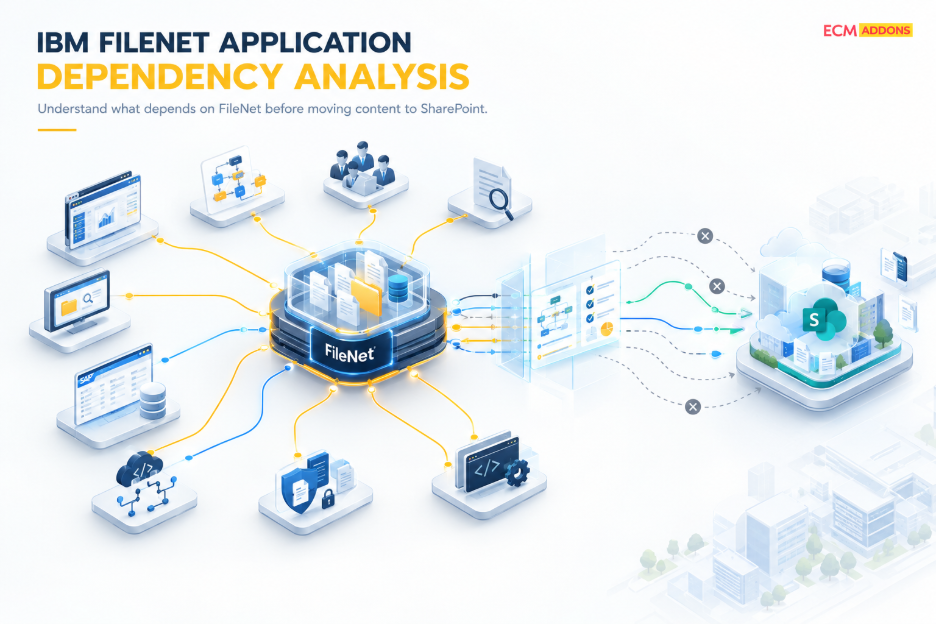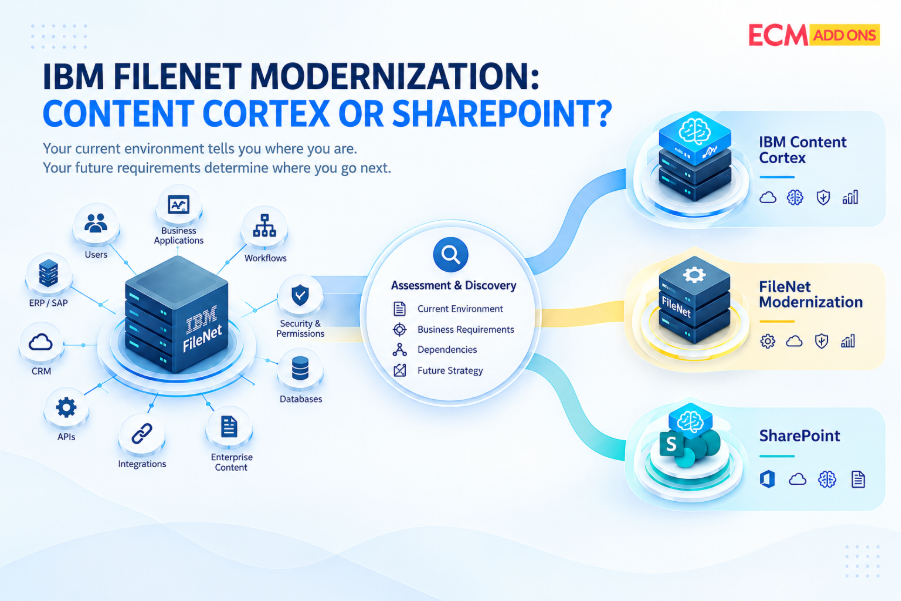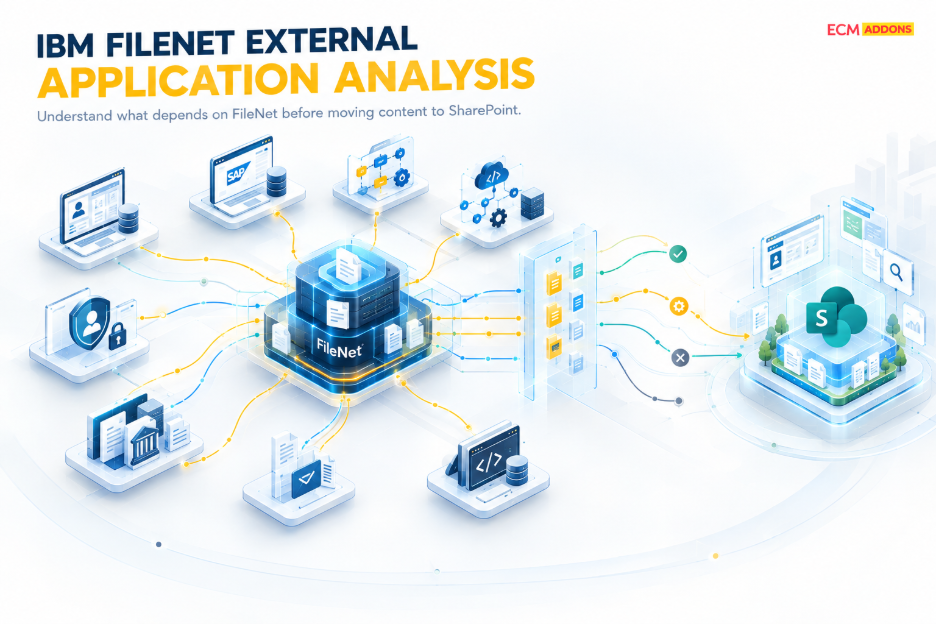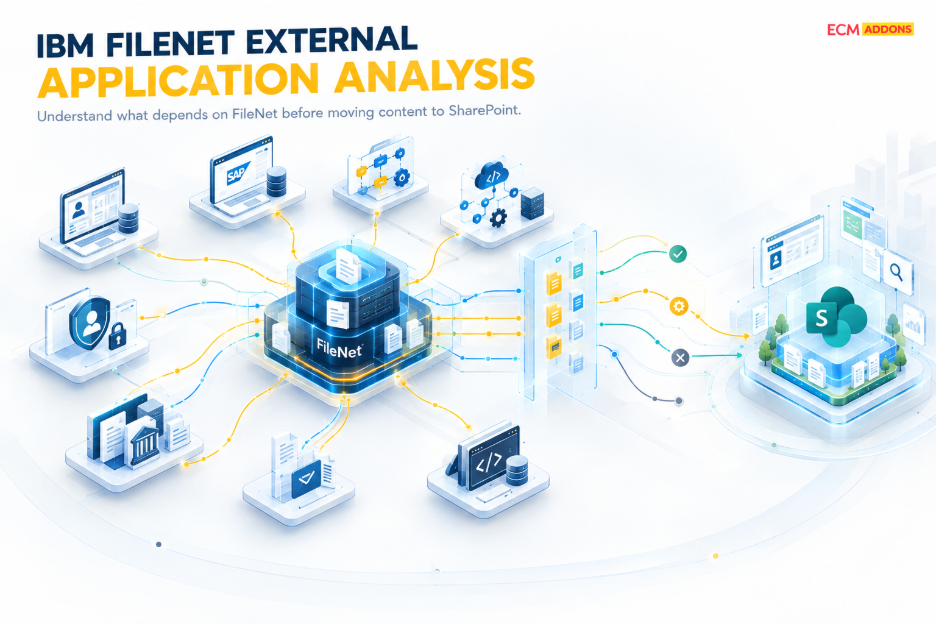
When organizations plan an IBM FileNet to SharePoint migration, application discovery cannot stop at identifying documents, object stores, metadata, document classes, workflows, records, and content volumes. Those elements establish what exists inside the FileNet environment, but they do not fully explain how the organization uses that content. Enterprise FileNet environments often sit underneath business applications, ERP and CRM platforms, SAP processes, workflow applications, custom applications, APIs, identity services, email-driven processes, and user-facing interfaces. These external dependencies can determine whether a migration continues to support the business after the repository changes.
FileNet external application analysis is the process of identifying and assessing the applications, systems, interfaces, APIs, services, and business processes outside the FileNet repository that depend on FileNet content or functionality. The purpose is to understand what each application does with FileNet, which FileNet-specific capabilities it uses, what content and metadata it depends on, how security and identifiers are handled, and what must change when that dependency moves to a SharePoint-based target architecture.
This distinction is important because a FileNet migration can successfully move documents while leaving the applications that use those documents connected to the old environment. An application may still contain FileNet API calls, FileNet document identifiers, repository-specific URLs, document-class assumptions, metadata dependencies, authentication patterns, or workflow integrations. In that situation, the migration may appear successful from a content perspective while the business process remains dependent on FileNet.
That is why the migration question should not simply be, How do we move the documents?” A more useful question is, “Which external applications and business processes depend on FileNet, what exactly do they depend on, and what must change when those dependencies move to SharePoint?
What Is FileNet External Application Analysis?
FileNet external application analysis is a structured assessment of the technology and business dependencies that exist outside the FileNet repository. It examines how applications and systems create, retrieve, search, update, process, display, link to, or govern content stored in FileNet.
For example, a CRM application may display customer documents that are stored in FileNet. An ERP process may generate an invoice and associate the resulting document with a transaction. A custom business application may retrieve documents through FileNet APIs, update metadata, or generate links to specific documents. An employee-facing portal may expose FileNet content through IBM Content Navigator or another integration layer. A workflow application may initiate or continue a process based on documents and metadata stored in FileNet.
Each of these represents a different dependency. The application name alone does not tell the migration team enough about what needs to change.
A useful external application analysis therefore looks at the actual interaction between the application and FileNet. It determines whether the application creates content, retrieves content, searches the repository, updates metadata, relies on particular document classes or object stores, uses FileNet identifiers, generates repository links, calls FileNet APIs, depends on FileNet security, or participates in a workflow that uses FileNet content.
The assessment should ultimately answer five fundamental questions. What does the application do with FileNet? Which FileNet-specific capability does it depend on? What content, metadata, identifiers, security model, or process information does it use? What must change when the dependency moves to the target environment? And how will the changed application and business process be validated before cutover?
Why Does External Application Analysis Matter Before a FileNet to SharePoint Migration?
The importance of application dependency analysis becomes clearer when considering a simple business scenario. Imagine a customer management application that displays a contract whenever an employee opens a customer record. The contract itself may be migrated successfully from FileNet to SharePoint. However, the customer application may still be configured to retrieve that contract using a FileNet API, a FileNet document identifier, a FileNet URL, a specific document class, or a FileNet authentication mechanism.
The document has therefore moved, but the application has not.
This is one of the reasons repository-level migration validation is not enough. The migration team needs to establish whether applications can continue to perform the business operations they were designed to support. A technically successful content migration does not automatically mean that applications can retrieve the correct content, update metadata, initiate workflows, follow document links, or maintain the required security model in the target environment.
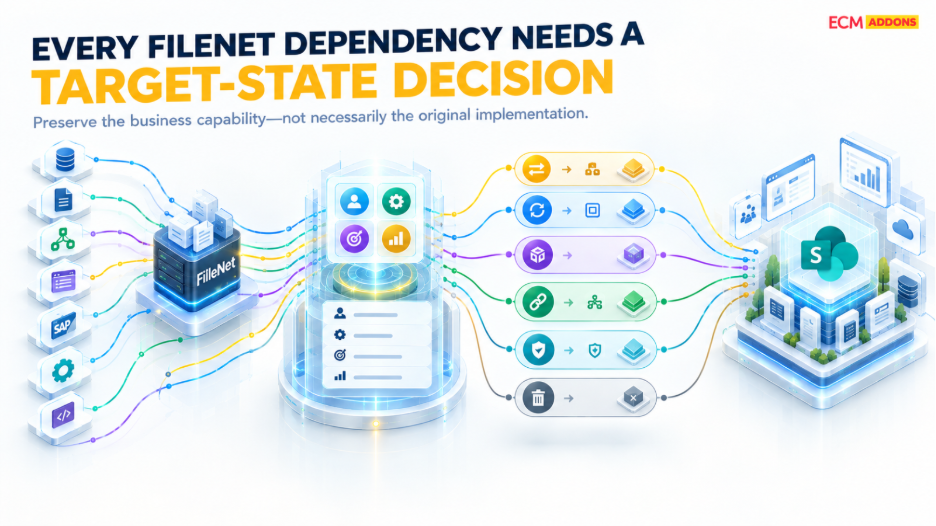
The target platform introduces its own architecture and integration mechanisms. SharePoint provides its own APIs, authentication mechanisms, permissions, metadata structures, URLs, and application integration approaches. Consequently, a FileNet dependency normally needs to be assessed and mapped to an appropriate target-state approach rather than assumed to have a direct equivalent.
This analysis should take place before the target integration architecture, remediation strategy, testing approach, and cutover plan are finalized. Discovering a critical application dependency immediately before production cutover can affect sequencing, testing, remediation, and business continuity.
Which Applications Should Be Included in a FileNet Dependency Analysis?
The analysis should begin with business applications that directly create or consume FileNet content. However, the objective is not simply to create a list of application names. The migration team needs to understand the role each application plays in the content lifecycle.
An application that only retrieves documents has a different migration impact from an application that creates documents, updates metadata, performs repository searches, generates document links, starts workflows, and interacts with other enterprise systems. Similarly, an application that uses FileNet only for historical document retrieval may require a different target-state approach from an application that continuously creates new business content in the repository.
The assessment should therefore document how each application interacts with FileNet and why that interaction exists. It should capture the business function supported by the application, the type of content involved, the relevant metadata and identifiers, the interfaces being used, the security requirements, and the expected impact of moving the repository to SharePoint.
This distinction becomes particularly important for custom applications. Technical documentation for custom applications may be incomplete, outdated, or distributed across development teams and infrastructure teams. Repository inspection alone may not reveal every dependency. Application code, configuration, integration services, URLs, service accounts, logs, and interviews with application owners may all be necessary to establish how the application interacts with FileNet.
How Should ERP and CRM Dependencies Be Assessed?
ERP and CRM systems frequently provide the business context in which enterprise documents are created and consumed. The document may be stored in FileNet, but the business transaction that gives the document meaning may exist somewhere else.
For example, an ERP process may generate an invoice while FileNet stores the associated document. A CRM application may display contracts, correspondence, claims, customer documents, or other records alongside customer information. In both cases, migrating the documents without understanding the relationship between the business transaction and the FileNet content can create an incomplete target architecture.
The analysis should identify the business identifiers connecting the application to the content, the metadata exchanged between systems, the methods used to retrieve or search documents, the APIs or integration services involved, and the authentication and authorization requirements. It should also establish whether workflows or business rules depend on the relationship between the application and FileNet.
Once these dependencies are understood, the target architecture can determine whether the relationship should be remapped, integrated differently, redesigned, redeveloped, or retired. The objective should not be to reproduce every technical characteristic of the FileNet environment. The objective is to preserve the required business capability within the target architecture.
What Should Be Assessed in SAP and ArchiveLink-Connected FileNet Environments?
SAP-connected FileNet environments require particular attention because the relationship between SAP transactions and enterprise documents can extend beyond simple document storage.
The assessment should establish how SAP creates, references, retrieves, or manages documents whose content is stored in FileNet. It should identify the relevant document identifiers, metadata relationships, interfaces, authentication requirements, security considerations, and business processes that depend on those documents.
The key migration question is not simply whether SAP-related documents have been migrated. It is whether SAP can continue to work with those documents in the target architecture after FileNet is replaced or its role changes.
This distinction matters because an SAP process can remain operationally dependent on the source repository even after the content has been copied elsewhere. If the target architecture requires an SAP-to-SharePoint repository approach for a relevant ArchiveLink scenario, the integration design needs to address that relationship explicitly. ECM Addons provides SAP Content Bridge for SharePoint for relevant SAP ArchiveLink scenarios, but the appropriate approach should be determined from the actual SAP and FileNet architecture rather than assumed to be identical across environments.
How Do Workflows and Business Processes Depend on FileNet?
FileNet content is often part of a larger business process rather than an isolated document transaction. A process may create a document, store it in FileNet, route it for approval, update metadata, retrieve it later, and eventually retain it as a record.
When the repository changes, the impact can extend across several stages of that process.
The migration team should therefore identify the process triggers, documents used by the workflow, metadata dependencies, business rules, user roles, API calls, integration points, approval requirements, and exception-handling mechanisms. It should also establish which parts of the process are still required in the target architecture and which parts may be obsolete.
This is where dependency analysis becomes more than an integration inventory. A technical dependency needs to be connected to the business activity it supports. If a workflow depends on a FileNet document class or metadata property, the team needs to understand what business decision that property supports. If an application retrieves a document through a FileNet API, the team needs to understand why the document is being retrieved and what happens after retrieval.
The target process does not necessarily need to reproduce the source process exactly. Depending on the business requirement, a workflow may be retained, redesigned, replaced, or retired. The correct decision comes from understanding the business process first and the technology dependency second.
Why Are FileNet APIs, Web Services, and Application Links Important?
Programmatic dependencies are among the easiest migration risks to miss because they may not be visible from the repository structure itself. An application can depend on FileNet through APIs, web services, REST interfaces, service endpoints, application credentials, repository searches, metadata operations, workflow calls, or generated document links.
For example, a custom application may contain logic that retrieves a FileNet object using a repository-specific identifier. Another application may generate links that open documents through FileNet or IBM Content Navigator. A background service may periodically search FileNet and update metadata based on another system’s activity.
These dependencies need to be identified before the source repository is decommissioned. Each interface should be examined in terms of what operation it performs, what information it requires, which application owns the dependency, and what target-state capability will replace or modify it.
The same principle applies to application URLs. If users, emails, portals, CRM screens, or business applications contain links to FileNet documents or IBM Content Navigator views, moving the underlying content does not automatically update those references. The migration plan must determine how those links will behave after cutover and whether they need to be regenerated, redirected, or replaced.
How Should FileNet Dependencies Influence Migration Decisions?
Validation should extend beyond confirming that documents have arrived in SharePoint.
For business-critical applications, the migration team should validate whether users and systems can perform the business operations that depend on the migrated content. This can include retrieving documents from applications, searching content, updating metadata, following application links, enforcing permissions, initiating workflows, completing SAP or ERP transactions, accessing documents through CRM systems, executing API calls, creating new content, handling errors, and maintaining records or retention processes.
This distinction between technical migration validation and business-process validation is critical. A migration operation may report that content has been successfully transferred while an application dependency remains unresolved. The migration job can therefore complete successfully while the business process still fails.
For this reason, application testing should be connected directly to the dependency analysis performed during discovery. If the analysis identified a CRM dependency, CRM retrieval should be part of validation. If it identified an SAP dependency, the relevant SAP transaction should be tested. If a custom application uses FileNet APIs, the corresponding target integration should be tested before production cutover
What Is the Difference Between Internal FileNet Analysis and External Application Analysis?
Internal FileNet analysis and external application analysis answer different questions, and both are required for a complete migration assessment.
Internal analysis establishes what exists within the FileNet environment. This can include object stores, document classes, records, configurations, Content Navigator components, and other repository-level structures. External application analysis establishes what exists outside FileNet that depends on those capabilities, including ERP systems, CRM applications, SAP processes, custom applications, APIs, identity services, email processes, and other integrations.
The distinction can be summarized simply: internal analysis tells the migration team what exists, while external analysis explains what depends on it.
Neither perspective is sufficient on its own. Understanding the FileNet repository without understanding its consuming applications leaves the business impact unclear. Understanding external applications without understanding the FileNet structures they consume makes it difficult to design the target architecture correctly.
Together, these assessments create a more complete picture of the source environment and provide the foundation for defining the target-state architecture.
How Does Dependency Analysis Affect Migration Planning and Cutover?
Once application dependencies have been analyzed, they should directly influence migration sequencing.
A dependency that supports a business-critical process may require application remediation and integration testing before the associated content is moved. Another application may be suitable for a later migration wave because it only accesses historical content. A third application may need to be redesigned before migration because its current functionality is tightly coupled to FileNet.
The migration plan should therefore connect the existing FileNet dependency to the business requirement, the target SharePoint capability, the required integration change, the testing approach, and the cutover strategy.
Cutover should also account for dependencies that continue to generate or consume content. For example, if SAP is still sending documents to FileNet, a CRM system is still retrieving documents from FileNet, or a custom application is still making FileNet API calls, the migration team needs a defined transition strategy before the source environment can be decommissioned.
This is why dependency analysis should not be treated as a discovery activity that ends once the inventory is complete. It should remain connected to remediation, migration waves, testing, reconciliation, and production cutover.
What Should the Final FileNet Application Dependency Assessment Deliver?
A useful assessment should provide more than a list of connected applications. It should explain the technical dependency, the business purpose of that dependency, the content and metadata involved, the security implications, the current integration mechanism, the expected migration impact, and the target-state action.
The resulting documentation can form an application dependency inventory, dependency map, business-process assessment, integration assessment, target-state recommendation, and migration impact assessment. These outputs give application owners, FileNet administrators, architects, integration teams, and migration teams a common view of what needs to change.
The most valuable result is the connection between the current environment and the target environment. Instead of simply recording that “Application A uses FileNet,” the assessment should establish what Application A does with FileNet, why it does it, what content it uses, what technical mechanism it uses, what business process it supports, and what needs to happen when that dependency moves to SharePoint.
How ECM Addons Approaches FileNet Application Dependency Analysis
For a FileNet to SharePoint migration, ECM Addons positions application dependency analysis as part of broader migration discovery rather than treating migration as a document-transfer exercise.
The ECM Addons FileNet to SharePoint Migration Tool addresses assessment of how SAP and other business applications store, reference, retrieve, and manage FileNet documents and the changes that may be required for the SharePoint Online target architecture. The migration approach also considers incremental or delta migration requirements where applicable.
A practical migration program can therefore progress from discovery and dependency mapping into target-state definition, integration remediation, content migration, validation, reconciliation, and controlled cutover. The exact sequence depends on the source environment, business processes, application dependencies, and target architecture.
The important point is that application dependency analysis should influence the migration strategy from the beginning rather than being treated as an application-testing activity at the end of the project.
Planning an IBM FileNet to SharePoint Migration?
Before moving content, assess the applications, integrations, APIs, workflows, security dependencies, and business processes connected to your FileNet environment.
ECM Addons can help assess FileNet application dependencies and incorporate those findings into a structured FileNet to SharePoint migration strategy.
Explore the FileNet to SharePoint Migration Tool or discuss your migration requirements with ECM Addons.