An IBM FileNet to Microsoft SharePoint migration may look like a content migration project.
But in many enterprise environments, FileNet is not simply a place where documents are stored.
Business applications may depend on FileNet to create, retrieve, search, update, or reference content as part of everyday business processes.
That creates an important migration question:
What happens to the applications that depend on FileNet when the content moves to SharePoint?
If those dependencies are not understood before migration, an organization can successfully move its documents while unintentionally disrupting the applications and processes that use them.
That is why a FileNet to SharePoint migration needs to consider the ecosystem around the content—not just the content itself.
FileNet Rarely Exists in Isolation
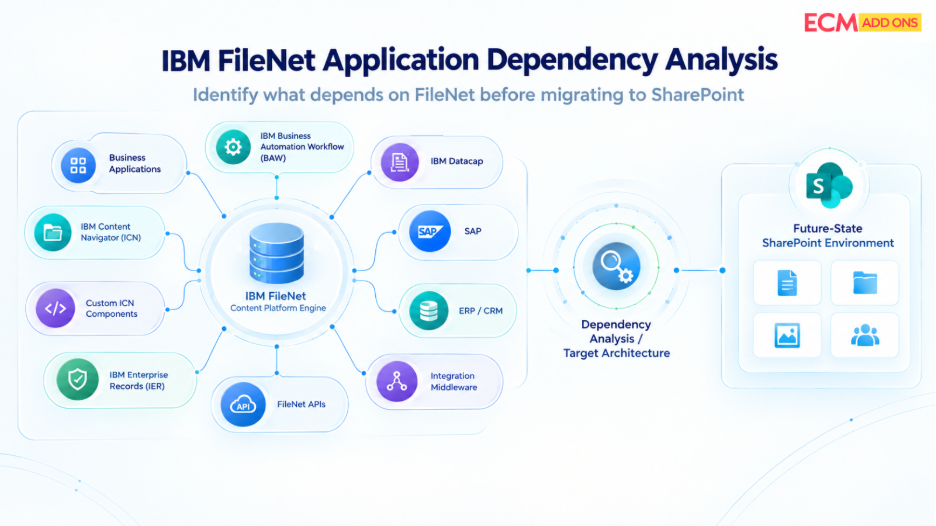
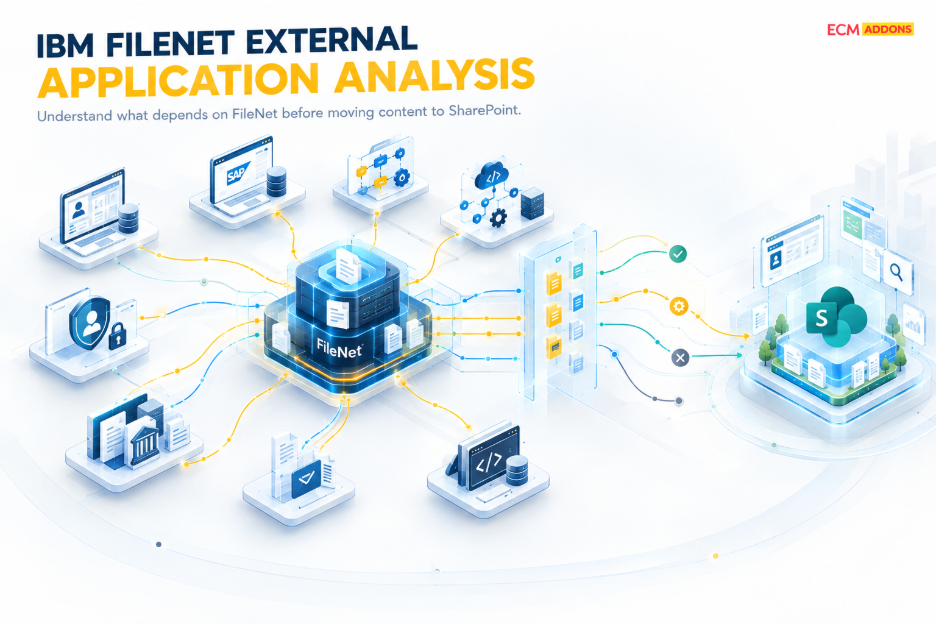
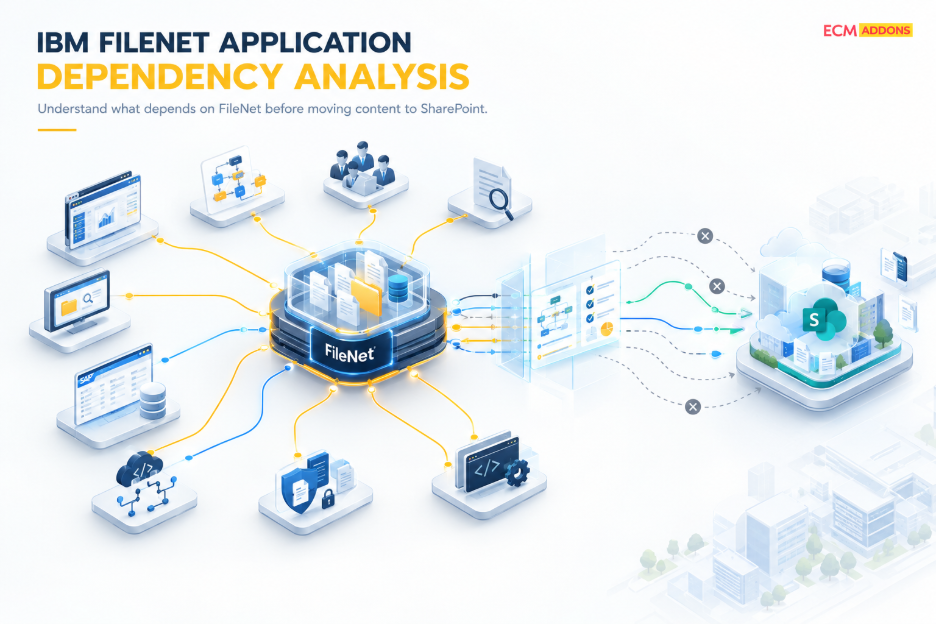
Enterprise FileNet environments often sit within a larger technology landscape.
Content may interact with:
- SAP & ERP systems
- CRM platforms
- Business applications
- Workflow platforms
- Custom applications
- APIs and integrations
- Databases
- External systems
For example, a business application may create a document in FileNet and later retrieve it using information associated with that document.
When the repository changes from FileNet to SharePoint, the application dependency does not automatically disappear.
The repository is changing. The business process still needs to work.
The Hidden Risk: Moving Content Without Understanding Dependencies
A migration team may successfully transfer millions of documents to SharePoint.
But what happens if an application still expects to retrieve those documents from FileNet?
Or if the application depends on:
- FileNet document identifiers
- Metadata
- Content types
- Folder structures
- Security information
- Document relationships
- Business application data
- FileNet APIs or integration mechanisms
The content may be safely sitting in SharePoint while the application that depends on it is no longer functioning as expected.
This is why application dependency analysis should be part of FileNet migration planning.
What Can Depend on FileNet?
Not every FileNet environment has the same dependencies.
Some organizations may have relatively simple integrations.
Others may have years of custom development surrounding their ECM environment.
Dependencies can include:
Document Creation
Business applications may automatically create content in FileNet.
Document Retrieval
Applications may retrieve documents from FileNet when users perform a business transaction.
Metadata and Business Data
Applications may rely on metadata or associated business information to locate and process content.
Workflow
Documents may move through business processes involving FileNet workflows or connected workflow applications.
Search and Retrieval
Applications may depend on specific FileNet structures or search mechanisms.
Custom Integrations
Custom interfaces may connect FileNet with other enterprise systems.
The important point is:
You cannot determine migration impact by looking at the repository alone.
What Happens to Document References After Migration?
This is an important consideration that is sometimes overlooked.
Applications may contain references to documents stored in FileNet.
Those references may be based on:
- Document identifiers
- URLs
- Repository paths
- Application-specific references
- Metadata
- Integration logic
When the content moves to SharePoint, the target environment has its own structures and identifiers.
That can create a requirement to determine:
Which references need to change?
Which applications need to be updated?
How will applications locate the migrated content?
What happens to existing business records that reference FileNet content?
These questions should be addressed before production cutover.
Business Application Data Matters Too
A FileNet migration is not always about moving a document and its metadata.
Business applications may maintain information associated with that document.
For example:
Business Application → Document Reference → FileNet Content
After migration, the intended relationship may become:
Business Application → Document Reference → SharePoint Content
If the application data or references are not updated appropriately, the document may exist in SharePoint but remain difficult or impossible for the application to retrieve.
This is why data updates from business applications can become an important part of the migration strategy.
Not Every Integration Needs to Be Migrated
An assessment should not assume that every existing integration needs to be reproduced in the target environment.
For each dependency, organizations should determine whether it should be:
Retained
Continue the integration using the new SharePoint environment.
Redesigned
Modify the integration to work with the target architecture.
Replaced
Use a different mechanism or application capability.
Retired
Remove an integration that is no longer required.
This prevents organizations from carrying unnecessary legacy complexity into SharePoint.
Why Integration Discovery Should Happen Early
Imagine discovering a critical application dependency immediately before cutover.
The migration may already be complete.
Testing windows may be limited.
Business users may already be preparing for the transition.
The project may then require unexpected:
- Application changes
- Integration development
- Testing
- Data updates
- Migration reprocessing
- Cutover delays
Early discovery gives the project team time to plan around these dependencies.
The earlier a dependency is identified, the more options the project has to address it.
Testing the Business Process Is More Important Than Testing the Repository
A migration can pass repository-level testing and still fail from a business perspective.
For example:
Document exists in SharePoint ✓
Metadata exists ✓
User can access SharePoint ✓
But:
Business application cannot retrieve the document ✗
That is why migration testing should extend beyond the repository.
Organizations should test the business process that uses the content.
For example:
Create → Store → Retrieve → Update → Process
The question is not simply:
“Is the document in SharePoint?”
It is:
“Can the business still use the document as part of the process that depends on it?”
Application Dependencies and Cutover
Application dependencies become especially important during the final transition.
During a controlled cutover, organizations may need to coordinate:
- Final content synchronization
- Business application changes
- Data updates
- Integration changes
- User access
- Validation
- Application testing
- Final reconciliation
This is where a structured migration approach becomes important.
The objective is to transition the content and the processes that depend on it in a coordinated manner.
Delta Migration Can Help Reduce the Transition Risk
Business applications may continue creating or updating content while the migration is underway.
That means the source environment can continue changing after the initial migration.
A delta migration strategy can help capture relevant changes between migration cycles and the final transition.
This can include changes to:
- New documents
- Modified documents
- Relevant metadata
- Business application data
The goal is to reduce the gap between the migrated baseline and the final production state.
For application-dependent content, that synchronization becomes particularly important.
How ECM Addons Approaches Application Dependencies
For IBM FileNet to SharePoint migration, ECM Addons considers the relationship between content, business applications, integrations, and the target SharePoint environment.
Our approach can include:
Dependency Discovery
Identify applications, integrations, workflows, and other systems that interact with FileNet content.
Impact Analysis
Understand how the migration may affect existing business processes and application interactions.
Mapping & Transformation
Determine how relevant content, metadata, references, and associated data should work within the SharePoint environment.
Migration & Synchronization
Support the movement of content while accounting for ongoing changes and relevant business application dependencies.
Application Validation
Validate that critical business processes can continue to interact with the migrated content as expected.
Controlled Cutover
Coordinate the final migration, synchronization, application transition, and validation activities.
The objective is not simply to migrate the repository.
It is to help ensure that the business processes built around that repository continue to function after the transition to SharePoint.
The Questions to Ask Before Migrating FileNet to SharePoint
Before beginning a large-scale migration, ask:
Which applications create content in FileNet?
Which applications retrieve or update FileNet content?
Which business processes depend on FileNet?
Do applications rely on FileNet identifiers or references?
What business application data needs to be updated?
Which integrations need to be redesigned?
Which integrations can be retired?
How will application functionality be tested after migration?
How will changes occurring during migration be synchronized?
What needs to happen during cutover?
If these questions do not have clear answers, the migration may not yet be ready for execution.
Try Before You Commit
Want to experience the migration process before committing to a full-scale project?
Try the Free Trial Migration Tool and explore how your FileNet content can be migrated as part of your journey toward SharePoint.
Planning an IBM FileNet to SharePoint Migration?
ECM Addons helps organizations approach IBM FileNet to SharePoint migration with a structured strategy covering application dependency analysis, automated migration, delta synchronization, validation, centralized monitoring, reconciliation, and controlled cutover.
Frequently Asked Questions
What happens to applications that depend on FileNet during migration to SharePoint?
Applications that interact with FileNet may require analysis, modification, or integration changes so they can continue working with content after it is migrated to SharePoint.
Why should application dependencies be assessed before FileNet migration?
Understanding dependencies early helps identify applications, integrations, references, workflows, and business processes that could be affected by the migration.
Can business applications continue working after FileNet content is migrated to SharePoint?
Yes, but the required application and integration changes need to be identified and tested as part of the migration strategy.
Do FileNet document references need to be updated after migration?
They may. If applications or business records depend on FileNet-specific identifiers, paths, URLs, or other references, those dependencies should be assessed and addressed as part of the migration.
What happens to FileNet integrations after migration?
Each integration should be assessed individually to determine whether it should be retained, redesigned, replaced, or retired in the SharePoint environment.
Can business application data need to be updated during migration?
Yes. Where business applications maintain references or information associated with FileNet content, those records may require updates to support the new SharePoint content location.
How should applications be tested after migrating FileNet content?
Testing should go beyond confirming that documents exist in SharePoint. Critical business processes should be tested to verify that applications can continue to create, retrieve, access, and process content as required.
Can delta migration help with application-dependent content?
Yes. Delta migration can help synchronize relevant content and changes occurring after the initial migration, reducing the gap between the migration baseline and final cutover.
Final Thoughts
A FileNet migration can be technically successful and still create business disruption.
The documents may be in SharePoint.
The metadata may be there.
The migration report may show a high success rate.
But if the applications and business processes that depend on that content cannot operate as expected, the migration has not delivered its intended outcome.
That is why enterprise content migration needs to look beyond the repository.
The real objective is to move from:
FileNet Content + Business Applications + Integrations
to:
SharePoint Content + Connected Business Processes
with as little disruption as possible.
Because a successful IBM FileNet to SharePoint migration is not just about where the documents live.
It is about keeping the business running around them.