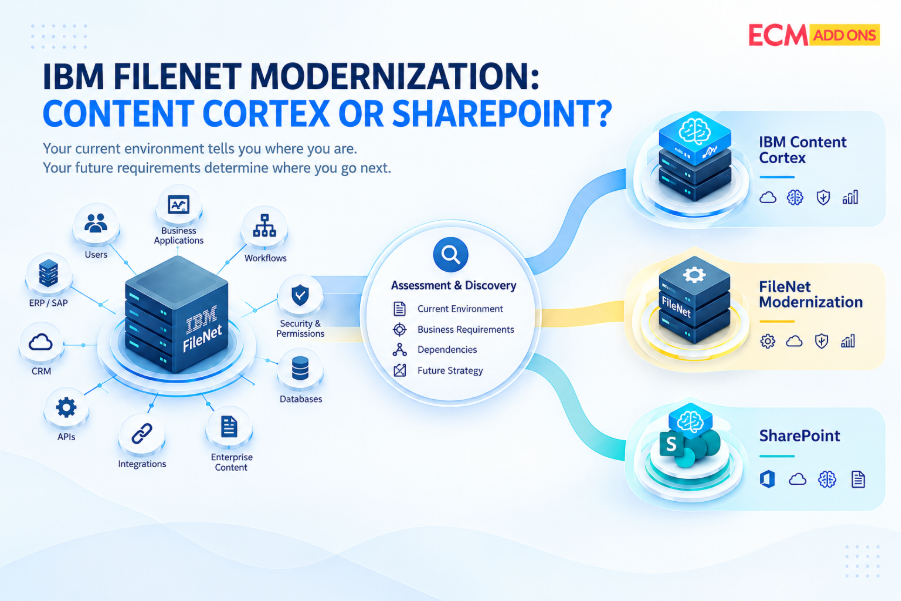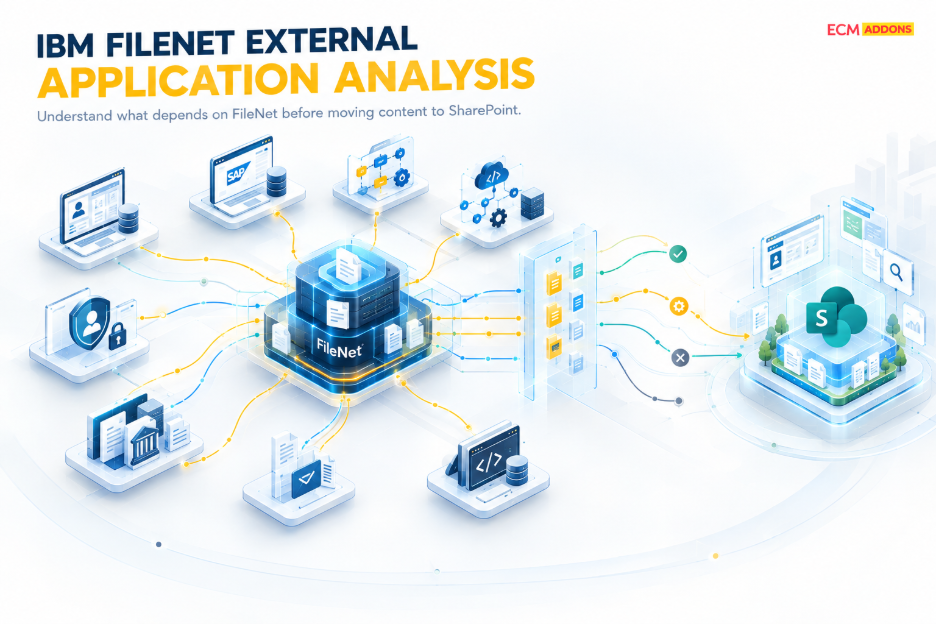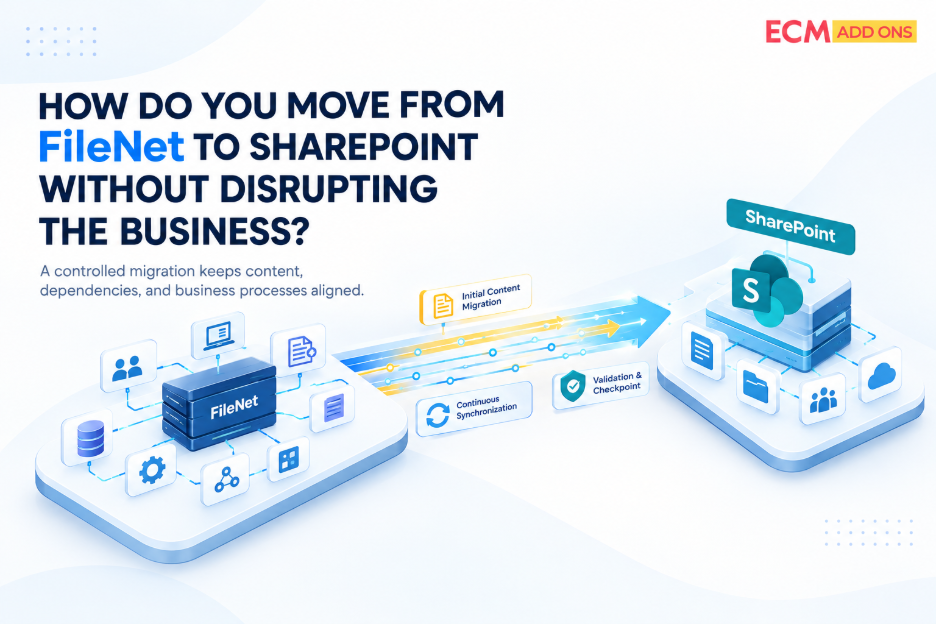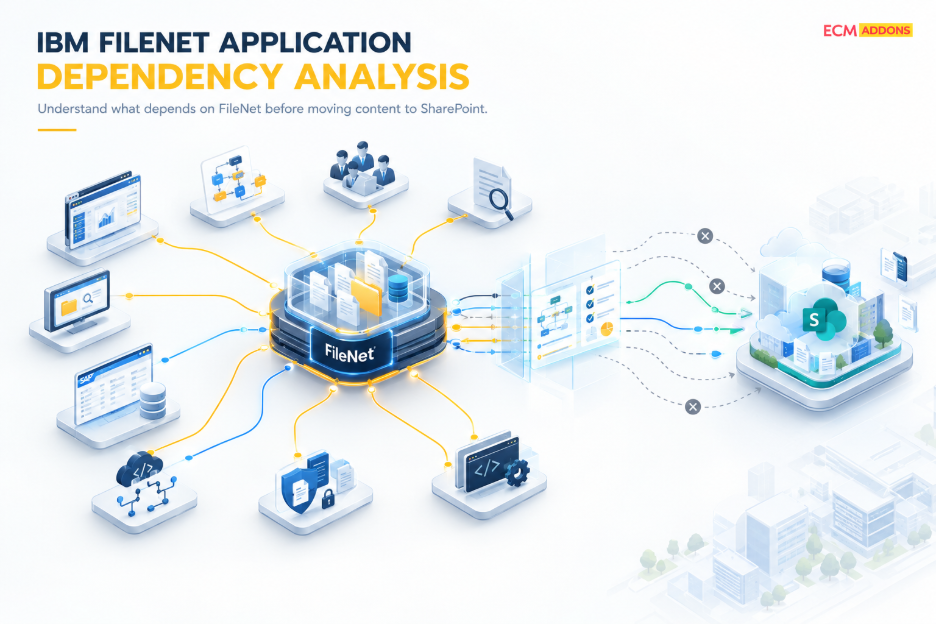
When an IBM FileNet to Microsoft SharePoint migration is planned, document volume and storage are usually straightforward to measure. The more difficult question is understanding what depends on those documents and on FileNet, capabilities surrounding them. Enterprise FileNet environments rarely function as isolated repositories. Content can be connected to metadata structures, entry templates, search configurations, workflows, records management, IBM Content Navigator, custom components, SAP processes, business applications, and other integrations. A migration can therefore move documents successfully while leaving critical business functions dependent on the legacy FileNet environment.
IBM FileNet application dependency analysis is the structured assessment of the applications, FileNet components, configurations, integrations, and business processes that depend on or interact with the FileNet environment. Its purpose is to determine what each dependency actually does, which business requirement it supports, how that requirement is implemented today, and what needs to happen when FileNet content and capabilities move to a SharePoint-based target architecture.
This distinction is important because a FileNet migration is not simply a content-transfer exercise. A document may be successfully migrated to SharePoint, while an application still expects the original FileNet metadata, an existing document identifier, a repository-specific URL, a FileNet API, a workflow trigger, or a particular security model. The content exists in the new environment, but the application that depends on it has not yet been adapted.
The objective, therefore, should not be to reproduce every FileNet component inside SharePoint. The objective is to understand which business capabilities depend on the current FileNet environment and determine the appropriate target-state treatment for each one. Depending on the requirement, a capability may need to be migrated, mapped, transformed, redesigned, replaced, integrated, retained, or retired.
What Is FileNet Application Dependency Analysis?
FileNet application dependency analysis examines the relationship between the FileNet repository and the applications, configurations, integrations, and business processes that use it. Rather than looking only at the documents stored in an Object Store, the assessment considers how those documents are created, classified, searched, processed, accessed, updated, governed, and consumed by other parts of the enterprise.
For example, an Object Store may contain documents with specific classes and properties. An entry template may determine how users create and classify those documents. A workflow may process the documents based on their metadata or business status. Users may access the content through IBM Content Navigator, potentially with custom plug-ins or other extensions. At the same time, a business application may retrieve or update the same content through an integration or API.
These relationships are what make dependency analysis different from a conventional repository inventory. IBM FileNet Object Stores can contain document and folder classes, property templates, choice lists, storage policies, events, subscriptions, and other configurations. Understanding those structures helps identify what exists, but dependency analysis goes further by determining which business capabilities rely on those structures and what would be affected if they changed.
For a SharePoint migration, the assessment should therefore establish what each application or component does with FileNet, which FileNet-specific capabilities it uses, what content and metadata it depends on, how users and applications access that content, and what must change in the target architecture.
Why Is Application Dependency Analysis Important Before a FileNet to SharePoint Migration?
The biggest risk in a FileNet migration is not necessarily failing to copy a document. It is changing the repository without understanding how the organization uses the content stored there.
Consider an application that retrieves a customer contract from FileNet whenever an employee opens a customer record. The contract may be successfully migrated to SharePoint, including its metadata and permissions. However, the application may still contain logic that calls a FileNet interface, expects a FileNet identifier, generates a FileNet URL, or searches against a FileNet-specific class or property.
From a repository perspective, the migration may appear complete. From a business-process perspective, the application is still dependent on the source environment.
This is why application testing needs to go beyond confirming that documents and metadata arrived in SharePoint. The migration team needs to establish whether the applications and business processes that use those documents can continue to perform their required functions after the repository changes.
The same principle applies to workflows, search, records management, user interfaces, integrations, and custom applications. Each dependency needs to be understood in terms of its business purpose and its technical implementation before the target architecture and migration mapping are finalized.
What Should Be Assessed Before Migrating FileNet to SharePoint?
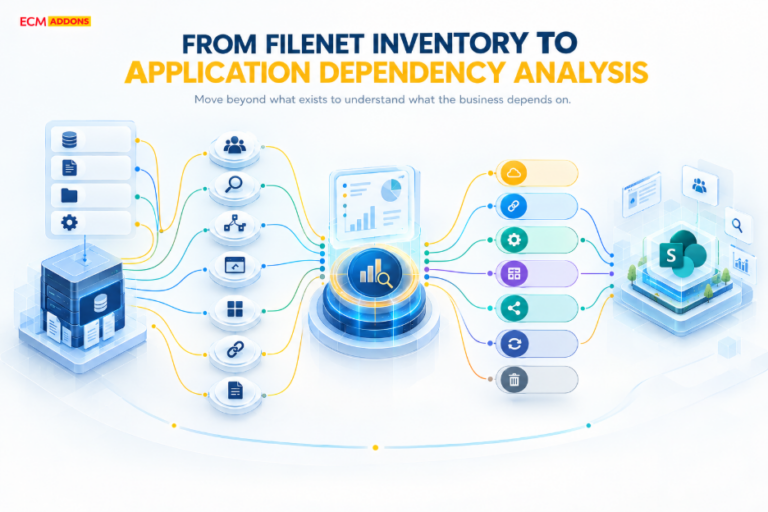
The exact scope of an application dependency assessment depends on the FileNet environment, but the assessment should generally cover the repository structures, metadata, user-facing configurations, workflows, records management, custom components, enterprise integrations, and applications that interact with FileNet.
The important point is that these areas should not be treated as isolated checkboxes. Their relationships need to be understood. An Object Store may contain a class whose properties are used by a search configuration. That search may be used by a custom IBM Content Navigator component. A workflow may depend on the same properties, while an external application retrieves the resulting documents through an API. Understanding only one of these components provides an incomplete picture.
Object Stores and Content Structures
Object Stores are a fundamental starting point because they define where business content is managed and how that content is structured. The assessment should establish the purpose and business ownership of each Object Store and understand the document types, classes, properties, folder structures, permissions, entry templates, searches, workflows, integrations, and custom configurations associated with it.
The important migration question is not simply how an Object Store will be moved. The more useful question is which business capabilities depend on that Object Store and which of those capabilities need to exist in the target architecture.
This distinction can change the migration approach considerably. An Object Store may contain active business content, historical content, application-generated documents, records, or content that is referenced by external systems. Some structures may need to be mapped into SharePoint, while others may be transformed, consolidated, redesigned, or retired depending on their current business value.
Classes, Properties, and Metadata
FileNet classes and properties define how content is described and managed. During a SharePoint migration, these structures may need to be mapped to target metadata, content types, columns, or other SharePoint structures.
The assessment should therefore distinguish between metadata that is simply present and metadata that is actually important to the business. Some properties may support search and retrieval, while others may control workflows, integrations, security, records management, reporting, or downstream application behavior. Required and optional properties, inheritance relationships, choice lists, and property templates may also influence how content needs to be transformed.
This is why metadata mapping should not be treated as a simple field-to-field conversion. Microsoft describes SharePoint content types as reusable collections of metadata, workflows, behavior, and other settings. The target design therefore needs to consider how metadata participates in the business process rather than simply reproducing the source property structure.
A FileNet property that appears technically simple may be essential to an application or workflow. Conversely, a property that exists across millions of documents may no longer have a meaningful business purpose. Dependency analysis provides the context needed to make that distinction.
Entry Templates and Search Requirements
Entry templates and search configurations are another area where repository configuration can have a direct impact on user behavior.
Entry templates can influence how users create content, apply metadata, and organize documents. Search configurations can influence how users locate that content later. If these configurations are heavily used, a migration that moves the underlying documents without understanding the associated user behavior can create a significant usability and operational gap.
The assessment should therefore establish which templates are actively used, which classes and properties they reference, what default values or filing behavior they provide, whether content creation triggers workflows, and which searches and retrieval patterns are important to users.
The target architecture does not necessarily need to reproduce the FileNet configuration itself. What needs to be preserved is the business outcome. If users need to create documents with specific metadata and retrieve them using particular business criteria, the SharePoint design should provide an appropriate way to achieve that requirement, even if the underlying implementation is different.
This distinction between preserving a configuration and preserving a business capability is central to effective migration planning.
Workflows, Case Applications, and Business Automation Workflow
Workflow dependencies deserve particular attention because content can be an input, output, trigger, reference, or decision point within a larger business process.
A workflow may depend on specific document types, metadata values, user roles, queues, business rules, integrations, notifications, and exception-handling behavior. A case-management environment can add further dependencies between FileNet Content Platform Engine, IBM Content Navigator, case applications, and workflow components.
The migration team therefore needs to understand what business process each workflow supports rather than simply asking how the workflow can be copied.
For example, a document may enter FileNet as part of a customer process, trigger an approval, move through different roles, receive additional metadata, and eventually become part of a records-management process. Changing the repository can affect several stages of that lifecycle.
The appropriate target implementation may not be a one-to-one reproduction of the existing FileNet workflow. Depending on the business requirement, the process may be redesigned, replaced, integrated with another platform, or retired. The important decision is to preserve the required business capability rather than automatically recreate the source implementation.
Microsoft’s migration guidance similarly emphasizes assessing automated processes around content and determining how those processes should operate in the Microsoft 365 target environment. This reinforces the need to treat workflow assessment as part of migration architecture rather than as an isolated post-migration task.
IBM Enterprise Records and Governance
Records management can significantly change the scope of a FileNet migration because the content may be subject to requirements that extend beyond ordinary document storage.
If IBM Enterprise Records is used, the assessment should examine record classifications, file plans, retention schedules, triggers, disposition rules, legal or retention holds, record-related metadata, permissions, records-management workflows, and applicable regulatory or business requirements.
IBM describes a file plan as a hierarchy used to organize records and define aspects of their management, including security and disposition behavior. Retention and holds can also prevent content from being deleted when a retention or legal requirement still applies.
Consequently, the migration question is not simply whether records can be copied into SharePoint. The project needs to determine how classification, retention, disposition, holds, security, and governance requirements will operate after the migration.
This is another situation where the target architecture should be based on the organization’s continuing business and governance requirements rather than on an assumption that every FileNet configuration needs an identical technical replacement.
IBM Content Navigator Customizations
IBM Content Navigator can be extended through plug-ins that provide additional menus, actions, services, viewers, layouts, widgets, and other user-facing capabilities. These customizations can therefore become important migration dependencies, particularly when users rely on them to perform business-specific document operations.
For each significant customization, the assessment should establish its business purpose, users, repository dependencies, API dependencies, external-system relationships, usage level, and business criticality. It is also important to distinguish between functionality that users actually depend on and custom functionality that remains in the environment but is no longer actively required.
A custom Navigator component does not automatically need to be rebuilt in SharePoint. In some cases, the required capability may be available through native SharePoint or Microsoft 365 functionality. In other cases, the business requirement may be better addressed through another application, an integration, a redesigned process, or retirement of the old functionality.
The dependency analysis provides the information needed to make that decision.
How Should SAP and Other Enterprise Integrations Be Assessed?
FileNet environments can be closely connected to SAP, ERP systems, CRM platforms, and custom business applications. These integrations often give documents their business context, which means the migration needs to consider more than the physical location of the content.
For SAP-connected environments, the assessment should establish the SAP systems and business processes involved, applicable ArchiveLink relationships, content references, metadata dependencies, authentication and security requirements, and existing repository integrations. It should also identify business-critical processes in which SAP users or transactions need to retrieve or work with documents stored in FileNet.
The central question is how the business application will continue to find and use the required content after FileNet is no longer the repository.
That question is different from asking whether SAP-related documents have been migrated. The documents may exist in SharePoint, but the SAP integration may still expect the source repository. Depending on the architecture, the target may require integration changes, remapping, redevelopment, or another repository approach.
ECM Addons’ migration approach identifies SAP and other business-application dependencies as part of migration assessment and target architecture planning. Its SAP Content Bridge for SharePoint addresses relevant SAP ArchiveLink scenarios. The appropriate architecture, however, should always be determined from the actual SAP, FileNet, and business-process dependencies in the environment.
The same principle applies to ERP, CRM, email-driven processes, external repositories, and custom applications. First establish what the application does with FileNet content. Then determine what needs to change in the target environment.
Why Is an Application Inventory Alone Not Enough?
An application inventory tells the migration team what systems exist. Dependency analysis explains how those systems interact with FileNet and why those interactions matter.
Consider a FileNet environment in which an Object Store contains business documents and associated metadata. Users create those documents through configured entry mechanisms, workflows process them, IBM Content Navigator provides access, custom components extend the user experience, and an external business application retrieves the resulting content.
If the migration team only inventories the documents, it sees the content layer but not the relationships surrounding it.
If it maps the dependencies, it can identify where a change to the repository could affect content creation, metadata, search, workflow processing, user access, application retrieval, and business operations.
This is particularly important because a document can exist successfully in SharePoint, its metadata can be present, and the user can even open it directly in SharePoint, while the business application that depends on that document still calls the old FileNet environment.
That is why migration testing should reproduce meaningful business scenarios rather than relying only on repository-level validation. The project should demonstrate that content can be created, stored, retrieved, updated, and processed in the way the business requires after the target architecture is implemented.
How Should Dependency Analysis Be Turned Into Migration Decisions?
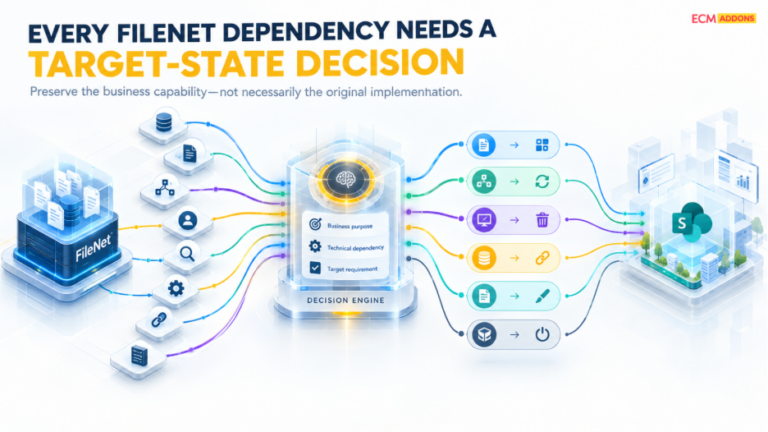
A useful dependency assessment should ultimately lead to a clear disposition for each relevant component. The purpose of the disposition is not to label technology as good or bad, but to establish what happens to that capability as part of the migration.
The following table can be used as a practical framework for connecting the current FileNet component to the business requirement and its possible target-state treatment.
Component | Question | Possible disposition |
Object Stores | What content and applications depend on them? | Migrate / consolidate |
Classes and metadata | Which structures remain valuable? | Map / transform |
Entry templates | What content-creation behavior do they support? | Recreate / redesign / replace |
Searches | What information must users find? | Redesign search |
Workflows | Which business processes must continue? | Rebuild / redesign / replace |
Case applications | Which case capabilities remain required? | Redesign / replace |
Enterprise Records | Which retention and records requirements continue? | Map / redesign / replace |
Navigator customizations | What business function do they provide? | Rebuild / replace / retire |
SAP integrations | Which business processes depend on the connection? | Integrate / remap / redesign |
File or email integrations | Which operational processes remain? | Integrate / replace |
Legacy components | Are they still required? | Retain / retire |
The value of this approach is that it prevents the migration from becoming a simple exercise in reproducing the existing FileNet environment. Each component is evaluated according to the business capability it provides and the role it should play in the target architecture.
For example, a metadata structure may need to be transformed rather than copied. A workflow may need to be redesigned rather than rebuilt. A custom Navigator plug-in may be replaced by native functionality. An old integration may be retired because the business process it supported no longer exists.
How Does Application Dependency Analysis Fit Into the Migration Lifecycle?
Application dependency analysis should feed the wider migration program rather than remain a standalone discovery exercise.
The assessment should begin early enough to influence target-state architecture, content and metadata mapping, application remediation, testing, migration waves, synchronization, validation, reconciliation, and cutover. If dependency analysis happens only after migration mappings have already been finalized, the project may discover application constraints too late to address them efficiently.
ECM Addons describes its FileNet-to-SharePoint approach around assessment and discovery, content and metadata extraction, mapping, dependency analysis, migration, delta synchronization, validation, monitoring, reconciliation, and controlled cutover. A representative migration trial can also be used to evaluate selected content, metadata, folder structures, permissions, migration rules, and validation before scaling the approach.
This lifecycle perspective is important because dependencies can continue to change while a migration is underway. New content may still be created in FileNet, applications may continue to reference the source environment, and remediation work may affect migration sequencing. Dependency analysis therefore needs to remain connected to synchronization and cutover planning rather than being treated as a one-time inventory.
What Should Be Validated Before FileNet Migration Cutover?
Validation should demonstrate more than the successful transfer of documents and metadata. It should establish that the business processes relying on the migrated content continue to function correctly in the target environment.
For example, if an application retrieves documents from FileNet today, the corresponding retrieval process should be tested against SharePoint. If a workflow depends on metadata, the relevant process should be executed using the target metadata structure. If an SAP transaction depends on document retrieval, that transaction should be validated against the new repository architecture. If users rely on a custom Content Navigator function, the replacement or redesigned process should be tested with the appropriate user roles.
Testing should also consider application links, permissions, search, new content creation, API calls, workflow initiation, error handling, records processes, and retention requirements where they are relevant to the environment.
This distinction is important because technical migration status is not the same as business-process validation. A migration job can complete successfully while an application dependency still requires remediation. A document count can reconcile while an application still points to a FileNet URL. A metadata comparison can pass while a workflow still expects a source-system property.
The dependency assessment should therefore provide the foundation for the validation scenarios used before production cutover.
What Are the Most Common Questions About FileNet Application Dependency Analysis?
Why is application dependency analysis important before a FileNet migration?
Application dependency analysis is important because FileNet content can be used by workflows, business applications, integrations, searches, records processes, custom interfaces, and user-facing components. Understanding those dependencies before migration gives the project time to determine what needs to be preserved, redesigned, replaced, integrated, or retired instead of discovering the dependency during cutover.
Does every FileNet component need to be recreated in SharePoint?
No. A SharePoint target should be designed around the business requirements that the FileNet environment currently supports. Some capabilities may map to SharePoint or Microsoft 365 functionality, while others may require integration changes, application redevelopment, process redesign, another technology, or retirement.
What happens to FileNet workflows during a SharePoint migration?
FileNet workflows should be assessed according to their business purpose, triggers, content dependencies, participants, rules, integrations, and exception handling. The target implementation does not necessarily need to reproduce the existing workflow exactly. The appropriate approach may be to redesign, replace, integrate, or retire the process depending on the continuing business requirement.
What should happen to IBM Enterprise Records during a migration?
The project should assess record classification, file plans, retention schedules, disposition rules, holds, metadata, security, and governance requirements. Those requirements then need to be mapped to an appropriate target-state approach rather than assuming that records can simply be copied into SharePoint without further design.
How should application-dependent content be tested?
Testing should reproduce the business processes that create, retrieve, update, search, route, or otherwise use the content. Repository-level checks confirming that documents and metadata exist are necessary, but they should be complemented by application and business-process validation.
How Can ECM Addons Support FileNet Application Dependency Analysis?
ECM Addons approaches FileNet migration as an assessment and architecture exercise as well as a content-movement project. Its published migration capabilities include FileNet assessment and analysis, content and metadata extraction, mapping, application and integration considerations, migration, delta synchronization, validation, and cutover planning.
For organizations evaluating a FileNet-to-SharePoint program, the practical starting point is to establish what exists in the current environment, what is actively used, what depends on those capabilities, and what the future environment needs to support. That assessment provides the foundation for deciding which components should be migrated, transformed, integrated, redesigned, replaced, retained, or retired.
A representative migration trial can then be used to evaluate selected content, metadata, permissions, mappings, and migration results before scaling the approach across the broader environment. This allows migration assumptions to be tested against representative scenarios rather than being treated as final before practical validation.