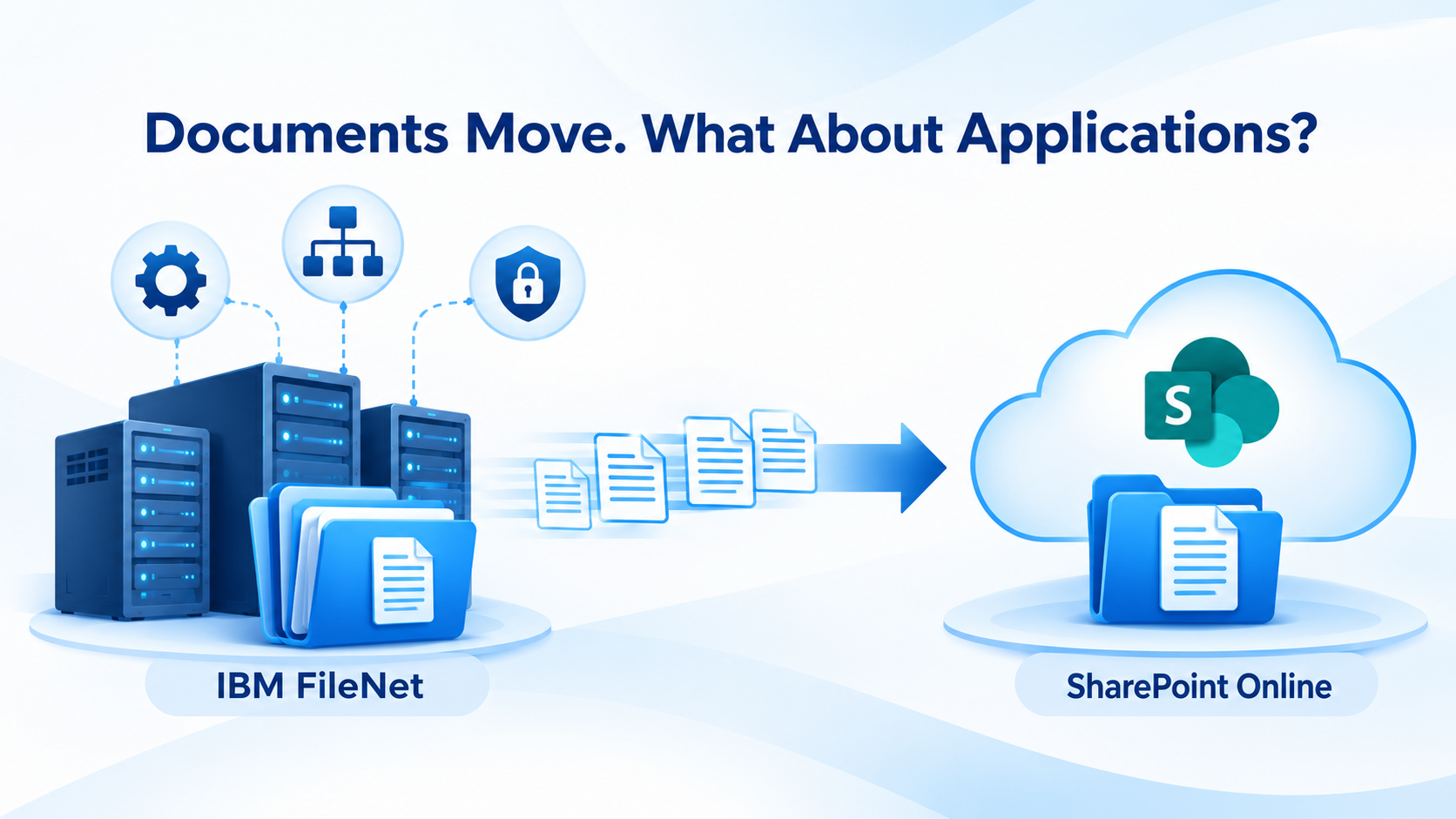
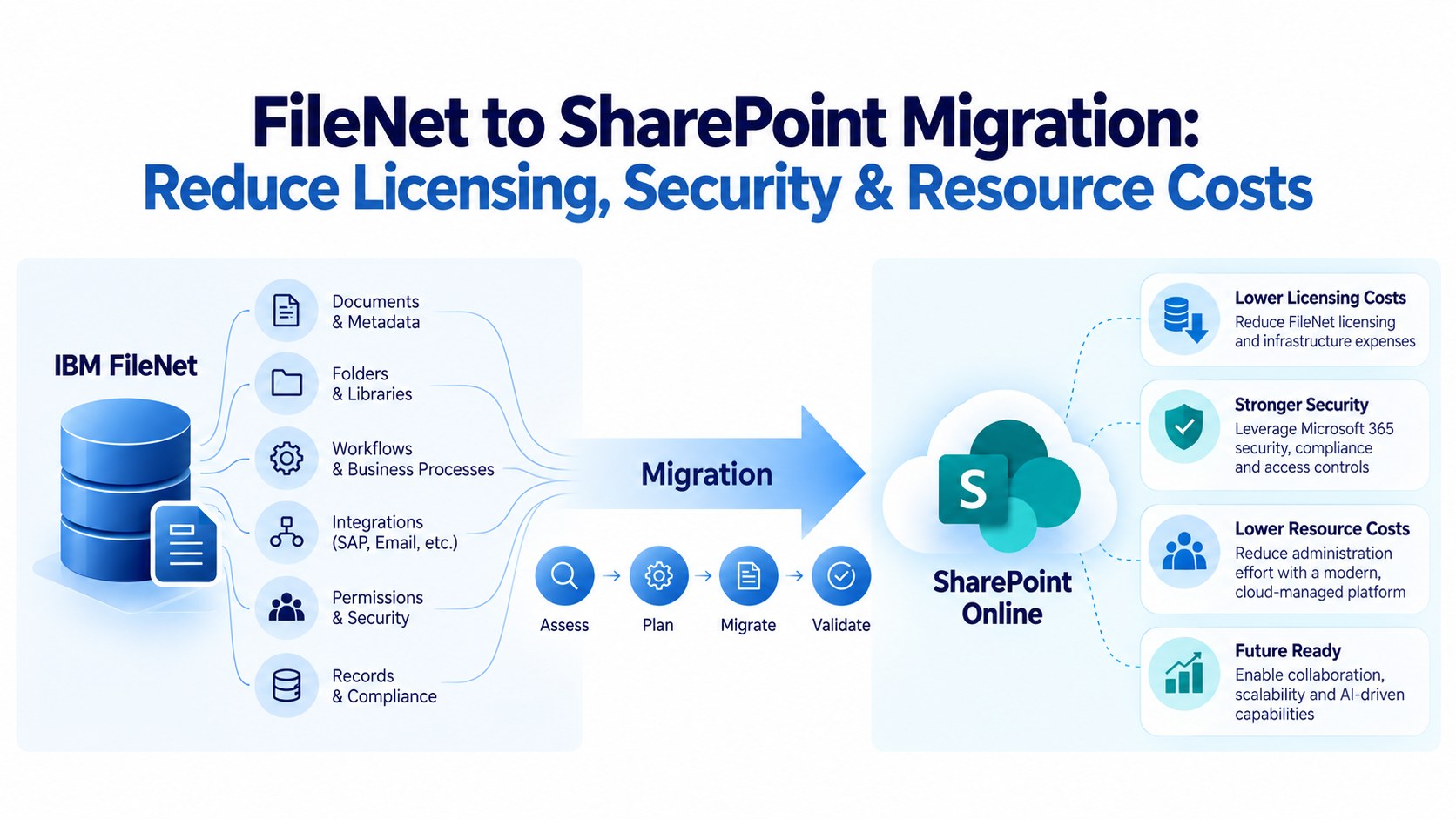
Migrating enterprise content from IBM FileNet to SharePoint Online involves more than transferring documents, metadata and folder structures. For organizations using IBM Enterprise Records (IER), the transition also requires careful consideration of existing records-management processes, retention schedules, disposition rules and legal-hold requirements.
Over the years, enterprises may have developed complex records-management frameworks within IBM FileNet and Enterprise Records to meet regulatory, legal and operational requirements. Recreating the entire IBM Enterprise Records environment in SharePoint may not always be necessary or practical.
Microsoft SharePoint and Purview provide several capabilities for managing enterprise content and retention requirements. Additionally, ECM Addons offers SharePoint-based interface solutions designed to support equivalent retention and IER-related functionalities, helping organizations address specific records-management requirements without rebuilding the entire IBM Enterprise Records platform.
With its IBM FileNet expertise and SharePoint solution capabilities, ECM Addons helps organizations plan a structured migration that considers content, metadata, retention requirements and enterprise records governance.
Key Takeaways
- IBM Enterprise Records configurations, including file plans, retention schedules and disposition processes, require assessment before migration.
- FileNet retention policies and legal holds do not automatically transfer as equivalent SharePoint controls.
- Microsoft Purview provides retention policies, retention labels, records management and eDiscovery capabilities.
- ECM Addons offers additional SharePoint-based interface solutions to support equivalent retention and IER-related functionalities.
- Organizations can evaluate these solutions instead of rebuilding the entire IBM Enterprise Records platform.
- Migration validation should cover content integrity, retention requirements, governance controls and historical records-management evidence.
Understanding IBM Enterprise Records and FileNet Retention Management
IBM FileNet environments can use different approaches to manage document retention and records lifecycle requirements. Understanding the existing implementation is an important first step in migration planning.
IBM FileNet Content Manager Retention
IBM FileNet Content Manager provides content management capabilities, including retention and hold functionality. Organizations can configure retention requirements based on document classes, individual content objects and business requirements. These controls help ensure that documents are retained for the required period and protected from unauthorized deletion.
IBM Enterprise Records
IBM Enterprise Records extends the records-management capabilities of FileNet by providing a structured approach to managing enterprise records throughout their lifecycle.
Its capabilities can include:
- File Plans and Record Categories: Organizing enterprise records according to business functions, classifications and retention requirements.
- Disposition Schedules: Defining retention periods and the actions that follow, including review, archival transfer or destruction.
- Event-Based Disposition: Initiating retention and disposition processes based on specified business events.
- Disposition Workflows: Managing reviews, approvals and authorized disposition activities.
- Disposition Holds: Suspending normal disposition schedules when records must be preserved for legal or business reasons.
For many organizations, these capabilities are embedded in established business processes. Consequently, migrating the documents without considering their associated records-management requirements can create governance gaps.
Why Enterprise Records Management Matters During FileNet Migration
For many enterprises, records management is closely connected to business applications, operational processes and regulatory obligations.
For example:
- Banking institutions manage customer records, transaction documents and loan agreements.
- Insurance organizations maintain claims, policies and supporting documentation.
- Healthcare organizations manage regulated business and administrative records.
- Government organizations maintain official records, correspondence and regulatory documentation.
- Manufacturing organizations manage contracts, quality records and compliance documentation.
These records may have different retention periods, triggering events, legal restrictions and disposition requirements. A successful migration must therefore consider both the content and the governance framework associated with it.
Common Challenges When Migrating IBM Enterprise Records to SharePoint Online
Migrating File Plans and Records Classification
*IBM Enterprise Records uses file plans, record categories and record folders to organize and govern enterprise records.
*SharePoint Online follows a different information architecture based on sites, libraries, content types and metadata.
*Organizations need to determine how existing FileNet classifications and record structures will be represented in SharePoint.
Mapping Retention Schedules and Disposition Rules
*Retention schedules define how long records must be preserved and what should happen when the retention period ends.
*IBM Enterprise Records can support multiple retention phases, triggering events, disposition actions and review processes.
*SharePoint Online and Microsoft Purview provide retention policies and labels to support enterprise retention requirements. However, the original business rules must be assessed and mapped to the appropriate target controls.
Preserving Event-Based Retention
*Some enterprise records become eligible for retention or disposition only after a specific business event.
*Examples include contract expiration, loan closure, insurance claim settlement, employee separation and project completion.
*The migration strategy must identify these triggering conditions and establish how they will be represented and managed in the target environment.
Maintaining Active Legal Holds
*Legal holds are particularly important during enterprise content migration.
*Records may be placed on hold to suspend normal disposition activities while litigation, investigations or other legal matters remain active.
*Organizations must identify active holds, determine their scope and establish appropriate preservation controls in the target environment.
Preserving Historical Audit and Disposition Evidence
*Organizations may need access to historical information relating to record classification, retention assignments, disposition reviews, approvals, legal holds and authorized destruction.
*An approved approach is required to preserve and access this information after migration.
Recreating IER Functionalities in SharePoint
*One of the key considerations is determining how much of the existing IBM Enterprise Records functionality needs to be reproduced in the new environment.
*Rebuilding the entire IER architecture in SharePoint can introduce additional development effort, implementation complexity and ongoing maintenance requirements.
*Instead, organizations should evaluate the native SharePoint and Microsoft Purview capabilities alongside additional solutions that can address specific IER-related requirements.
*This is where a purpose-designed SharePoint solution layer can provide an alternative to a complete rebuild.
Extending SharePoint Online with IBM Enterprise Records Equivalent Capabilities
Organizations migrating from IBM FileNet and Enterprise Records do not necessarily need to recreate the entire IER platform to continue managing their retention requirements.
SharePoint Online and Microsoft Purview provide a foundation for enterprise content and records governance. However, depending on the existing IER implementation, additional functionality may be required to address specific retention and records-management processes.
ECM Addons provides SharePoint-based interface solutions designed to support equivalent retention and IER-related functionalities within the SharePoint environment.
Rather than rebuilding the entire IBM Enterprise Records platform, organizations can leverage these additional solutions alongside SharePoint to address their identified functional requirements.
This approach can help organizations:
- Extend Retention Management: Support existing retention-related business requirements through additional SharePoint-based functionality.
- Reduce Rebuilding Effort: Avoid the need to recreate the entire IER platform when only specific functionalities are required.
- Support Existing Business Processes: Align the target solution with established retention and records-management practices.
- Complement Microsoft Purview: Use native Microsoft 365 governance capabilities together with additional SharePoint-based solutions where appropriate.
- Simplify the Transition: Establish a practical path from legacy FileNet records management to a SharePoint-based environment.
The solution architecture should be determined following an assessment of the organization’s existing IER configuration, retention schedules, business processes and compliance requirements.
The objective is not necessarily to replicate every IER feature, but to provide the required equivalent capabilities within the new SharePoint environment.
Mapping IBM Enterprise Records Requirements to SharePoint
A successful migration requires a clear understanding of which capabilities can be addressed through native Microsoft 365 functionality and where additional solutions are needed.
Existing IER requirement | Target approach |
Records classification | SharePoint sites, libraries, content types and metadata |
Retention policies | Microsoft Purview retention policies and labels |
Event-based retention | Microsoft Purview event-based retention, where applicable |
Legal holds | Microsoft Purview eDiscovery |
Records-management interfaces | ECM Addons SharePoint-based interface solutions |
Additional retention functionality | ECM Addons equivalent retention solutions |
Historical disposition evidence | Approved archival or evidence-preservation approach |
This mapping should be treated as a solution-design starting point, not an automatic one-to-one feature conversion. Each requirement must be assessed and validated against the organization’s actual implementation.
A Structured Approach to FileNet and Enterprise Records Migration
Assess Existing FileNet and Enterprise Records Configurations
Review the existing FileNet environment, including Object Stores, document classes, File Plans, record categories, retention schedules, disposition workflows and active holds.
Identify the dependencies between records, metadata, business applications and governance processes
Define the Target SharePoint Architecture
Determine how existing content structures, classifications and metadata will be represented in SharePoint Online.
Identify which requirements can be addressed through standard SharePoint and Microsoft Purview capabilities and which require additional solutions.
Map Retention Requirements
Review retention schedules, retention periods, triggering events and disposition requirements.
Define the target configuration using Microsoft Purview and evaluate ECM Addons’ SharePoint-based retention solutions for additional IER-related functionality.
Establish Legal-Hold and Preservation Controls
Identify records under active legal holds and establish corresponding preservation controls in the target environment.
Coordinate with legal and compliance teams to ensure that active holds remain effective throughout the transition.
Configure Additional SharePoint-Based IER Functionalities
Where native SharePoint and Microsoft Purview capabilities do not fully address the identified requirements, implement the appropriate ECM Addons interface solutions.
This allows organizations to address specific retention and records-management needs without necessarily rebuilding the complete IBM Enterprise Records platform.
Pilot Migration and Functional Validation
Where native SharePoint and Microsoft Purview capabilities do not fully address the identified requirements, implement the appropriate ECM Addons interface solutions.
This allows organizations to address specific retention and records-management needs without necessarily rebuilding the complete IBM Enterprise Records platform.
Production Migration and Cutover
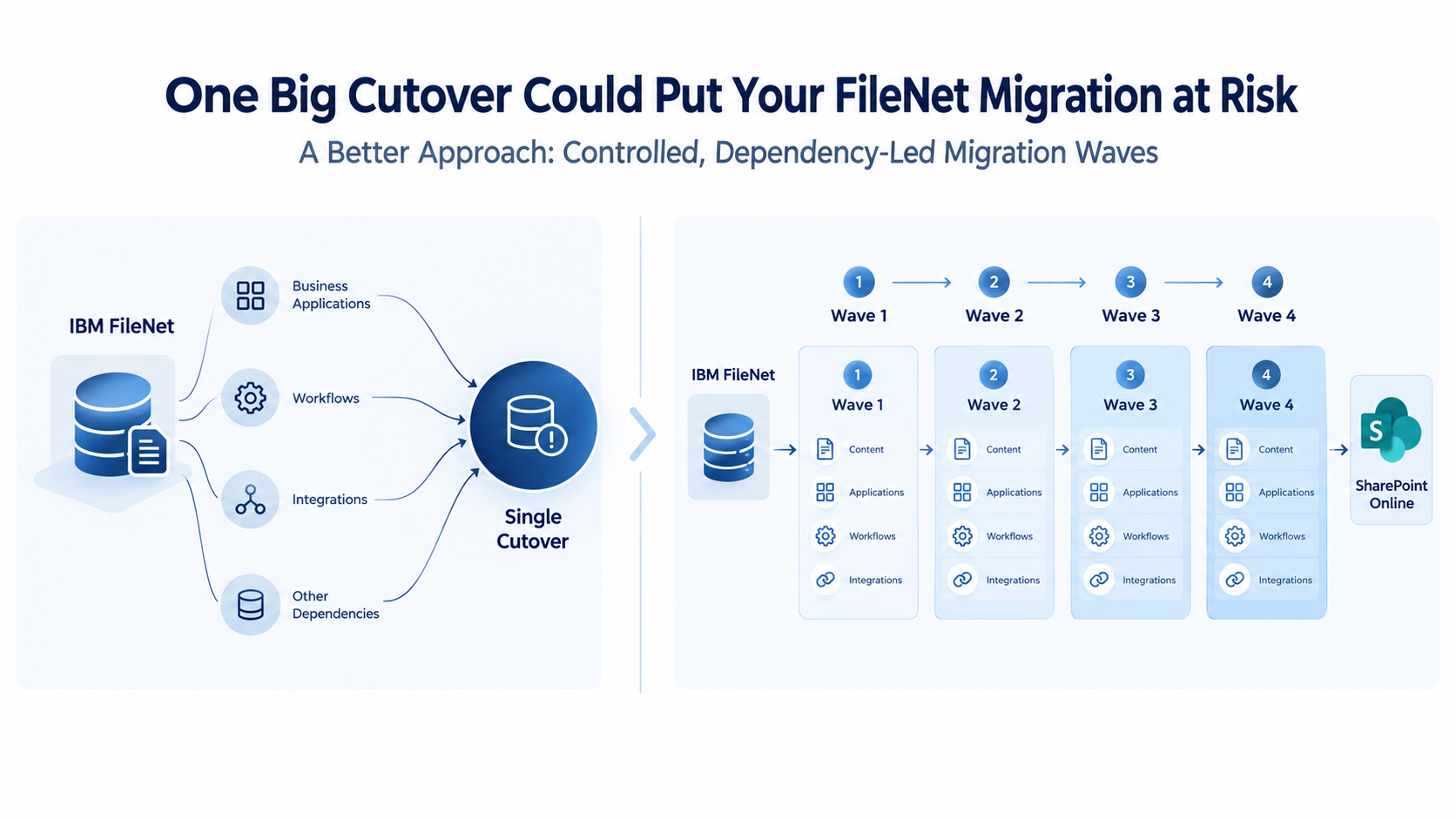
Execute migration in controlled waves, reconcile content and metadata, manage exceptions and obtain stakeholder approval before retiring the legacy FileNet environment.
How ECM Addons Helps Organizations Transition from FileNet to SharePoint
ECM Addons brings specialized IBM FileNet expertise together with SharePoint migration and solution capabilities. Our approach considers the existing FileNet architecture, records-management configurations and business dependencies before defining the migration strategy.
Our services include:
FileNet Environment Assessment
Assessment of FileNet Object Stores, document classes, metadata, repository configurations and Enterprise Records dependencies.
Enterprise Content Migration
Structured migration of documents, metadata, folder structures and associated security information from IBM FileNet to SharePoint Online.
Records and Retention Mapping
Assessment of existing records classifications, retention requirements, disposition rules and legal-hold dependencies.
SharePoint-Based IER Equivalent Solutions
Additional interface solutions on top of SharePoint to support equivalent retention and IER-related functionalities, reducing the need to rebuild the entire IBM Enterprise Records platform.
Migration Synchronization and Validation
Content reconciliation, delta synchronization, migration exception handling and validation to support content integrity throughout the transition.
FileNet Modernization and Decommissioning Support
Support for organizations planning to modernize their enterprise content environment and transition away from legacy FileNet infrastructure.
Our objective is to help enterprises move beyond document transfer and establish a practical SharePoint-based content and records-management environment that addresses their existing business and governance requirements.
Ready to Move from IBM FileNet to SharePoint?
Simplify your enterprise content migration with ECM Addons FileNet to SharePoint Migration Software.
Assess your FileNet environment, automate content and metadata migration, validate security and folder structures, and manage migration through controlled execution.
Whether you are migrating a single Object Store or a complex enterprise FileNet environment, our migration software helps you plan, execute and validate your transition.
Want to Evaluate Before Committing?
Start with a free FileNet to SharePoint migration trial. Test representative content, validate metadata mapping, folder structures, security permissions and migration performance before moving to production.
Conclusion: Move Beyond File Migration to Enterprise Records Modernization
Migrating IBM FileNet and Enterprise Records to SharePoint Online is not simply a repository modernization exercise. It involves transitioning an established enterprise information-governance framework.
File plans, retention schedules, legal holds, disposition processes and historical records-management evidence must all be considered during migration planning.
Organizations do not necessarily need to rebuild the entire IBM Enterprise Records platform to achieve their target retention and records-management objectives.
By combining Microsoft SharePoint, Microsoft Purview and ECM Addons’ additional SharePoint-based interface solutions, enterprises can establish an alternative approach to managing equivalent retention and IER-related functionalities.
Migrate your FileNet content. Preserve your records governance. Extend SharePoint with the retention capabilities your enterprise needs.
ECM Addons helps organizations plan and execute complex IBM FileNet migrations with a structured approach to content migration, metadata, security, retention and records governance.
Planning your IBM FileNet to SharePoint migration?
Frequently Asked Questions
Can IBM Enterprise Records be replaced with SharePoint Online?
SharePoint Online and Microsoft Purview provide records-management and retention capabilities. For additional requirements, ECM Addons offers SharePoint-based interface solutions designed to support equivalent IER-related functionalities.
The appropriate solution depends on the existing IER implementation and business requirements.
Do organizations need to rebuild the entire IBM Enterprise Records platform in SharePoint?
Not necessarily. Organizations can assess their existing IER functionalities and use native Microsoft 365 capabilities together with additional SharePoint-based solutions from ECM Addons to address the required functionality without rebuilding the entire platform.
How are FileNet retention policies migrated to SharePoint Online?
Existing retention schedules, retention periods, triggering events and disposition requirements must first be assessed. They can then be mapped to appropriate Microsoft Purview controls and, where required, supported by ECM Addons’ SharePoint-based retention solutions.
Can SharePoint manage IBM Enterprise Records equivalent retention functionalities?
SharePoint and Microsoft Purview provide several native retention and records-management capabilities. ECM Addons also offers additional SharePoint-based interface solutions to support equivalent retention and IER-related requirements that need to be addressed beyond the standard configuration.
How are legal holds maintained after FileNet migration?
Active legal holds must be identified and their preservation requirements established in the target environment. Microsoft Purview eDiscovery provides hold capabilities for supported Microsoft 365 content. The migration must include legal and compliance validation before the source environment is retired.
What happens to historical disposition and audit records?
Organizations should define an approved preservation approach for historical disposition reports, approvals and audit evidence. This may involve retaining source records, exporting relevant evidence or maintaining an accessible archive.