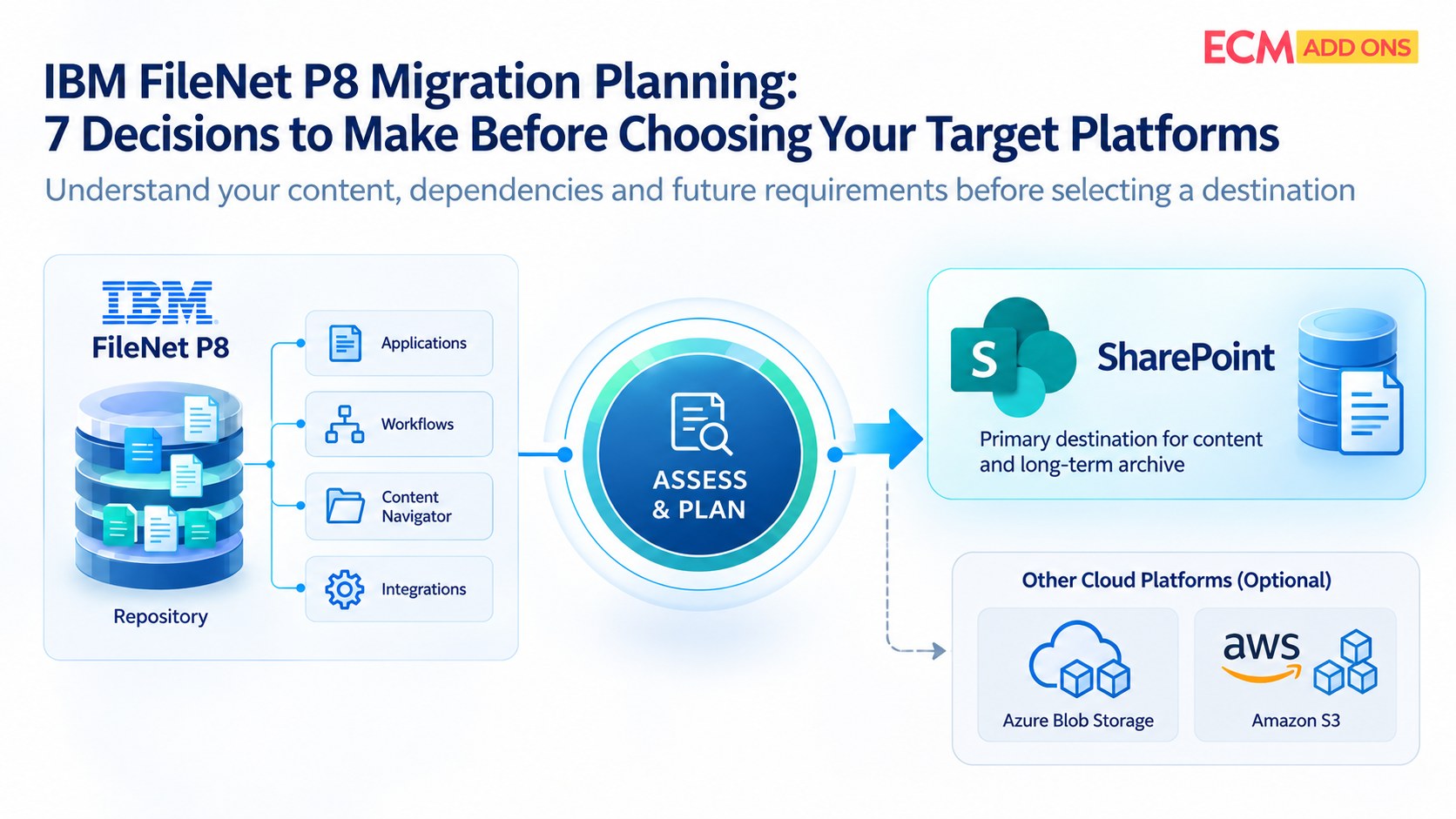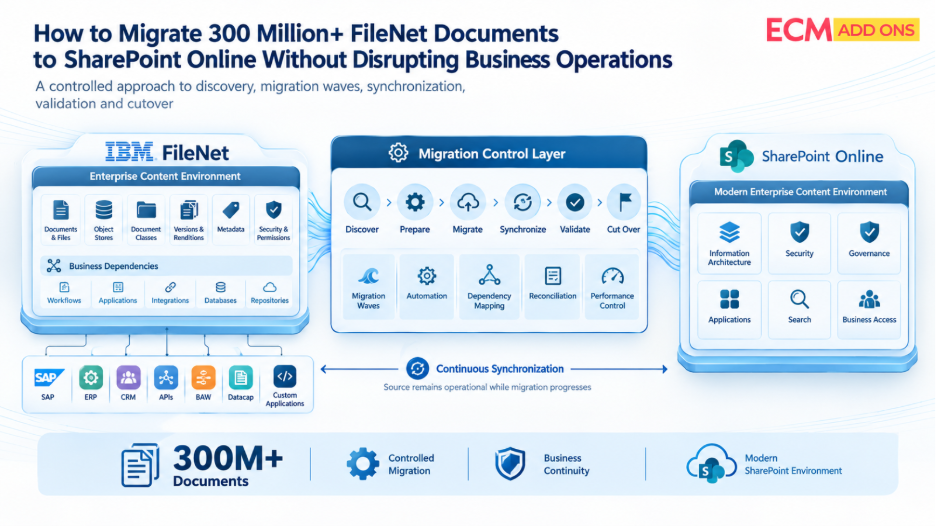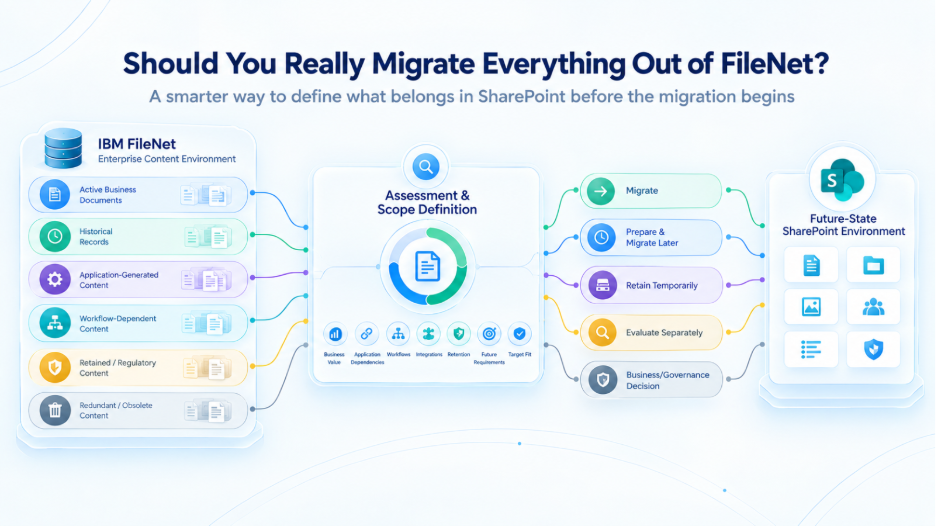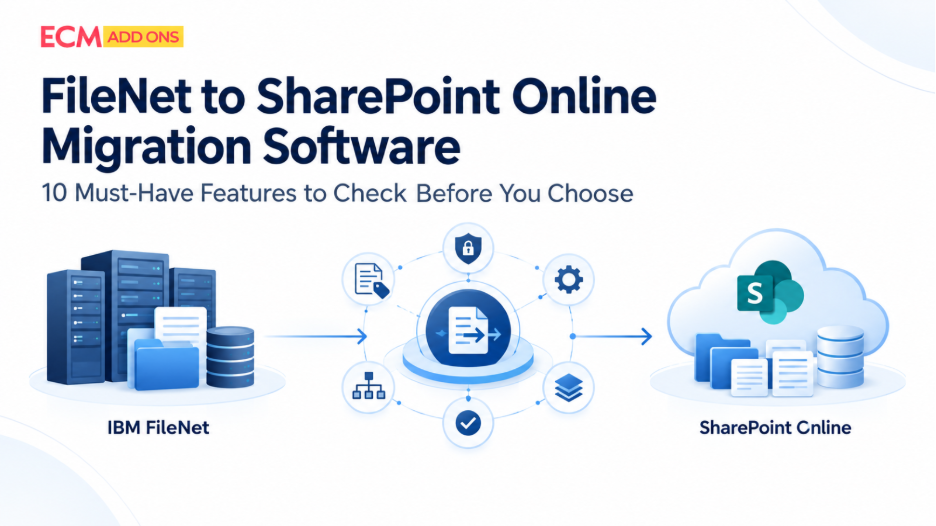
An enterprise IBM FileNet environment is rarely just a collection of documents. It may contain multiple object stores, customized document classes, complex security rules, workflows, historical versions, and business applications that depend on FileNet content. Moving this environment to SharePoint Online requires more than transferring files from one platform to another.
The right FileNet to SharePoint migration software must support the organization’s content, security, application dependencies, target architecture, and operational requirements. A tool that performs well on a small sample may not necessarily handle millions of documents, complex metadata mappings, or incremental synchronization reliably at enterprise scale.
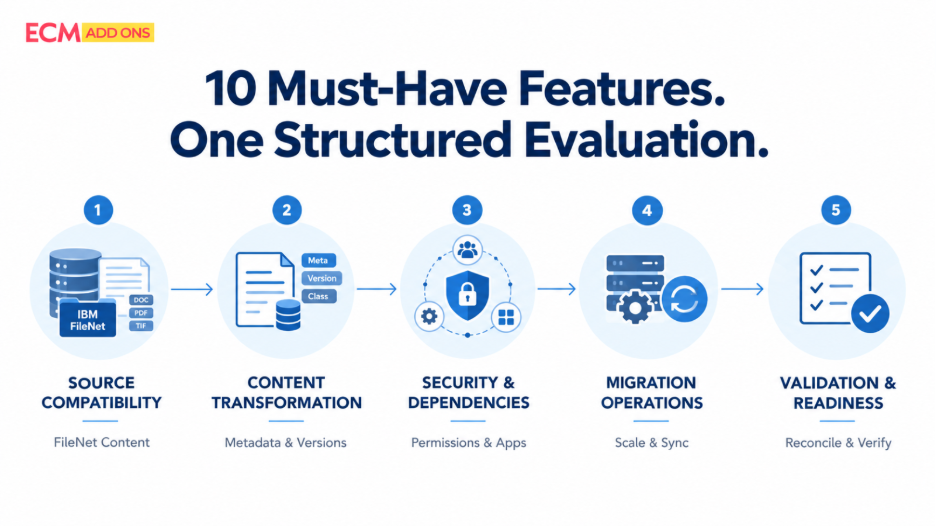
Before selecting a solution, enterprises should evaluate how it handles the ten technical requirements below—and ask vendors to demonstrate those capabilities against representative content rather than relying solely on feature lists.
10 Technical Requirements for IBM FileNet to SharePoint Online Migration Software
1. Deep IBM FileNet Compatibility
Start by establishing whether the migration software supports your actual IBM FileNet environment. Compatibility should be assessed against the relevant FileNet P8 and Content Engine versions, repository structures, object stores, document classes, custom properties, and content configurations.
This is particularly important for organizations with years of customization. A tool may support basic document extraction while requiring additional work to handle specialized properties, complex object relationships, or content structures.
What to evaluate: Which FileNet versions and configurations are supported? Can the software process your object stores, document classes, custom properties, and representative complex content? Which elements require configuration, customization, or a separate migration approach?
2.Scalability for Millions of Documents
Enterprise migrations may involve millions—or tens or hundreds of millions—of documents across multiple object stores. Document count alone, however, does not determine migration complexity. File sizes, version history, metadata processing, security evaluation, destination constraints, and application dependencies can all influence performance.
Evaluate throughput under realistic conditions, including parallel processing, batch management, large-file handling, failure recovery, and resource consumption. The software should also provide enough operational visibility to help teams identify bottlenecks and adjust migration waves.
What to evaluate: Can the vendor demonstrate performance using a representative workload? How are batches managed? Can failed items be retried without restarting the entire migration? What happens when processing slows or the destination applies service limits?
Avoid accepting a projected completion date based only on a small sample. Use measured results, documented assumptions, and the planned production configuration to estimate the migration window.
3.Metadata Mapping and Content Transformation
FileNet document classes and properties may not correspond directly to SharePoint Online content types, columns, libraries, or information architecture. Simply copying the source metadata can reproduce unnecessary complexity or create inconsistencies in the destination.
The migration solution should support configurable mapping and transformation rules for required properties, classifications, taxonomies, and destination fields. It should also identify missing values, unsupported properties, invalid destination values, and other exceptions that require remediation.
For example, a legacy document classification may need to map to a SharePoint content type and associated columns. That mapping should be tested against real documents before production migration begins.
What to evaluate: Can the team define and test property mappings? How are required fields, data normalization, unmapped values, and exceptions handled? Can the resulting metadata be reconciled against the approved mapping specification?
For a deeper look at this challenge, see ECM Addons’ article on IBM FileNet metadata migration to SharePoint.
FileNet and SharePoint Online have different security models. User and group identities, access control lists (ACLs), inherited permissions, and unique document-level access rules must be assessed against the intended destination security design.
The migration team needs to know which permissions can be mapped directly, which require transformation, and which depend on changes to the destination architecture. Identity resolution is also important when source users or groups do not have a corresponding destination identity.
A successful content transfer does not, by itself, demonstrate that security has been preserved. Permission outcomes should be tested using representative accounts and access scenarios.
What to evaluate: Can the solution support the required user and group mapping? Can it identify unresolved identities and permission exceptions? Can the team verify that authorized users can access the appropriate content and that restricted documents remain inaccessible to unauthorized users?
4.Security and Permission Preservation
FileNet and SharePoint Online have different security models. User and group identities, access control lists (ACLs), inherited permissions, and unique document-level access rules must be assessed against the intended destination security design.
The migration team needs to know which permissions can be mapped directly, which require transformation, and which depend on changes to the destination architecture. Identity resolution is also important when source users or groups do not have a corresponding destination identity.
A successful content transfer does not, by itself, demonstrate that security has been preserved. Permission outcomes should be tested using representative accounts and access scenarios.
What to evaluate: Can the solution support the required user and group mapping? Can it identify unresolved identities and permission exceptions? Can the team verify that authorized users can access the appropriate content and that restricted documents remain inaccessible to unauthorized users?
5.Document Versions, Relationships, and Records
Enterprise documents often carry more than their latest file content. Version history, annotations, relationships, audit context, and records-management dependencies may be important to business operations or governance.
Not every FileNet feature has a direct SharePoint Online equivalent. Some elements may be migrated, others may require transformation, and some may need a replacement process or a redesign of the target architecture. These decisions should be made explicitly rather than assuming every source feature will transfer unchanged.
What to evaluate: Which versions and associated elements can be migrated? How are document relationships and annotations handled where required? What happens to audit information and records-management dependencies? Which features need a separate solution, and how will the result be validated?
For regulated organizations, involve records-management and compliance owners when defining acceptance criteria. Requirements for retention, legal holds, and audit evidence depend on the organization’s policies and applicable obligations.
6.Business Application and Integration Dependencies
FileNet content may be accessed through SAP ArchiveLink, ERP platforms, custom applications, APIs, document links, and business workflows. If these dependencies are overlooked, documents can arrive in SharePoint while the applications that use them continue pointing to the legacy repository.
The migration assessment should identify how applications locate and retrieve content, which identifiers or references they depend on, and whether existing workflows need to be redirected, rebuilt, or replaced. This is particularly important when FileNet serves as part of a business process rather than simply as a storage repository.
What to evaluate: Can the migration project identify FileNet-dependent applications and integrations? How will document links and identifiers be handled? Which workflows require redesign? Can the vendor demonstrate how representative integrations will be tested before cutover?
The migration plan should treat application readiness as a separate workstream, with its own test cases and sign-off requirements.
7.Bulk Migration, Incremental Synchronization, and Cutover
A large-scale FileNet to SharePoint Online migration may require an initial bulk transfer followed by incremental synchronization while the source environment remains in use. New or modified documents must be handled according to the migration design so that changes are not overlooked before cutover.
Evaluate the software’s support for batch execution, retries, restartability, delta migration, scheduling, and progress tracking. The cutover plan should establish when the final synchronization takes place, how the last changes are reconciled, and what conditions must be met before business users transition to SharePoint.
What to evaluate: Can the tool identify and process new or modified content after the initial migration? How are failed batches restarted? Can migration activity be scheduled around operational constraints? What evidence confirms that the final synchronization is complete?
The objective is a controlled transition with an agreed cutover window—not an assumption that the migration will require no downtime.
8.Migration Validation and Reconciliation
Migration software should help establish whether the content arrived as expected and whether required attributes and access rules meet the agreed acceptance criteria. This requires more than a completion message or a single success percentage.
Validation should cover document-count reconciliation, applicable file-integrity checks, metadata comparisons, permission testing, and the status of failed or excluded items. Reports should make it possible to trace exceptions to individual records and identify whether they have been resolved, retested, or formally accepted.
For very large migrations, reporting should support both a consolidated view across the project and detailed analysis by object store, migration wave, or exception category.
What to evaluate: Can the software reconcile source and destination populations? Which integrity and metadata checks are available? Are failures clearly classified? Can teams export reports and demonstrate the outcome of remediation?
The validation criteria should be defined before execution so that success is measurable and consistent across migration waves.
9.SharePoint Online Architecture and Governance
Even technically accurate migration can create long-term problems if the destination architecture is not ready. SharePoint Online sites, libraries, content types, columns, permissions, and governance arrangements should be designed around the future use of the content.
The migration team must consider destination constraints, information architecture, access requirements, service throttling, and the operational implications of large libraries or complex permission structures. Some source structures may need to be consolidated or redesigned instead of reproduced exactly.
What to evaluate: Can the planned destination structure support the expected content and metadata? Have library and site design, permissions, ownership, governance, and application access been reviewed? How will throttling and other destination constraints affect the migration schedule?
A well-designed target architecture helps prevent the migration from transferring legacy complexity into a new platform without a clear business reason.
10.Monitoring, Exception Management, and Operational Support
A migration that processes millions of documents needs effective operational control. Teams should be able to monitor progress, identify failures, investigate root causes, recover from interruptions, and understand the readiness of each migration wave.
Look for detailed logs, exception categorization, retry controls, progress reports, and clear visibility into pending, failed, and completed work. Also assess the support model for complex deployments, including troubleshooting responsibilities, escalation routes, and assistance during migration and cutover.
What to evaluate: Can the team identify why a document failed? Can corrected items be reprocessed and validated? Are reports available by migration wave? What support is available during pilot testing, production execution, and post-migration stabilization?
These capabilities help teams manage exceptions systematically instead of relying on manual tracking across disconnected reports.
FileNet Migration Software Evaluation Checklist
Use this checklist during requirements gathering, vendor demonstrations, and proof-of-concept testing. Ask vendors to provide evidence from your environment or a representative test—not just verbal confirmation that a feature exists.
Requirement | Why it matters | Questions to ask the vendor | Evidence to request |
FileNet compatibility | Determines whether the source environment is supported | Which versions and configurations are supported? | Compatibility statement and test results |
Scalability | Establishes whether the solution suits the content volume | How does it perform with representative volumes and file sizes? | Pilot throughput and resource results |
Metadata transformation | Preserves required business context | Can mappings and exceptions be configured? | Mapping specification and comparison report |
Security mapping | Helps maintain intended access boundaries | How are identities, ACLs, and inheritance handled? | Mapping report and access-test results |
Versions and relationships | Identifies source elements needing migration or redesign | Which elements are supported, transformed, or excluded? | Feature mapping and sample validation |
Application dependencies | Protects dependent retrieval and business processes | How will integrations and document links be tested? | Dependency register and functional test results |
Synchronization and cutover | Accounts for source changes during migration | How are delta runs, retries, and final reconciliation handled? | Synchronization logs and cutover plan |
Validation and reporting | Makes migration outcomes measurable | Which checks and item-level reports are available? | Reconciliation and exception reports |
SharePoint architecture | Helps ensure the destination is fit for purpose | How will target structures and service constraints be addressed? | Target architecture and configuration plan |
Operational support | Helps manage failures and production risks | What recovery and escalation options are available? | Support model, logs, and recovery demonstration |
Common Mistakes When Selecting FileNet to SharePoint Migration Software
One common mistake is choosing a tool based primarily on its ability to copy documents. That may be sufficient for simple file transfers, but enterprise FileNet environments can require metadata transformation, security mapping, dependency analysis, and application testing.
Another mistake is treating permissions as a secondary configuration task. Complex ACLs and identity differences can create access problems even when content migration succeeds. These requirements should be tested early, especially for sensitive or regulated records.
Organizations can also underestimate application dependencies. If SAP integrations, custom applications, or workflows are not included in the migration assessment, the destination may not support the same business processes after cutover.
Finally, skipping a representative trial leaves important assumptions untested. A small demonstration using only simple documents cannot establish how a solution will handle complex properties, large files, exceptions, or destination constraints at scale.
Questions to Ask During a FileNet Migration Software Demo
A useful vendor demonstration should follow realistic scenarios rather than a prepared sequence of successful document copies. Ask the vendor to show:
- How a FileNet document class and its custom properties are mapped to SharePoint Online.
- How user and group identities, ACLs, and unique permissions are handled.
- What happens when a document fails because of invalid metadata or a destination issue.
- How failed items are retried and how their final status is recorded.
- How new or modified content is synchronized after an initial migration.
- How source and destination counts, metadata, and applicable integrity checks are reconciled.
- How the team identifies migration exceptions and determines whether a wave is ready for cutover.
Request the reports generated by these scenarios and confirm that they provide enough detail for technical review, business acceptance, and governance requirements.
Why a Trial Migration Matters Before You Commit
A trial migration provides practical evidence of how the proposed software performs against representative content. It can expose unsupported structures, metadata-mapping issues, permission exceptions, integration dependencies, and performance constraints before the organization commits to full-scale execution.
Choose a sample that reflects the real environment: common document types, complex metadata, large files, relevant versions, restrictive permissions, and content connected to important business applications. Define the test criteria in advance and record which scenarios passed, failed, or need redesign.
ECM Addons offers a FileNet to SharePoint Migration Trial for organizations that want to evaluate the migration approach using representative FileNet content. Use the trial to examine migration behavior and reports, validate the relevant requirements, and identify issues that need attention before a production rollout.
When Specialized FileNet Migration Software Is Necessary
Specialized FileNet migration software is worth evaluating when the source environment includes complex object stores, customized document classes, extensive metadata, ACLs, version histories, workflows, or business application dependencies. The key question is whether the proposed solution can address the actual requirements and demonstrate its capabilities through a controlled trial.
ECM Addons provides FileNet Migration Services and a dedicated IBM FileNet to SharePoint Migration Tool. Review the available capabilities against your environment, and validate the required scenarios before deciding on a migration approach.
Choose Migration Software Based on Evidence, Not Feature Lists
Selecting software for an enterprise FileNet to SharePoint Online migration requires a structured evaluation of compatibility, scale, metadata, security, application dependencies, synchronization, validation, and operational support. No single feature establishes suitability for every environment.
Define the requirements, ask vendors to demonstrate the highest-risk scenarios, and use a representative trial to gather evidence. This gives your organization a more reliable basis for estimating effort, addressing exceptions, and planning a controlled transition to SharePoint Online.
Next step: Start with a clear understanding of your FileNet environment, then evaluate the migration tool against the requirements that matter most to your content, applications, security model, and business operations.